
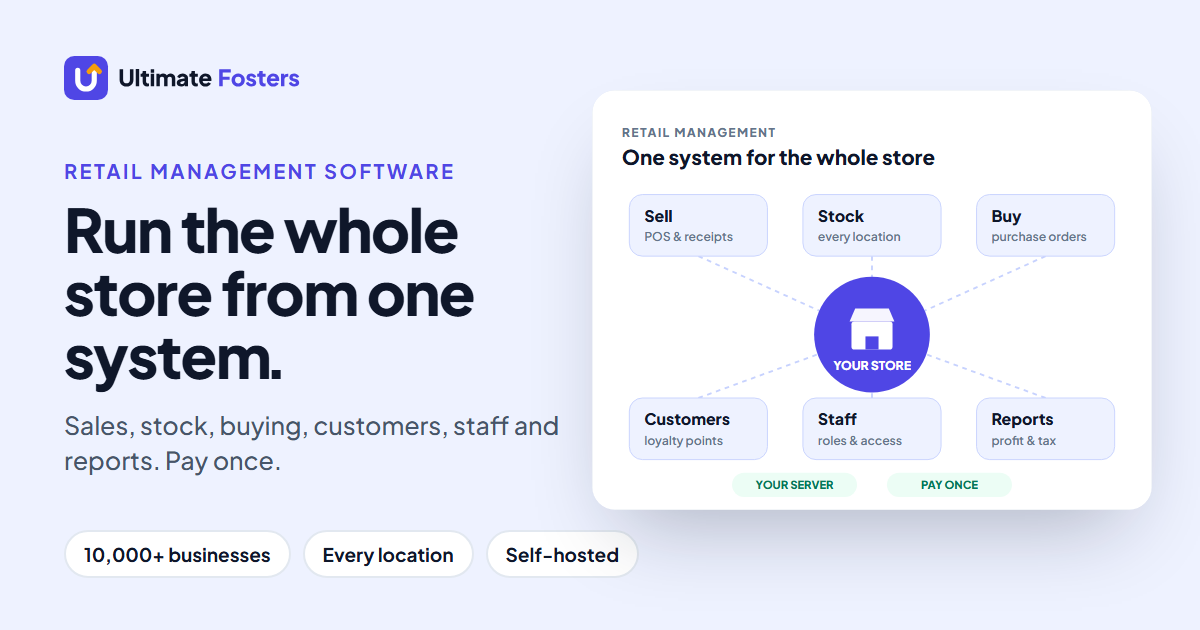
Short answer: Retail management software is one system that runs a store’s daily work: sales at the till, stock in every location, buying from suppliers, customer records, staff access and reports. However, most tools charge for it every month.
Instead, UltimatePOS does all of it for $79 once, covers every location and runs on your own server. Used by 10,000+ businesses and rated 4.3+/5 from 500+ ratings on CodeCanyon.
Try UltimatePOS in the live demo (no sign-up) or see what the $79 licence includes.
Written by the Ultimate Fosters team, who have built and supported UltimatePOS for 10+ years. Updated November 2026, with every price checked on the vendor’s own site.
If you run your store with a till, a spreadsheet and a notebook, you already do retail management, though you do it by hand. Retail management software puts those jobs in one place instead: a sale lowers stock, low stock tells you what to reorder, and the report at closing time is right without anyone adding it up.
First, this guide explains what a retail management system does and how it differs from a POS, a CRM and an ERP. Then it compares the three ways to pay for one, and finally shows how to choose one for a single store or a small chain.
What is retail management software?
Retail management software, also called a retail management system (RMS) or retail store management system, records a store’s sales, stock, purchases, customers, staff and money in one shared database. Because each job updates the others, a sale lowers stock, low stock leads to a purchase order, and the day’s reports come from the same records.
In short, the point of sale (POS) is only the part your cashier sees. Retail management software is the POS plus everything behind the counter: the stockroom, the supplier orders, the customer list and the numbers at the end of the day.
You need one when a cash register and spreadsheets stop keeping up. These are the usual signs:
- Stock counts never match the shelf, so you keep recounting.
- You find out an item has run out when a customer asks for it.
- You can’t see what each cashier sold, so you can’t tell which products make money.
- You still type the day’s sales into a spreadsheet at night.
- You have opened a second store or a warehouse, so stock now sits in two places.
What a retail management system does
A retail management system covers seven jobs. Here is what each one means in a shop, and how UltimatePOS handles it.
Swipe the table sideways to see all columns →
| Job | What it covers | In UltimatePOS |
|---|---|---|
| Selling at the till | Barcode scanning, discounts, returns, receipts, held sales | POS screen with drafts and held sales, discounts by brand, category or location, sales returns |
| Stock | Stock in every location, low-stock warnings, sizes and colours, units, expiry | Stock alerts, variations, units, expiry dates and lot numbers |
| Buying | Purchase orders, receiving goods, supplier bills, what you owe | Purchase orders, purchases and the supplier ledger |
| Customers | Customer records, groups, loyalty, credit | Customer groups, reward points, pay terms and customer ledgers |
| Staff | Logins, what each person can see, sales per person | Roles and permissions, users limited to their store, commission agents |
| Money and reports | Cash at each till, expenses, tax, profit | Cash register, expenses, tax rates and reports on sales, stock value, tax and staff |
| More than one store | Separate stock per store, moving goods, one login | Business locations and stock transfers, all on one licence |
Every UltimatePOS feature links to its page in the UltimatePOS documentation.
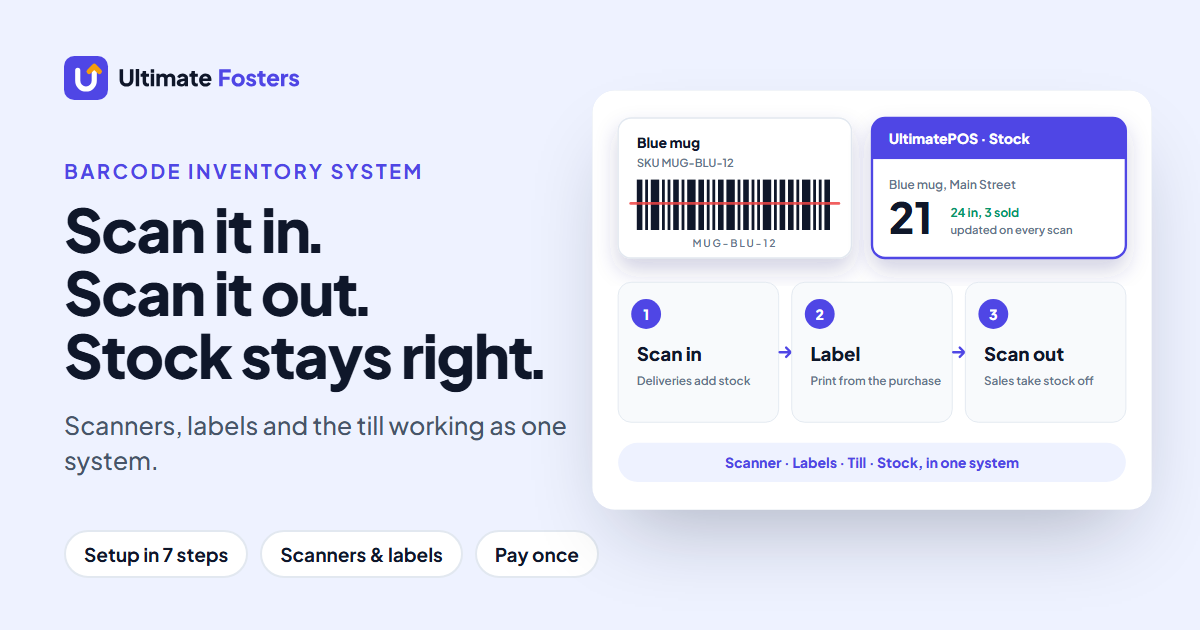
Most systems handle the first three jobs. Customers, staff and extra stores, however, are where plans and prices start to split, so check those first when you compare. If stock is your main worry, our guide to a barcode inventory system shows how scanning keeps it right.
Retail management software vs POS and CRM
These names overlap, and vendors use them loosely. This is what each one does for a store:
Swipe the table sideways to see all columns →
| Tool | What it does | Who it is for |
|---|---|---|
| POS | Takes the sale and the payment at the counter | Every store. On its own, it doesn’t manage buying or stock well |
| Retail management software | The POS plus stock, buying, customers, staff and reports | Stores that have outgrown a basic till, from one shop to a small chain |
| CRM | Tracks customers and leads, follow-ups and campaigns | Sales teams. In retail, mostly loyalty and marketing |
| ERP | Runs a whole company: accounting, HR, manufacturing, supply chain | Larger firms with several departments and a long setup project |
Because it covers only the store, a retail management system is much smaller than an ERP, and most small retailers need nothing bigger. UltimatePOS also sits in the middle: a full retail management system, plus add-ons when you grow into them. The HRM add-on adds attendance, shifts, leave and payroll, and the CRM add-on adds leads, follow-ups and email and SMS campaigns.
Monthly subscription, one-time licence or self-hosted?
Retail management system software is sold in three ways. The price model matters as much as the features, because it decides what you pay as you grow and who holds your data.
Swipe the table sideways to see all columns →
| How you pay | Where your data lives | If you stop paying | Examples (prices checked November 2026) |
|---|---|---|---|
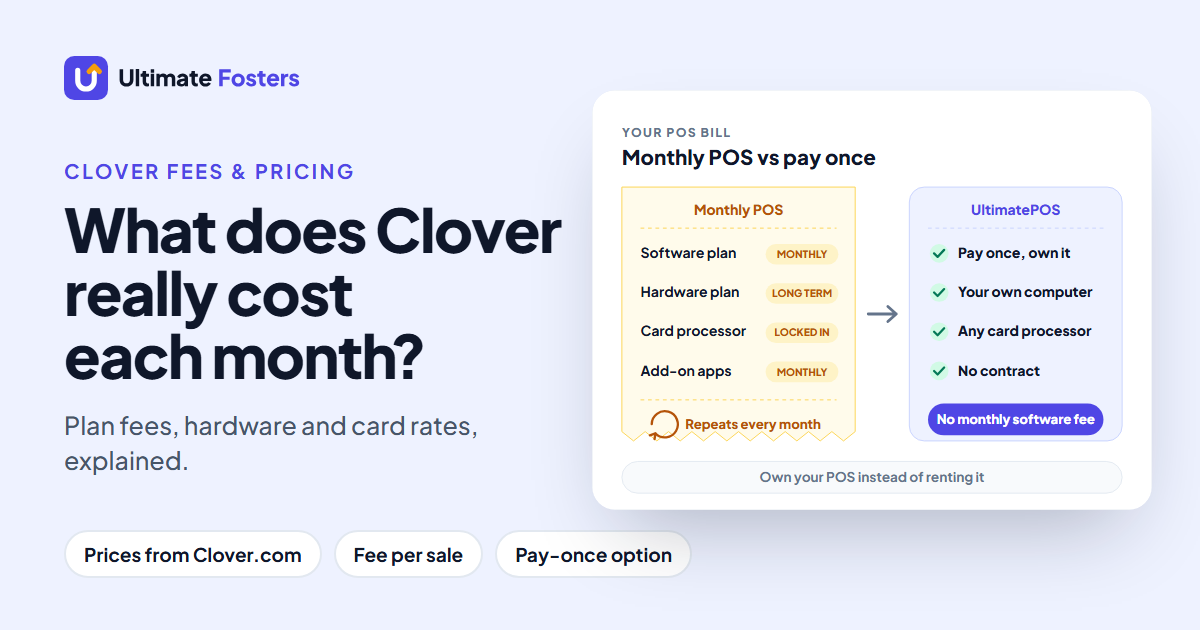
| Monthly subscription (cloud) | The vendor’s servers | You lose the paid features you were using | Square for Retail $0, $49 or $149 a month per location; Lightspeed Retail $89 to $289 a month billed yearly |
| One-time licence, installed locally | Your own computers | The software keeps working | RetailEdge from $495 once |
| One-time licence, self-hosted | Your own server or shop computer, opened in a browser on any device | The software keeps working | UltimatePOS $79 once, every location |
Prices from Square, Lightspeed, RetailEdge and CodeCanyon.
Which one suits your store?
- A monthly plan suits a single store that wants the least setup, as long as it plans to stay small.
- A one-time licence suits owners who want a fixed cost and also want to keep their data in their own hands.
- Self-hosted and pay once suits stores with 2 or more locations, where per-location fees add up. For example, three stores on Square Plus cost $147 a month (3 × $49), while UltimatePOS covers all three for $79 once.
For hardware and card fees as well as software, see our POS system cost guide and our look at the cheapest POS system for small business.
How UltimatePOS runs a retail store
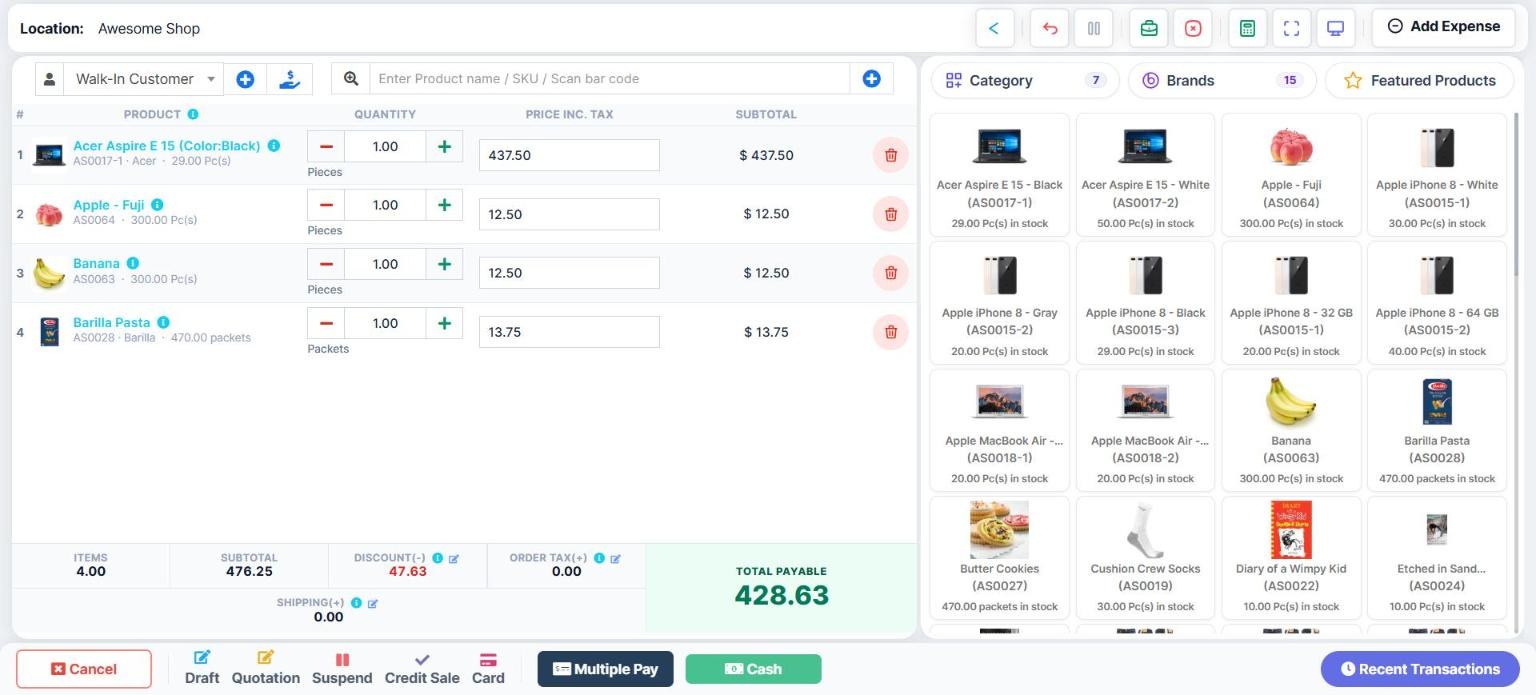
UltimatePOS is the retail management system we have built and supported for 10+ years. Here is one day in a store with two locations:
- Open the tills. Each cashier opens their cash register with the float in the drawer.
- Sell. Scan a barcode and add a discount, then take the card on your own terminal and print the receipt. Meanwhile, the customer earns reward points.
- See what is running low. When an item drops to its alert quantity, it shows on the stock alert list.
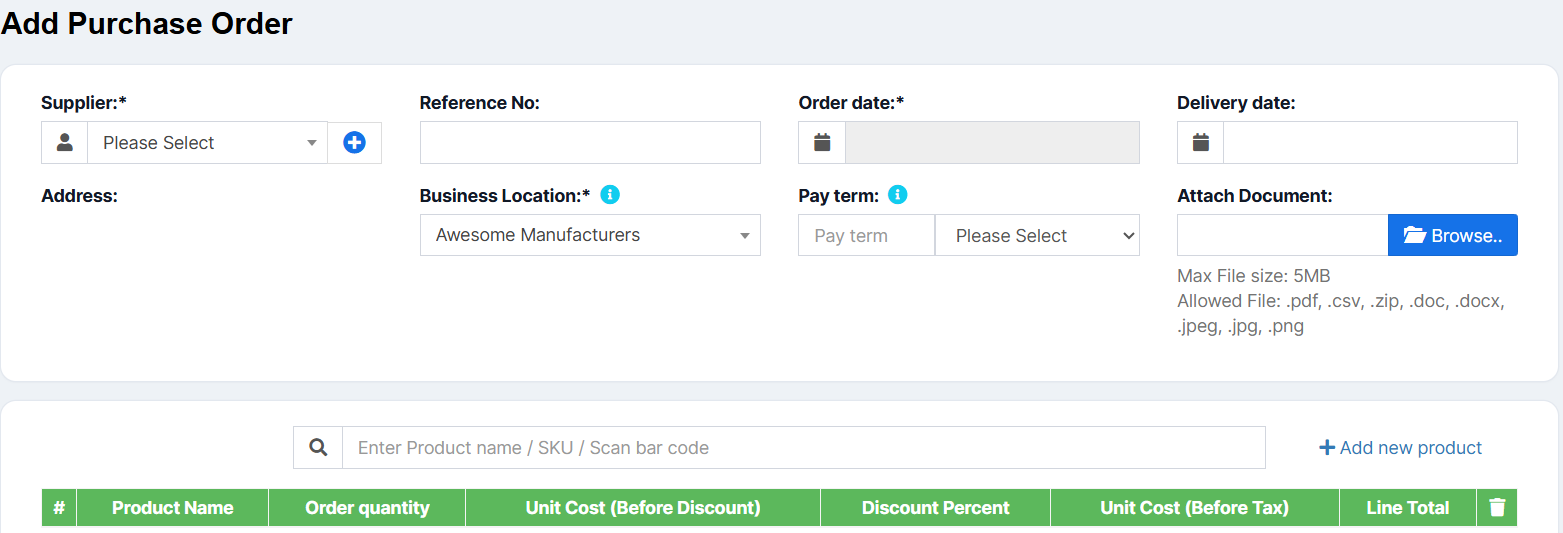
- Reorder. Send the supplier a purchase order, receive what arrives, and then stock and the supplier ledger update. (New to POs? Read our purchase order guide.)
- Balance the stores. Move spare stock from one location to the other with a stock transfer instead of reordering.
- Close the day. Close each register, then check the register, sales representative, stock and tax reports.
Why store owners choose UltimatePOS
- Pay once, no monthly fee. $79 for the Regular licence on CodeCanyon, with future updates and 6 months of support. Also, there is no fee per register or per store.
- Your data, your server. It runs on your own server, with backups to the server or AWS S3. As a result, nobody can lock you out of your own records.
- Any card processor. Keep your bank’s terminal or pick a cheaper processor, because UltimatePOS records the payment either way.
- Grows with you. Add stores, users and warehouses on the same licence. Add WooCommerce, CRM or HRM when you need them.
- Built for your products. Sizes and colours, wholesale and retail price lists, barcode labels and weighed items, for shops such as fashion, grocery and wholesale. See UltimatePOS by industry.
UltimatePOS at a glance
| UltimatePOS | |
|---|---|
| Price | $79 once for the Regular licence on CodeCanyon |
| Stores | Every location on one licence, each with its own stock |
| Runs on | Any computer, tablet or phone with a web browser |
| Hosting | Your own server, either a cloud server or a computer in your shop |
| Card payments | Any terminal or processor you choose, because UltimatePOS only records the payment |
| Updates and support | Future updates and 6 months of support included |
| Setup | Our installation guide, or our installation service for $25 |
| Try it | Live demo, no sign-up |
“This is the best you can get without all the bloat and unnecessary subscriptions of larger enterprise systems.”
CodeCanyon buyer review of UltimatePOS
Run a test day in the live demo
Make a sale, raise a purchase order and open a report. No sign-up needed.
Retail management systems compared
Small and mid-size stores most often compare the systems below, so we checked each price on the vendor’s own site.
Swipe the table sideways to see all columns →
| System | Price | How you pay | More stores | Watch out |
|---|---|---|---|---|
| UltimatePOS | $79 once, every location | One-time licence, self-hosted | Included on the one licence | You install it on a web server, or we do it for you |
| Square for Retail | $0, $49 or $149 a month per location | Monthly, cloud | Each location adds the monthly fee | Purchase orders and stock intake start on Plus. Square processes your card payments |
| Lightspeed Retail | $89, $149 or $289 a month billed yearly ($109, $179 or $339 monthly) | Monthly, cloud | Price changes with the number of locations and registers | Each plan includes 1 register |
| RetailEdge | From $495 once | One-time licence, local install | Supports multiple locations | 90 days of free support. After that, email support stays free, but phone support costs $30 to $45 per 15 minutes unless you pay $55 per location a month |
| Retail Pro | No public price | Subscription | Priced on request | You request a consultation to get a price |
Checked in November 2026 on Square, Lightspeed, RetailEdge (support plans), Retail Pro and CodeCanyon. Vendors change prices, so check before you buy.
So for a small store or a growing chain, UltimatePOS has the lowest price on the list, includes every location, and keeps your data on your own server. If you are leaving Square in particular, our Square alternatives guide walks through the move. To see UltimatePOS with your own eyes before you decide, open the live demo.
Coming from Microsoft RMS?
Microsoft Dynamics Retail Management System (RMS) was a popular pay-once store system. Microsoft ended mainstream support for RMS 2.0 on July 10, 2016 and extended support on July 13, 2021, according to its product lifecycle page, so it no longer gets security updates.
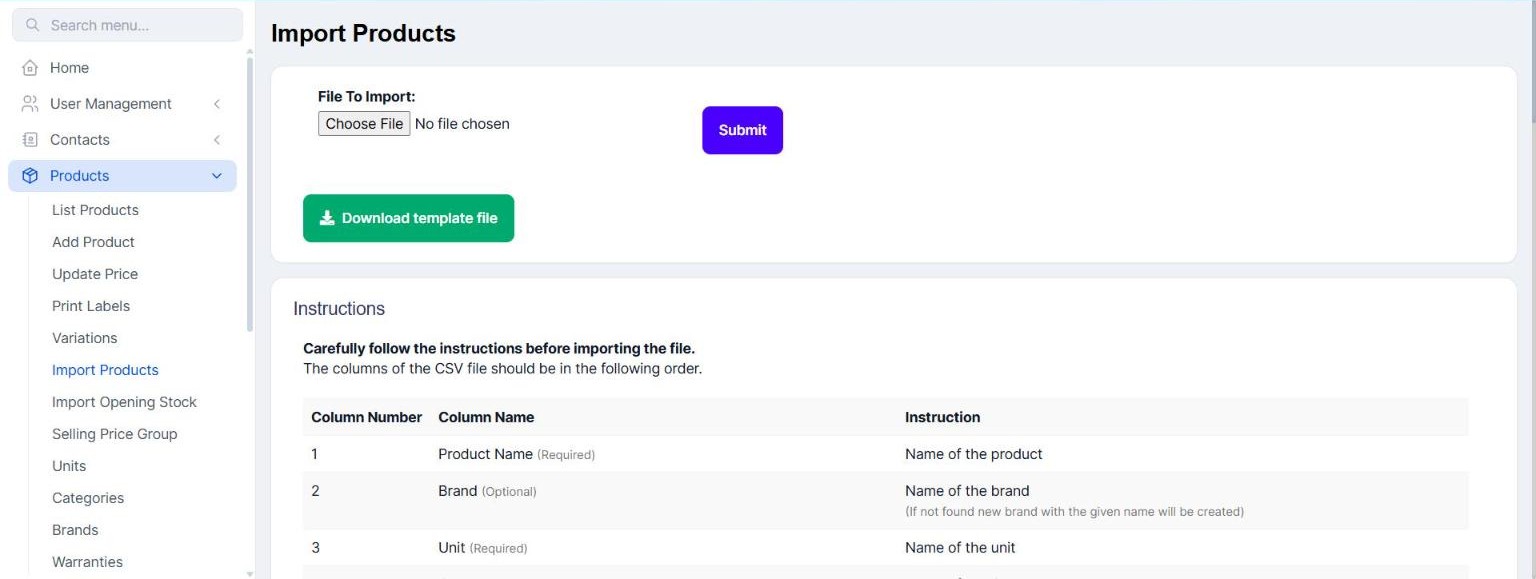
Stores still on RMS can move to Retail Management Hero, which its maker sells as a standalone replacement for RMS, or to a newer system. If you liked RMS because you paid once and kept your data in-house, UltimatePOS works the same way: one licence, your own server, and stock, customers and suppliers in one place. Then put your item list in a spreadsheet and bring it in with the UltimatePOS product import template.
How to choose retail management software: a checklist
Ask these 10 questions of any software for retail management on your shortlist:
- Does one sale update stock in every location straight away?
- Can you raise purchase orders and receive part of an order?
- Does it handle your products: sizes and colours, units, weighed items, expiry dates?
- Can each staff member see only their own store and only the screens they need?
- Does it have loyalty points and customer credit?
- Does it give you the reports you use: profit, stock value, tax, sales per staff member?
- What does it cost for all your stores and registers, this year and next?
- Where does your data live, and can you export all of it?
- Can you keep your card processor, or are you tied to one?
- What happens if you stop paying?
Then test each one with your own routine: make five sales, a return, a purchase order and a stock transfer. You can do all of that in the UltimatePOS live demo without signing up.
Switching to a new system in 30 days
| Week | What to do |
|---|---|
| Week 1 | Put your products, customers and suppliers into spreadsheets, then import the products. |
| Week 2 | Set up your locations, tax rates, users and roles. Also print barcode labels for anything without one. |
| Week 3 | Run the new system next to the old one at one till. Then compare stock and the end-of-day reports. |
| Week 4 | Go live in every store. Finally, set alert quantities for your best sellers and turn on backups. |
Retail management software FAQs
What is retail management software?
Retail management software is one system that runs the daily work of a store: sales at the till, stock, buying from suppliers, customer records, staff access and reports. Each part updates the others, so a sale lowers stock and the day’s reports come from the same records. For example, UltimatePOS is retail management software you buy once for $79 and run on your own server.
What is retail management?
Retail management is running the daily side of a store: buying stock, pricing it, selling it, managing staff and keeping customers coming back. Retail management software is the tool that records those jobs and connects them, so the numbers match across the till, the stockroom and the books.
Is a retail management system the same as retail management software?
Yes. Retail management system, retail shop management software, RMS and retail management software all mean the same kind of tool. Vendors use the names in different ways, so compare what each one does rather than what it is called.
What is the best software for managing a retail store?
The best retail management software is the one that covers your products, stores and budget without a growing monthly bill. In particular, for small and growing stores UltimatePOS is a strong pick: $79 once for every location, with stock, purchasing, loyalty, staff roles and reports included, and your data on your own server. See it on our retail POS system page.
Is a retail management system an ERP?
No. An ERP runs a whole company, including accounting, HR, manufacturing and the supply chain. A retail management system is built around the store: sales, stock, purchasing, customers and staff. Most small retailers therefore need an RMS rather than a full ERP. UltimatePOS covers the store and adds HR, CRM or manufacturing through add-ons when you need them.
What is CRM in retail, and how is it different from a POS?
A POS takes the sale and the payment at the counter. A CRM keeps track of customers and leads and helps you follow up with them. In retail, however, the CRM side is usually customer records, loyalty points and campaigns. UltimatePOS has customer groups and reward points built in, and its CRM add-on adds leads, follow-ups and email and SMS campaigns.
What is inventory management in a retail store?
It is how a store tracks what it has, where it is and when to reorder. Good retail software lowers stock with every sale, warns you when an item runs low, and records what arrives from suppliers. Our guide to inventory management software for small business covers it in detail.
What are the main types of POS systems?
By hardware: countertop terminals, tablet POS, mobile or handheld POS and self-service kiosks. By where the software runs: cloud POS, hosted by the vendor, or self-hosted POS, on your own server or computer. UltimatePOS, for example, is self-hosted and opens in a web browser on a computer, tablet or phone.
What is the best POS system for a small retail business?
Look for barcode scanning, stock that updates with every sale, simple reports and a price that doesn’t grow with every register. UltimatePOS does all of that for $79 once. Our retail POS system page shows the retail features one by one.
Is there free retail management software?
Some POS apps have a free plan, but stock and purchasing tools usually sit on paid plans. For example, Square for Retail’s free plan is $0, while purchase orders and stock intake come with Plus at $49 a month per location. UltimatePOS is not free: it is $79 once, with those tools included. We compared free plans in our small business inventory guide.
How much does retail management software cost?
Monthly cloud plans run from $0 to $339 a month for one location, based on the prices we checked in November 2026. One-time licences, on the other hand, start at $79 (UltimatePOS) and $495 (RetailEdge). Our POS system cost guide breaks down hardware and card fees too.
What is the best POS software for a retail supermarket?
A supermarket needs fast barcode checkout, items sold by weight, expiry dates and several tills on one stock list. UltimatePOS does all four: it reads barcodes from label weighing scales, tracks expiry dates and runs many counters at once, for $79 once. See our grocery and supermarket POS page.
What are the disadvantages of a POS system?
The common ones are monthly fees that grow with every register or store, being tied to one card processor, your data sitting on someone else’s server, a cloud POS that stops when the vendor’s service is down, and the time it takes to set up and train staff. UltimatePOS removes the first three: you pay $79 once, use any processor and keep your data on your own server. Setup still takes some time, and you need a web server.
Can one system manage several stores?
Yes. In UltimatePOS each business location has its own stock, you move goods between them with stock transfers, and each user can be limited to their own store. Also, all locations are on the one licence.
Can I sell online and in my store with one system?
Yes, with the WooCommerce add-on. It syncs products, stock and orders between UltimatePOS and a WooCommerce online store, so you don’t add every product twice.
Does UltimatePOS take card payments?
No. UltimatePOS records the payment, and the card itself goes through a terminal from your bank or any processor you choose. As a result, you can change processor for a better rate without changing your POS.
Where is my data stored with UltimatePOS?
On your own server, either a cloud server you rent or a computer in your shop. You can turn on backups to the server or to AWS S3 and export your records whenever you want.
What replaced Microsoft RMS?
Microsoft ended extended support for Dynamics Retail Management System 2.0 on July 13, 2021. Its maker sells Retail Management Hero as a replacement for RMS, and other stores moved to newer systems. UltimatePOS suits RMS users who want the same model: pay once, run it on your own server, and keep stock, customers and suppliers in one place.
How long does it take to switch to new retail software?
About 2 to 4 weeks for a small store. Most of the time goes into cleaning your product list. In UltimatePOS you import products from a spreadsheet, then set up locations, tax rates and staff, and run the new system next to the old one for a few days.
Do I need technical skills to install UltimatePOS?
Some. It needs a web server, either a cloud server or a computer in your shop. Our installation guide walks you through it, or our installation service sets it up for $25.
Run your whole store from one system
UltimatePOS: $79 once, every location, any card processor and your data on your own server. Updates and 6 months of support included.
About this guide
Written by the team at Ultimate Fosters, who build and support UltimatePOS, a POS and inventory system used by 10,000+ businesses for 10+ years. We checked every competitor price on the vendor’s own website in November 2026, took Microsoft RMS dates from Microsoft’s lifecycle page, and linked each UltimatePOS feature to its documentation. Prices change, so check them before you buy.
Sources
- Pricing: Square for Retail, Lightspeed Retail, RetailEdge, Retail Pro, UltimatePOS on CodeCanyon
- Microsoft: Dynamics Retail Management System 2.0 lifecycle; Retail Management Hero
- UltimatePOS documentation: reports, multiple locations, role management, backups
Related: retail POS system · inventory management software for small business · barcode inventory system · POS system cost · open source POS systems · markup vs margin
Leave A Comment