
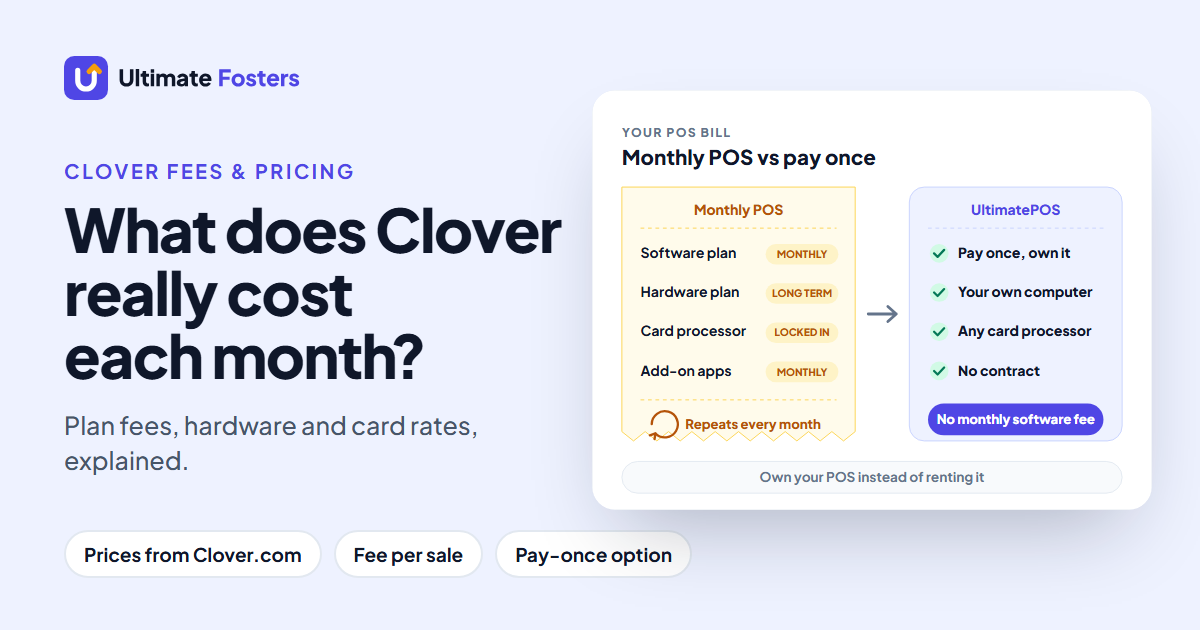
Short answer: Clover fees have three parts: a software plan of $0 to $129.85 a month, hardware from $199 to $4,447 (or $16 to $354 a month on a 36-month subscription), and card fees of 2.3% + 10¢ to 2.6% + 10¢ per in-person sale (3.5% + 10¢ when a card is typed in). These are Clover.com prices; banks and other sellers set their own.
Tired of monthly POS fees? UltimatePOS costs $79 once for every location, runs on the computer you already have and works with any card processor. Used by 10,000+ businesses and rated 4.3+/5 from 500+ ratings on CodeCanyon.
Try UltimatePOS in the live demo (no sign-up) or see what the $79 licence includes.
Clover pricing explained by the Ultimate Fosters team, makers of UltimatePOS for 10+ years. We read every Clover price on Clover.com in November 2026.
Clover fees change with your business type, your plan, the hardware you choose, how customers pay and who sold you Clover. That is why two Clover quotes for the same shop can look nothing alike. This guide puts every price from Clover’s own pages in one place, works through one real month for a small shop, and explains the 36-month subscription you can’t cancel. It then shows what the same shop pays with UltimatePOS, a POS you buy once for $79 and own.
Clover fees at a glance
Every Clover fee in one table, next to what you pay with UltimatePOS. The detail for each line follows below.
Swipe the table sideways to see all columns →
| Fee | Clover (Clover.com prices) | UltimatePOS |
|---|---|---|
| Software | $0 to $129.85 a month, by business type and plan | $79 once, every location |
| Hardware | $199 to $4,447 up front, or $16 to $354 a month for 36 months | Your own computer, tablet or phone |
| Card fee, in person | 2.3% + 10¢ to 2.6% + 10¢, through Clover only | Your processor’s rate, with any processor |
| Card fee, typed in | 3.5% + 10¢ | Your processor’s rate |
| Contract | 36-month subscription if you rent the hardware; can’t be cancelled | None. You own the licence |
Clover prices from Clover.com (November 2026); banks and other Clover sellers set their own. UltimatePOS Regular licence on CodeCanyon.
Clover POS pricing by business type
Clover sells a Starter, Standard and Advanced system for each type of business. Then you either buy the hardware and pay a monthly software fee, or pay one monthly price for 36 months with no money down. These are the prices on Clover.com in November 2026:
Clover prices for shops and restaurants
Swipe the table sideways to see all columns →
| Business type | Entry system | Mid-range system | Top system |
|---|---|---|---|
| Retail shops | Basic: $349 or $16/mo for 36 months Starter plan · 2.6% + 10¢ |
Standard: $1,899 + $84.95/mo or $180/mo for 36 months Retail Growth plan · 2.3% + 10¢ |
Advanced: $2,648 + $104.90/mo or $240/mo for 36 months Retail Growth plan · 2.3% + 10¢ |
| Quick-service restaurants | Starter: $849 + $89.95/mo or $135/mo for 36 months Restaurant Growth plan · 2.3% + 10¢ |
Standard: $1,899 + $89.95/mo or $185/mo for 36 months Restaurant Growth plan · 2.3% + 10¢ |
Advanced: $2,648 + $109.90/mo or $245/mo for 36 months Restaurant Growth plan · 2.3% + 10¢ |
| Full-service restaurants | Starter: $1,799 + $89.95/mo or $179/mo for 36 months Restaurant Growth plan · 2.3% + 10¢ |
Standard: $2,548 + $109.90/mo or $239/mo for 36 months Restaurant Growth plan · 2.3% + 10¢ |
Advanced: $4,447 + $129.85/mo or $354/mo for 36 months Restaurant Growth plan · 2.3% + 10¢ |
Clover prices for service businesses
Swipe the table sideways to see all columns →
| Business type | Entry system | Mid-range system | Top system |
|---|---|---|---|
| Personal services | Basic: $349 or $16/mo for 36 months Starter plan · 2.6% + 10¢ |
Standard: $849 + $84.95/mo or $130/mo for 36 months Services Growth plan · 2.3% + 10¢ |
Advanced: $1,899 + $84.95/mo or $180/mo for 36 months Services Growth plan · 2.3% + 10¢ |
| Home and field services | Starter: $29.95 a month Essentials (no hardware) plan · typed-in cards only (3.5% + 10¢) |
Standard: $199 + $29.95/mo Essentials plan · 2.5% + 10¢ |
Advanced: $749 + $84.95/mo or $125/mo for 36 months Services Growth plan · 2.3% + 10¢ |
| Professional services | Starter: $0 a month Starter (no hardware) plan · typed-in cards only (3.5% + 10¢) |
Essentials: $29.95 a month Essentials (no hardware) plan · typed-in cards only (3.5% + 10¢) |
Services Growth: $84.95 a month Services Growth (no hardware) plan · typed-in cards only (3.5% + 10¢) |
Prices from each business-type pricing page on Clover.com (November 2026). “/mo for 36 months” is Clover’s subscription price. Typed-in card payments are 3.5% + 10¢ on every plan. Clover says these prices are only available on Clover.com.
The plan sets your card rate: the cheapest retail and personal-services systems pay 2.6% + 10¢ per sale, while every Growth plan pays 2.3% + 10¢. Restaurants pay the most, though. For example, a full-service restaurant’s Advanced system is $4,447 plus $129.85 a month, or $354 a month for 36 months.
Clover monthly fees: what the software plan costs
Clover fees start with the software plan, because every Clover system runs on one. The plan also decides which tools you get and your card rate:
Swipe the table sideways to see all columns →
| Clover plan | Monthly fee | In-person card rate | Used on |
|---|---|---|---|
| Starter | $0 | 2.6% + 10¢ | Clover Go; retail and personal-services Basic systems; professional services (no hardware, typed-in cards only) |
| Essentials | $29.95 | 2.5% + 10¢ | Clover Go; home and field services; professional services |
| Services Growth | $84.95 | 2.3% + 10¢ | Personal, professional, and home and field services |
| Retail Growth | $84.95 or $104.90 | 2.3% + 10¢ | Retail Standard and Advanced |
| Restaurant Growth | $89.95, $109.90 or $129.85 | 2.3% + 10¢ | Quick-service and full-service restaurants |
Monthly fees when you buy the hardware, from Clover.com (November 2026). Typed-in cards are 3.5% + 10¢ on every plan.
But watch the cheap retail system. The $349 Basic retail system has no monthly software fee, but Clover’s comparison lists these as “Not Included”: stock tracking, item variants, cost tracking, item and order discounts, itemized returns and exchanges, detailed sales reports, loyalty, gift cards, shift management and an online store. So to get them, a shop moves up to Standard at $1,899 plus $84.95 a month.
Clover also offers a 90-day free trial of its Essentials and Services Growth plans to qualifying new merchants of selected business types who sign up by 31 December 2026. When the trial ends, the normal monthly fee applies.
Clover hardware prices
Clover devices only take payments through Clover’s processing, so you buy them from Clover or one of its partners. Here is what each device costs on Clover.com:
Swipe the table sideways to see all columns →
| Device | What it is | Buy it | Or pay monthly (36 months) |
|---|---|---|---|
| Clover Go | card reader for your phone | $199 | Not offered |
| Clover Compact | small countertop terminal | $349 | $16/mo |
| Clover Flex Pocket | handheld | $699 | $35/mo |
| Clover Flex | handheld with receipt printer | $749 | $40/mo |
| Clover Mini | 8-inch countertop POS | $849 | $45/mo |
| Clover Station Solo | 14-inch countertop POS | $1,799 | $174/mo |
| Clover Station Duo | 14-inch POS with customer screen | $1,899 | $180/mo |
Device prices from each product page on Clover.com (November 2026). Some bundles on the pricing pages also include a cash drawer, receipt printer or second device.
With UltimatePOS you buy none of these devices. It runs in a web browser on the computer, tablet or phone you already have, and you take cards on a terminal from any processor.
Clover.com also shows an online-only offer: a $450 statement credit when you buy a Station, Mini or Flex. Still, read the small print first. It needs a 3-year contract, a first batch of at least $25 within 30 days, and at least $10,000 in card sales within your first four billing cycles. Also, the offer ends on 31 December 2026.
Buy or subscribe? How Clover’s 36-month subscription works
Clover’s subscription lets you start with no money down: you pay one monthly price for the hardware and plan, and it includes a warranty. Card processing is charged separately, though. The catches are in Clover’s own pricing FAQ:
- You can’t cancel it. Clover says subscriptions are “non-cancelable and ineligible for refunds”. Instead, you can only pay it off early or upgrade the device.
- It rolls on. When the term ends, you buy or return the equipment. If you do neither, the subscription then continues at the same monthly charge. To stop, tell Clover at least 30 days before the end.
- Termination fees vary, because they depend on who sold you Clover: Clover itself or a partner such as your bank.
Renting also costs more. Take the Retail Standard system: $180 a month for 36 months adds up to $6,480. Buying the same system outright instead costs $1,899 plus $84.95 a month, or $4,957.20 over the same 36 months. So the subscription costs $1,522.80 more, in exchange for no upfront payment and the warranty.
Clover processing fees: how much Clover charges per transaction
When a customer pays by card, Clover charges a percentage of the sale plus 10¢. A card that is tapped, swiped or inserted costs 2.3% + 10¢ on Growth plans, 2.5% + 10¢ on Essentials and 2.6% + 10¢ on Starter. A card typed in, for a phone order for example, costs 3.5% + 10¢ on every plan. So here is what those Clover fees come to per sale:
Swipe the table sideways to see all columns →
| Sale amount | Growth (2.3% + 10¢) | Starter (2.6% + 10¢) | Typed in (3.5% + 10¢) |
|---|---|---|---|
| $10 | $0.33 | $0.36 | $0.45 |
| $25 | $0.68 | $0.75 | $0.98 |
| $50 | $1.25 | $1.40 | $1.85 |
| $100 | $2.40 | $2.70 | $3.60 |
| $500 | $11.60 | $13.10 | $17.60 |
Clover.com rates (November 2026), rounded to the cent. Rates from banks and other partners can also differ.
Other card costs to know about: Rapid Deposit, which pays card sales into your bank within minutes, costs 1.75% of each sale you transfer. Shipping labels for online orders also cost $0.25 each.
What Clover costs in a real month: a worked example
For example, take a small gift shop on the Retail Standard system. It takes $20,000 a month in card sales, and the average sale is $40, so that is 500 card payments:
Swipe the table sideways to see all columns →
| Cost | Bought outright | On the 36-month subscription |
|---|---|---|
| Hardware | $1,899 once, up front | Included in the monthly price |
| Software plan (Retail Growth) | $84.95 | Included in the monthly price |
| Subscription payment | None | $180 |
| Card fees: 500 sales at 2.3% + 10¢ | $510 | $510 |
| Total for the month | $594.95 | $690 |
Card fees: 2.3% of $20,000 = $460, plus 10¢ × 500 = $50. Prices from Clover.com (November 2026).
Card fees are the biggest of the Clover fees, because they grow with your sales. The software fee is the line you can remove: with a POS you buy once, there is no monthly plan, and you can shop around for the card rate. See what that looks like with UltimatePOS.
Why Clover fees look different everywhere
Search for Clover pricing and you will find Clover fees quoted anywhere from $14.95 to $129.85 a month, and just as many card rates. That’s because of two things:
- Clover is sold by many sellers. For example, you can buy it on Clover.com or through banks such as Citi, PNC and Wells Fargo, and other partners. Clover also says the prices on its site “are only available on Clover.com”, and contract terms and termination fees vary by provider.
- Plans change. As a result, many review pages still quote older plan names and prices. Clover.com, on the other hand, now sells Starter, Essentials and Growth plans by business type, as in the tables above.
So treat any Clover price you read, including ours, as a starting point. Ask the seller for every fee in writing before you sign.
Clover fees that are easy to miss
- Hardware tied to Clover’s processing. Clover devices “cannot be used with other payment processors”. So if you ever want a lower card rate elsewhere, you need new hardware.
- A 36-month subscription you can’t cancel, which keeps billing after the term unless you give 30 days’ notice.
- Typed-in payments cost more: 3.5% + 10¢, against 2.3% + 10¢ for a card at the counter.
- Paid extras: Rapid Deposit at 1.75%, payroll as an optional add-on, and, in Clover’s words, “additional fees may apply to certain Clover apps”.
- Promotions with conditions: the hardware credit needs a 3-year contract and at least $10,000 in card sales within the first four billing cycles.
- Key tools on paid plans: on retail, stock tracking, item variants, discounts and returns start at Standard, with a monthly fee.
Clover fees vs Square fees
Square is the system most often compared with Clover, so here are the in-person fees side by side, with Square’s prices from its pricing page (November 2026):
Swipe the table sideways to see all columns →
| Plan | Monthly software fee | In-person card rate | Fee on a $100 sale |
|---|---|---|---|
| Clover Starter | $0 | 2.6% + 10¢ | $2.70 |
| Clover Essentials | $29.95 | 2.5% + 10¢ | $2.60 |
| Clover Growth plans | $84.95 to $129.85 | 2.3% + 10¢ | $2.40 |
| Square Free | $0 | 2.6% + 15¢ | $2.75 |
| Square Plus | $49 per location | 2.5% + 15¢ | $2.65 |
| Square Premium | $149 per location | 2.4% + 15¢ | $2.55 |
| UltimatePOS | None ($79 once, every location) | Your processor’s rate, with any processor | Set by the processor you choose |
Typed-in cards: Clover 3.5% + 10¢, Square 3.5% + 15¢. Clover hardware is extra; Square’s plans are per location.
Which is cheaper: Clover, Square or UltimatePOS?
Clover or Square? Per sale, Clover’s Growth rate is lower than any Square plan. But Growth costs at least $84.95 a month plus Clover hardware, and Square Free costs nothing a month. For our gift shop ($20,000 a month in cards, 500 sales), Square Free’s card fees come to $595, and Clover Retail Growth to $510 + $84.95 = $594.95. At that size they cost the same before hardware. Above it, Clover works out cheaper; below it, Square does. For more options, see our guide to Square alternatives.
UltimatePOS: no monthly plan at all. Clover and Square both keep you on their own card processing, and both put tools behind a monthly fee: Clover’s stock, discount and returns tools start at $84.95 a month, and Square’s purchase orders need Square Plus at $49 per location. With UltimatePOS you pay $79 once for every location, with stock tracking, discounts, returns and purchase orders included, and you take cards with any processor, so you can compare rates and switch when a better one comes along. See how UltimatePOS compares with Clover.
What to ask before you sign a Clover agreement
Before you sign, take these questions to Clover or to your bank, and get the answers in writing:
- Am I buying the hardware or taking a subscription? How long is the term, and what is the total?
- What is my rate for a card tapped in person, and for a card typed in?
- What is the monthly software fee, and which plan is it?
- Is there an early termination fee on the processing agreement? How much?
- What happens at the end of the term, and how much notice do I need to give?
- Which of the apps or features I need cost extra each month?
- If I change processor later, can I keep using this hardware?
With UltimatePOS, most of these questions don’t come up: there is no monthly plan, no hardware contract and no tie to one processor. The only rate to agree is your card processor’s, and you can change processor without changing your POS.
A POS with no monthly fee: UltimatePOS
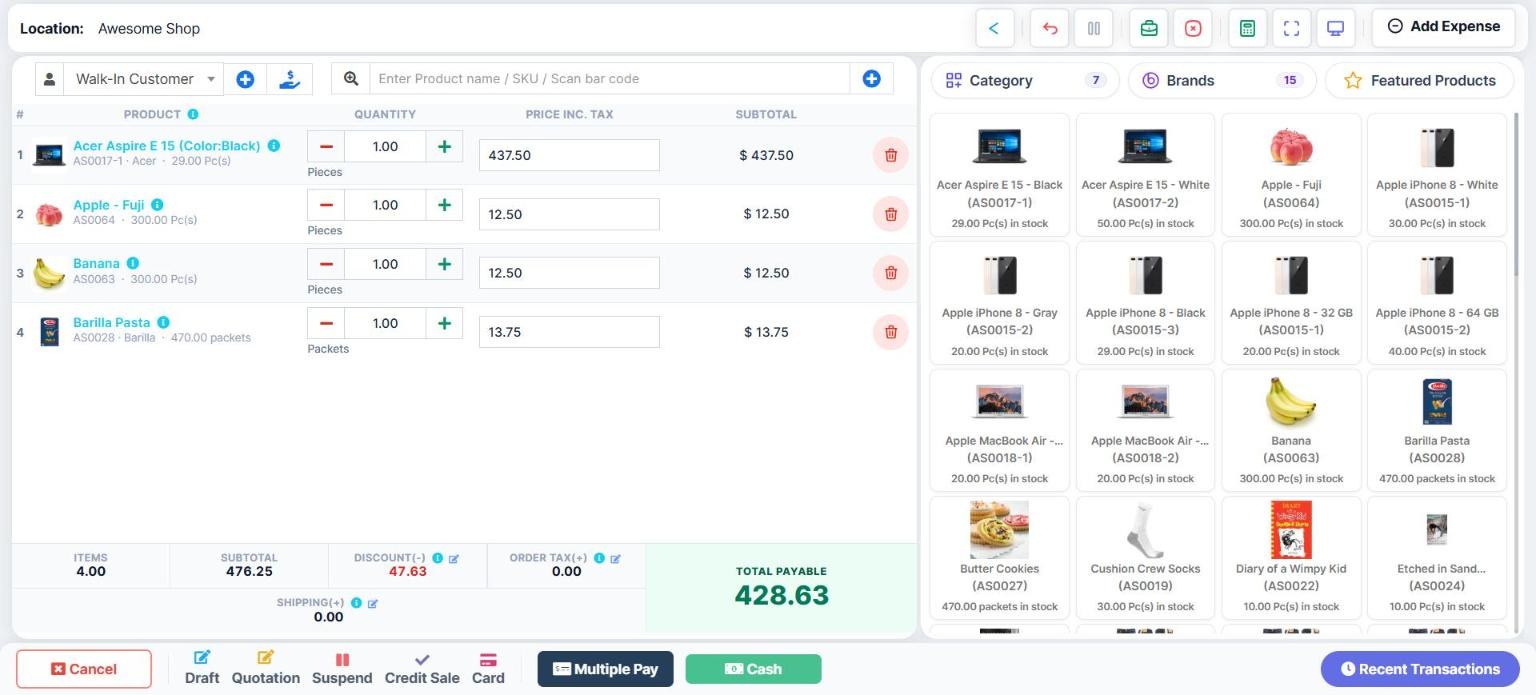
UltimatePOS is the POS and inventory system we have built and supported for 10+ years, and 10,000+ businesses use it. You pay for the software once, and then it is yours. It also answers the Clover fees above one by one:
- No monthly software fee. $79 once (Regular licence on CodeCanyon), with future updates and 6 months of support.
- No hardware contract. Instead, it runs in a web browser on the computer, tablet or phone you already have, with a USB barcode scanner and a thermal receipt printer.
- Any card processor. Take the card on a terminal from your bank or any processor, then UltimatePOS records the payment. Switch whenever you find a better rate, and keep your POS.
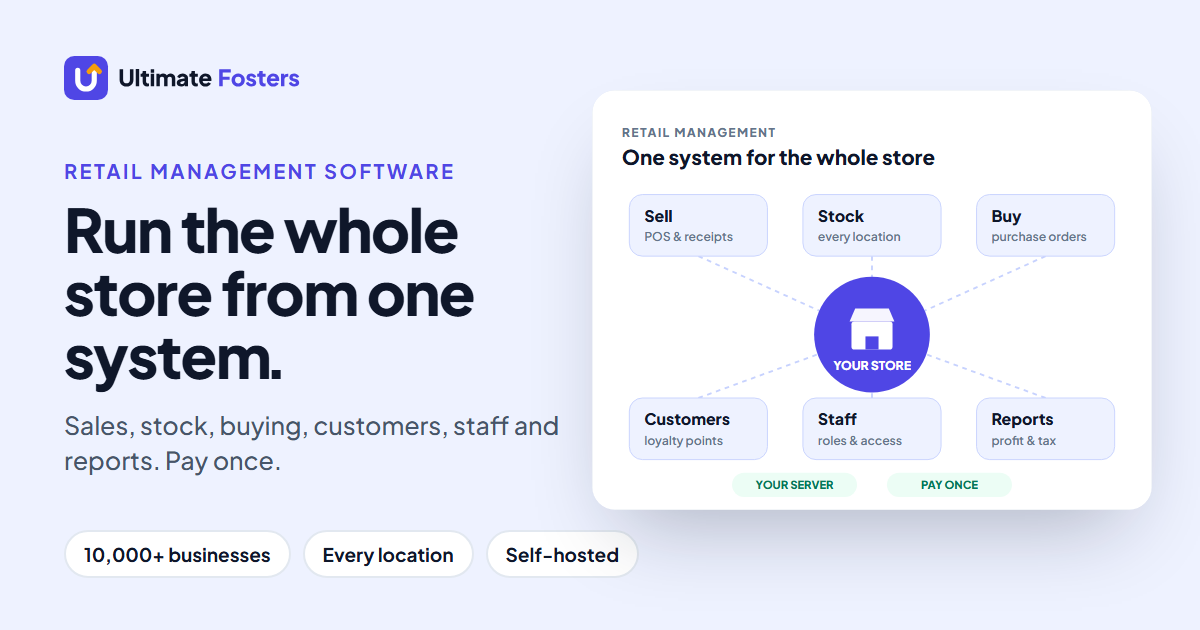
- Every location on one licence, each with its own stock, and stock transfers between them.
- Your data on your server. Export any table to Excel, CSV or PDF whenever you like.
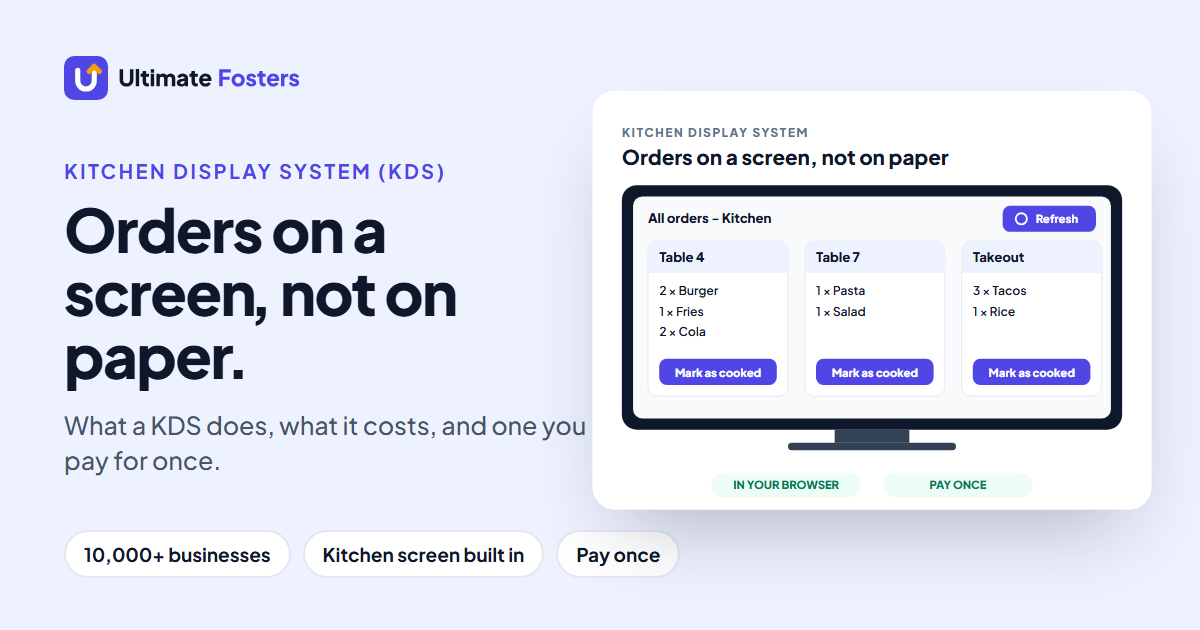
- Built for your trade. Tables, a kitchen screen and modifiers for restaurants, barcodes and stock for retail shops, and more on UltimatePOS by industry.
UltimatePOS vs Clover retail systems
So here is how it compares with the Clover retail systems:
Swipe the table sideways to see all columns →
| Clover Retail Basic | Clover Retail Standard | UltimatePOS | |
|---|---|---|---|
| Software price | $0 a month (Starter plan) | $84.95 a month | $79 once |
| Hardware | $349 Clover Compact | $1,899, or $180/mo for 36 months | Your own computer or tablet, plus a USB scanner and receipt printer |
| Card processing | Clover only, 2.6% + 10¢ | Clover only, 2.3% + 10¢ | Any processor you choose |
| Stock tracking and item variants | Not included | Included | Included: variants by size, colour and more |
| Discounts and returns | Not included | Included | Included: discounts and sales returns |
| Loyalty | Not included | Included | Included: reward points |
| Detailed sales reports | Not included | Included | Included: sales, profit, stock and tax reports |
| Purchase orders and stock transfers | Not listed | Not listed | Included: purchase orders and transfers |
| Contract | 36-month subscription if you rent | 36-month subscription if you rent; can’t be cancelled | None. You own the licence |
Clover features and prices from Clover’s retail pricing page (November 2026).
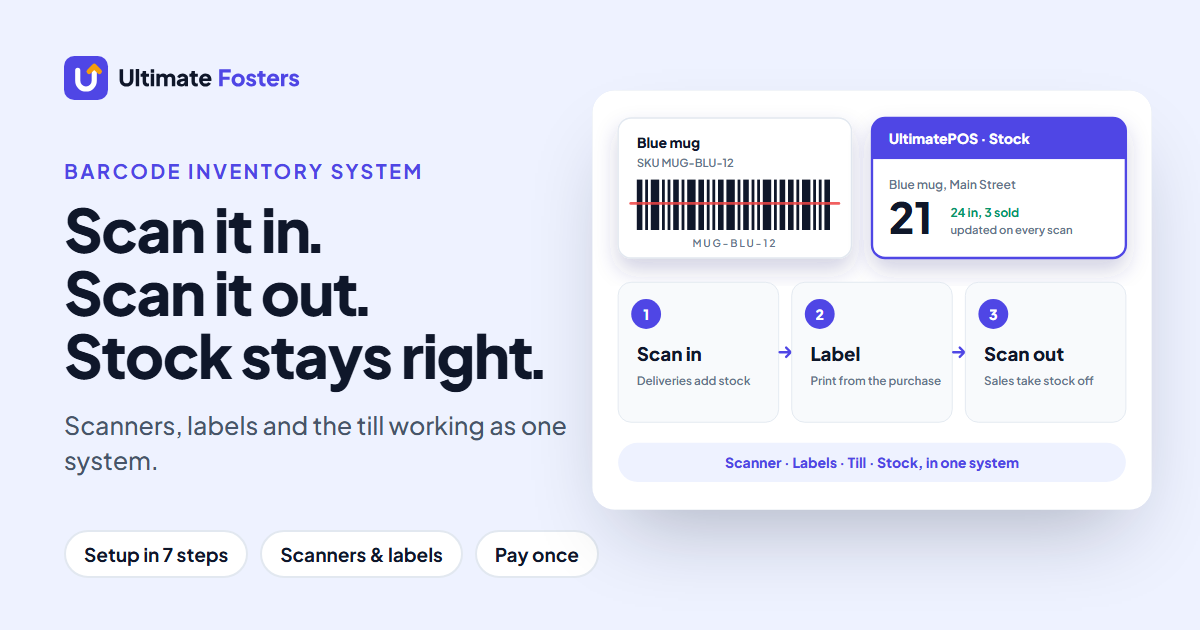
For our gift shop, UltimatePOS replaces the $84.95 monthly plan and the $1,899 counter system with a $79 licence and the computer on the counter. Card fees still depend on the processor you choose, but you can change processor without changing your POS. It also prints barcode labels for your products; see our guide to a barcode inventory system.
What you need to run UltimatePOS
Good to know: UltimatePOS needs a web server, either a cloud server or a computer in your shop. Our installation guide walks you through it; otherwise, our installation service sets it up for $25.
“This is the best you can get without all the bloat and unnecessary subscriptions of larger enterprise systems.”
CodeCanyon buyer review of UltimatePOS
See UltimatePOS before you sign a Clover contract
Make a sale, add a product and run a report in the live demo. No sign-up needed.
Moving from Clover to UltimatePOS
- Check your Clover agreement. Note when the subscription term ends and whether the processing agreement has a termination fee. Give notice at least 30 days before the end of a subscription.
- Put your items and customers into a spreadsheet using the UltimatePOS product import template, then import it and set up your locations, staff and tax rates.
- Set up card payments with a terminal from your bank or a processor you choose, and add it as a payment method.
- Run both for a few days, check stock and reports, then return or buy out the Clover equipment.
Clover fees and pricing: FAQs
How much is Clover per month?
On Clover.com, the software plan costs $0 to $129.85 a month, depending on your business type and plan. For example, Retail Growth is $84.95 and Restaurant Growth is $89.95 to $129.85. Card fees then come on top, at 2.3% + 10¢ to 2.6% + 10¢ per in-person sale. If you take the hardware on a subscription instead, Clover lists one payment of $16 to $354 a month for 36 months.
What are the fees associated with using Clover?
Four kinds: a monthly software plan ($0 to $129.85), the hardware ($199 for a Clover Go up to $4,447 for a full restaurant setup), card processing (2.3% + 10¢ to 2.6% + 10¢ in person and 3.5% + 10¢ typed in), and optional extras such as Rapid Deposit at 1.75% of each sale. Also, banks and other partners that sell Clover set their own prices and contract terms.
Does Clover charge a monthly fee?
On most plans, yes. For example, Clover’s Growth plans cost $84.95 to $129.85 a month and Essentials costs $29.95. The cheapest retail system (Basic, $349) and the professional-services Starter plan show no monthly software fee, but they leave out tools most shops need, such as stock tracking on retail Basic. UltimatePOS, however, has no monthly fee at all.
How much does Clover charge per transaction?
On Clover.com: 2.3% + 10¢ for a card tapped, swiped or inserted on a Growth plan, 2.5% + 10¢ on Essentials and 2.6% + 10¢ on Starter. A card typed in by hand, however, is 3.5% + 10¢ on every plan. Rates from your bank or another Clover partner can be different.
How much does Clover take from a $100 sale?
$2.40 on a Growth plan (2.3% + 10¢), $2.60 on Essentials and $2.70 on Starter, for a card tapped, swiped or inserted. When the card is typed in, Clover takes $3.60.
Can I use Clover without a subscription?
Yes. You can buy the hardware outright instead of taking the 36-month subscription, and you then pay the plan’s monthly software fee. Service businesses can also use Clover with no hardware, taking typed-in payments at 3.5% + 10¢. Either way, card processing still goes through Clover.
Can I cancel my Clover subscription?
Not freely. Clover’s pricing FAQ says subscriptions are “non-cancelable and ineligible for refunds”. Instead, you can pay the subscription off or upgrade the device. Termination fees for the processing agreement vary by provider, so ask for them in writing before you sign.
What happens when a Clover subscription ends?
When the term ends, you choose to buy the equipment or return it. If you do neither, Clover extends the subscription at the same monthly charge. To stop renting, tell Clover at least 30 days before the 36-month term ends.
Can I use Clover with a different payment processor?
No. Clover’s own FAQ says Clover devices bought or leased from other sellers “cannot be used with other payment processors”. So if you change processor, you need new hardware. UltimatePOS works with any processor, so you can switch whenever you find a better rate.
Is there a free version of Clover?
Not completely. Clover’s Starter plan has no monthly software fee, but you still buy the hardware ($199 for a Clover Go or $349 for the Compact) and pay 2.6% + 10¢ per sale. Clover also runs a 90-day free trial of its Essentials and Services Growth plans for selected business types that sign up by 31 December 2026. Its hardware offer, though, needs a 3-year contract and at least $10,000 in card sales in the first four billing cycles.
What are the different Clover plans?
On Clover.com there are five software plans: Starter ($0 a month, 2.6% + 10¢ per in-person sale), Essentials ($29.95, 2.5% + 10¢), and three Growth plans at 2.3% + 10¢: Services Growth ($84.95), Retail Growth ($84.95 or $104.90) and Restaurant Growth ($89.95 to $129.85). Which ones you can choose, though, depends on your type of business.
Does Clover Go have a monthly fee?
Not on the Starter plan. On Clover.com, the Go reader costs $199 with no monthly fee and 2.6% + 10¢ per sale, or $199 plus $29.95 a month on Essentials, which lowers the rate to 2.5% + 10¢ and adds detailed reports and item management.
Is Clover really fee free?
No. Clover charges 2.3% + 10¢ to 2.6% + 10¢ on every in-person card sale. Some Clover sellers advertise “0%” or fee-free processing, but that usually means a surcharge or cash-discount program that adds the card fee to your customer’s bill, where the law and card network rules allow it. Otherwise the business pays the card fee.
Who is the parent company of Clover?
Fiserv, a large US payments company. Clover’s own small print also names First Data Merchant Services, which is part of Fiserv.
What are the common complaints about Clover POS?
Most are about cost and contracts: a 36-month subscription that can’t be cancelled, hardware that can’t move to another processor, and prices that differ depending on who sold you Clover. So read the agreement and get every fee in writing before you sign.
Who is cheaper, Clover or Square?
It depends on how much you sell. Clover’s Growth rate (2.3% + 10¢) is lower than Square’s (2.6% + 15¢ on Square Free), but Clover adds a monthly plan and hardware, while Square Free has no monthly fee. At $20,000 a month in card sales with a $40 average sale, both come to about $595 a month before hardware. To drop the monthly plan altogether, UltimatePOS costs $79 once and works with any card processor.
How much does Square take from a $100 sale?
$2.75 on Square Free (2.6% + 15¢), $2.65 on Square Plus and $2.55 on Square Premium for a tapped, dipped or swiped card. Clover, by comparison, takes $2.40 on a Growth plan and $2.70 on Starter.
Is the Clover POS system worth it?
Clover suits a business that wants Clover’s own counter hardware and is happy to pay a monthly plan and use Clover’s processing. If you would rather own your POS, keep your current computer and choose your own card processor, UltimatePOS costs $79 once with no monthly fee.
Who is Clover’s biggest competitor?
Square is the system most often compared with Clover, followed by Toast for restaurants and Shopify POS for shops that also sell online. All of them, however, charge monthly plans or tie you to their own payments. UltimatePOS is the pay-once alternative: $79 once, any processor.
What POS is better than Clover?
For a shop that wants to stop paying monthly, the best Clover alternative is UltimatePOS. It costs $79 once, runs every location on one licence and includes stock tracking, item variants, discounts, returns, reward points and purchase orders. You also choose your own card processor and keep your data on your own server.
Why is my Clover rate higher than 2.3%?
Clover advertises 2.3% + 10¢ for in-person cards on its Growth plans bought on Clover.com. However, its Starter plan is 2.6% + 10¢, Essentials 2.5% + 10¢, and typed-in cards are 3.5% + 10¢. If you bought Clover through a bank or another partner, that seller sets its own rate. Check your merchant statement and agreement.
How can I lower my Clover fees?
Ask your seller to match the Clover.com rates, take cards in person where you can (3.5% + 10¢ typed in against 2.3% + 10¢ in person), and skip Rapid Deposit if you don’t need same-day money. On retail, Retail Growth’s lower rate saves more than its $84.95 monthly fee once card sales pass about $28,300 a month. To remove the monthly software fee altogether, move to a POS you buy once, such as UltimatePOS at $79.
What is Clover Rapid Deposit?
An optional service that sends card sales to your bank within minutes. Clover charges 1.75% of each sale you transfer this way.
How much does a full POS system cost?
For a small shop, from $79 once for the software if you use a computer you already have, up to thousands of dollars for hardware plus monthly plans. For example, a full Clover counter system for retail is $1,899 plus $84.95 a month. Our guide to POS system cost breaks it down.
Who is the cheapest POS system?
For a full POS with no monthly fee, UltimatePOS: $79 once for every location, with staff roles, stock tools and loyalty included. Free POS apps cost nothing to start but usually charge monthly for staff or stock tools. Our guide to the cheapest POS system compares free, monthly and pay-once systems in detail.
Does UltimatePOS run on Clover hardware?
No. UltimatePOS isn’t a Clover app. It runs in a web browser on a computer, tablet or phone, with USB barcode scanners and thermal receipt printers. Instead, you take cards on a terminal from the processor you choose.
Does UltimatePOS have a monthly fee?
No. A Regular licence is $79 once on CodeCanyon, with future updates and 6 months of support. After that you only pay for your own hosting, or nothing more if you run it on a computer in your shop.
Does UltimatePOS process card payments?
No. It works with any card processor, so the rate is agreed between you and them. At the till, UltimatePOS records each payment as cash, card or any payment method you add.
Stop paying monthly for your POS
UltimatePOS: $79 once, every location, any card processor and your data on your server. Updates and 6 months of support included.
About this guide
Written by the team at Ultimate Fosters, who build and support UltimatePOS, a POS and inventory system used by 10,000+ businesses for 10+ years. We read every Clover price, rate and term on Clover.com in November 2026: the pricing page for each business type, each device page and Clover’s pricing FAQ. Prices from banks and other Clover partners can differ, and plans change, so check them before you sign.
Sources
- Clover: pricing and FAQ, retail, quick-service restaurants, full-service restaurants, personal services, professional services, home and field services, devices
- Square: pricing
- UltimatePOS: CodeCanyon listing and documentation on multiple locations, payment methods and user roles
Related: Square alternatives · cheapest POS system · POS system cost · open source POS systems · retail POS system · restaurant POS system · kitchen display system
Leave A Comment