
Retail POS & billing software

Retail POS System You Own, With No Monthly Fees

Sell, track stock and run every branch from one system on your own server. Pay once, keep your data, and add modules only when you need them.

Used by 10,000+ businesses  ·  4.3+/5 from 500+ ratings on CodeCanyon  ·  10+ years of updates
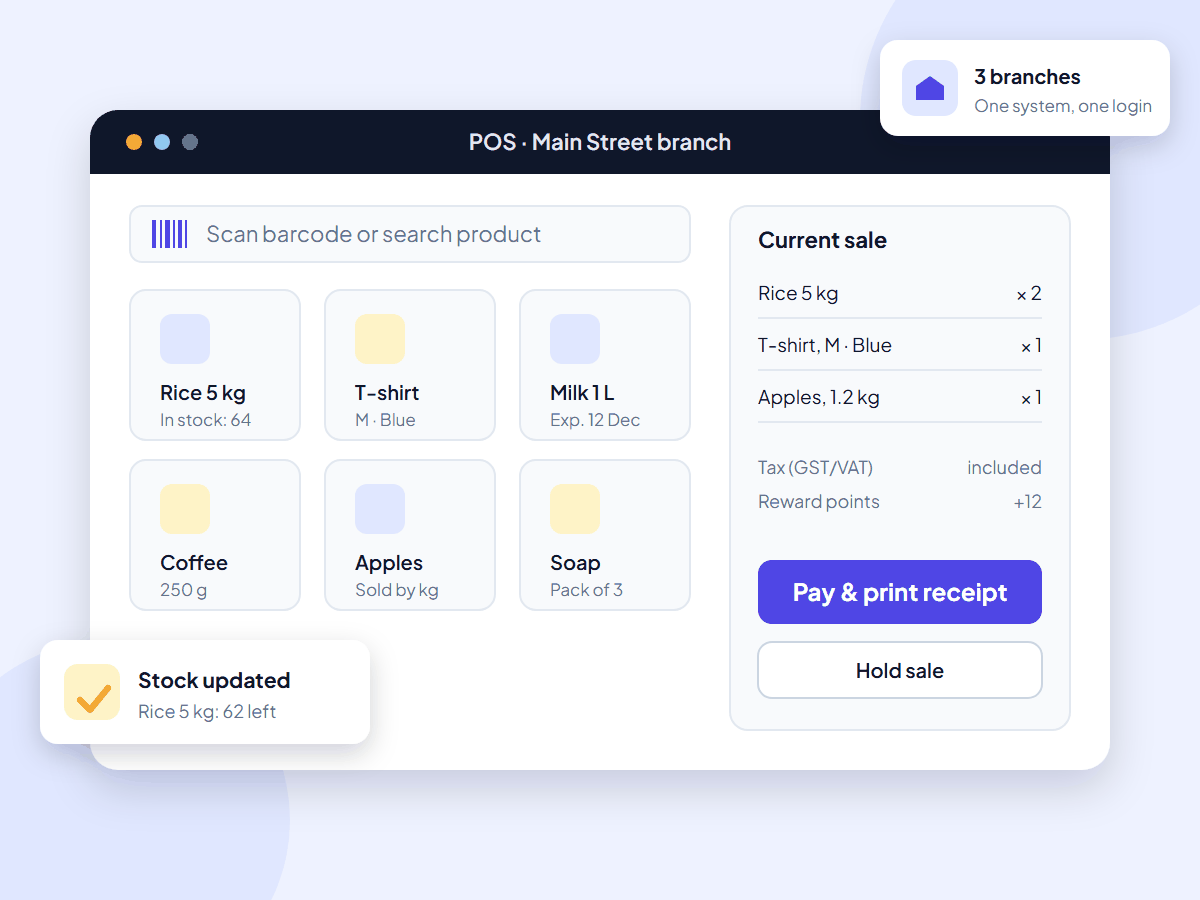
UltimatePOS retail POS screen with barcode search, product tiles, a sale in progress and a stock update across branches

What is a retail POS system?

A retail POS system is the software a shop uses at the counter to bill customers, take payment and print receipts, with hardware such as a barcode scanner, receipt printer and cash drawer. It also updates stock, customers and reports with every sale. UltimatePOS is a self-hosted retail POS that you buy once and run on your own server.

Still running your shop on spreadsheets and three different apps?

Most shops start with a cash register, a stock spreadsheet and separate accounting software. It works until the numbers stop matching. Stock counts are wrong, a profit report takes an hour in Excel, and the monthly software bills keep growing.

UltimatePOS puts billing, stock, purchases, customers and reports in one place, so a sale at the counter updates your stock and your books at the same time.

One sale at the counter updates:

  • Stock at that branch
  • The cash register for the shift
  • The customer’s history and reward points
  • Sales, profit and tax reports

Features

At the counter and in the back office

Each feature links to its step-by-step guide in our documentation.

Why shop owners switch to a POS they own

  • Pay once and own it. One-time licence. Optional support and add-on modules are sold separately, and you only buy what you use.
  • Your data stays on your server. It runs on your own hosting. If we disappeared tomorrow, your shop would keep running.
  • Grows from one counter to many branches. Add locations, warehouses and users as you grow, without moving to a new system.
  • Support from real people. Our support team answers your tickets, and 270+ step-by-step guides cover setup and daily use.

10,000+

businesses use our software

10+

years of updates

2,000+

updates and features

What customers say

Reviews of UltimatePOS from buyers on CodeCanyon.

MMontashir

★★★★★

“This is the most complete application for pos. I am writing the review after using this for 2 years… Whatever you can think of under a pos for business, you will find a solution here.”

IiN4sser

★★★★★

“We’ve been using UltimatePOS for 2 years. UltimatePOS is a powerful tool that helps us to manage stock, sales, purchases & other business day-to-day activities.”

TTerranos74

★★★★★

“I’ve been using to manage my business for several years now. My support service already expired but I still can rely on the script due to the stability…”

How much does a retail POS system cost?

UltimatePOS costs $79 once. Updates are included, and so are 6 months of support, which you can extend. Most retail POS software charges every month or every year instead.

Prices checked on each company’s own website in November 2026. Prices in US dollars or Indian rupees, as each company lists them. UltimatePOS: Regular License on CodeCanyon, excluding tax and handling fees.
Software What you pay How it is charged
UltimatePOS $79 once. Optional installation service: $25. One-time licence. No yearly fee to keep using it.
Square for Retail (US) $0, $49 or $149 a month per location, plus card fees Monthly plan per location
Lightspeed Retail (US) From $89 a month, billed yearly Monthly plan; 1 register included
Vyapar (India) ₹4,399 (Silver) or ₹4,799 (Gold) a year Yearly plan

Installed on a computer in your shop, UltimatePOS has no running cost. To use it from anywhere, put it on an online server; our example server costs about $7.20 a month with backups (hosting options, full cost breakdown).

UltimatePOS vs a subscription POS

UltimatePOS Typical subscription POS
How you pay One-time licence Monthly fee per location or register
Where your data lives Your own server The vendor’s cloud
If you stop paying The software keeps working Access stops
Multiple branches Included in the core product Often a higher plan
Changing the code Allowed; you get the source code Not possible
Who handles hosting You, or our paid installation service The vendor

If you want a fully managed service with nothing to install or host, a subscription POS may suit you better. UltimatePOS is for owners who’d rather own their system.

Who it’s for

Set up for your kind of store

Grocery & supermarket

Barcodes, weighed items, expiry dates and a fast checkout.

Clothing & footwear

Sizes and colours as variations, with a printed label for each one.

Pharmacy

Lot numbers, expiry dates and supplier purchases.

Liquor store

Sell by the bottle or the case with product units, across branches.

Convenience store

Quick checkout, low-stock alerts and a daily cash count.

Salon & beauty

Services and retail products on one bill.

Electronics & mobile

Product warranties, plus repair jobs with the Repair module.

Wholesale + retail

Separate selling prices for trade and walk-in customers.

Run a restaurant or café? See our restaurant POS system page. Run a gym? See our gym management software page. Run a flower shop? See our florist POS system page. Run a thrift or resale shop? See our thrift store POS system page. Make your own products? See our manufacturing inventory software page.

How to get started

1. Try the demo

The full app with sample data, in your browser.

2. Buy once

Get UltimatePOS and add only the modules you need.

3. Install

Follow the installation guide, or have our team install it for you.

4. Import products

Bring products in from Excel or CSV and add your opening stock.

Retail POS questions

A computer or tablet with a web browser, a barcode scanner and a thermal receipt printer. Many shops add a cash drawer, a barcode label printer and, for loose goods, a label weighing scale. UltimatePOS works with all of these. See the hardware guides, or our guide to setting up a barcode inventory system for scanners, labels and costs. Weighing up a cash register against a POS? See our guide to cash registers for small business.

It’s self-hosted. You install it on your own server or cloud hosting account, so the data stays under your control. Once it’s online, staff can use it from any browser, at the counter or remotely.

No. UltimatePOS is a one-time purchase. Optional add-on modules, priority support and installation are sold separately. Unlike a free open source POS, it comes with updates and support from its developers; see open source POS systems compared. To see what monthly POS plans cost over three years, read the cheapest POS systems for small business.

Yes. Enter the purchase price and a profit percentage, and UltimatePOS works out the selling price. That percentage is added to the cost, so it works as a markup. Our guide to markup vs margin has a chart and a calculator for the right number.

Yes. You can add multiple business locations and warehouses, transfer stock between them, and limit each user to their own location. Our guide to inventory management software for small business shows which free and monthly plans charge extra for transfers between shops.

A retail POS takes the sale at the counter. Retail management software adds everything behind it: stock in every location, purchase orders, customers, staff roles and reports. UltimatePOS does both for $79 once. Our guide to retail management software explains what to look for.

UltimatePOS, if you want to stop paying monthly. It costs $79 once for every location, works with any card processor and includes staff roles, reward points, purchase orders and stock transfers, which Square puts on its paid plans. Our guide to Square alternatives compares 9 options and shows how to move your items and customers from Square.

Yes. UltimatePOS has GST settings for India and other countries, tax groups, and invoice layouts you can customise, including a QR code.

Yes. The WooCommerce module syncs product categories, products and orders between UltimatePOS and a WooCommerce online store.

Yes. Many owners run it day to day without technical help. For setup, follow our 270+ guides or ask our team to install it for you.

About this page

Written by the Ultimate Fosters team, who have built and supported UltimatePOS for 10+ years. Every feature on this page links to its step-by-step guide in our documentation, and you can try it in the live demo. We recheck competitor prices on their own websites every quarter. See all industries we support.

Ring up a sale in the demo

Open the live demo, scan an item, take payment and check the stock report. No installation or sign-up.