An open source POS system guide by the Ultimate Fosters team, makers of UltimatePOS for 10+ years.
An open source POS system is point of sale software whose code is published under a licence that lets anyone use and change it for free. Popular ones include OSPOS, Odoo, NexoPOS, ERPNext, uniCenta and Floreant. They cost nothing to license, but you are on your own for setup, updates, support and new features.
Want those benefits without doing it all yourself? That is why we built UltimatePOS. It is not open source, but it gives you what people look for in one: no monthly fee, your data on your own server and the code files to customise. On top of that, you get updates, support and 15+ add-on modules, and 10,000+ businesses already use it.
Try UltimatePOS in the live demo (no sign-up)
See the comparison · Why UltimatePOS · 5-year cost · The free options · PHP POS with source code
Most small businesses searching for an open source POS system want three things: no subscription, their sales data on their own server, and code they can change. Free projects tick those boxes on paper. In practice, though, a shop also needs someone to install it, fix it when the till stops, and keep it updated.
This guide compares the free options with UltimatePOS, the self-hosted POS we build. UltimatePOS is paid software, not open source, and below you can see what that money buys and how the five-year cost compares.
What is an open source POS system?
Open source software is released under a licence that lets you run it, read the code, change it and pass it on (the Open Source Definition). For a POS, that means you can install it on your own server and change it without paying a licence fee.
However, three kinds of software often get mixed up:
Swipe the table sideways to see all columns →
| Type | What it means | Example |
|---|---|---|
| Self-hosted, pay once, code included | You buy a licence once, run it on your own server and receive the code files to customise. The vendor keeps updating and supporting it | UltimatePOS |
| Open source | The code is public and free to use and change. You run it and maintain it yourself, usually with community help only | OSPOS, NexoPOS, ERPNext |
| Cloud subscription | You rent the software monthly. The vendor holds your data and you never get the code | Most well-known POS brands |
Open source POS vs UltimatePOS: what you actually get
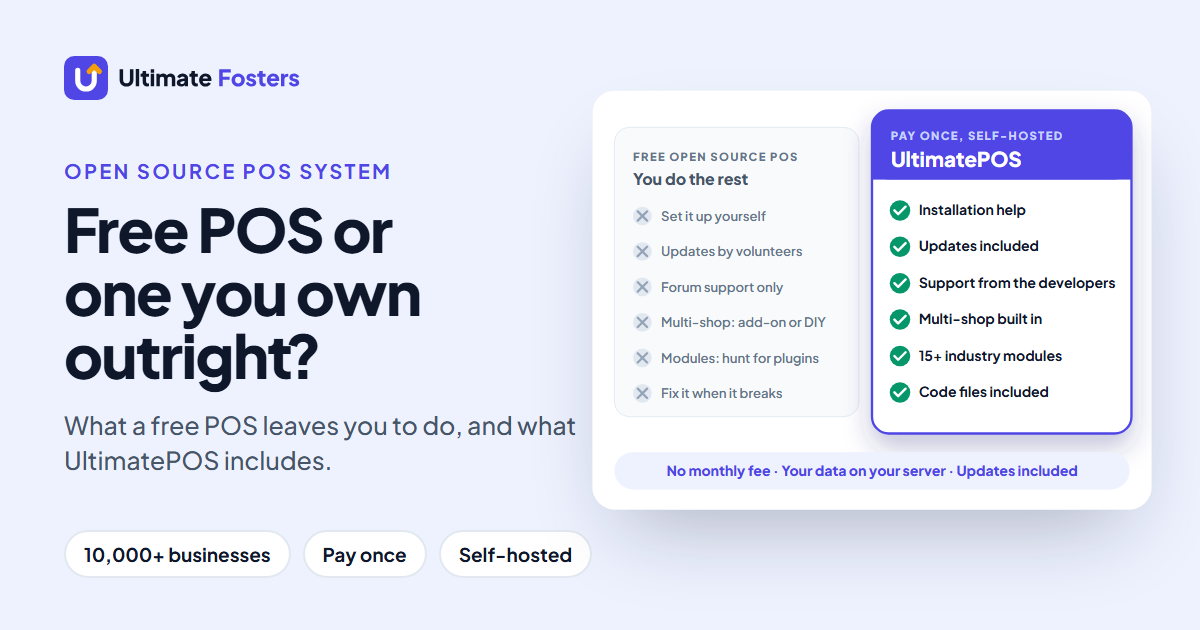
A free open source POS system gives you the software. A business also needs someone to install it, keep it updated, answer questions and add features as it grows. Here is how that compares, using what each project says on its own website or repository (November 2026):
Swipe the table sideways to see all columns →
| UltimatePOS | Free open source POS | |
|---|---|---|
| Licence | $79 once, no monthly fee | $0 |
| Installation | Our team can install it for you ($25, optional) | You, or a developer you hire |
| Updates | Included: 2,000+ updates and features over 10+ years | Depends on volunteers; some projects have stopped (WallacePOS: last release April 2017) |
| Support | 6 months from the developers who build it, and you can extend it | Community forums; paid plans on some projects (uniCenta) |
| Several shops and warehouses | Built in, each with its own stock | Not listed for OSPOS; a paid module for NexoPOS |
| Restaurant, HRM, accounting, manufacturing, gym, hotel | 15+ modules from the same team | Separate plugins or modules where they exist (Floreant, NexoPOS) |
| Documentation | 270+ step-by-step guides | Varies by project |
| Keep your code changes through updates | Yes: custom views and modules, with docs | Depends on the project |
| Sell it under your own brand | White-label it, or sell it as SaaS with the SaaS module and built-in subscription billing | Depends on the licence |
| Track record | Used by 10,000+ businesses; made by an Elite Author on CodeCanyon rated 4.2+/5 by 700+ buyers | Varies by project |
So the real choice is not “free versus $79”. It is doing the setup, updates and fixes yourself, or paying $79 once for a POS that a team has maintained for 10+ years.
See it before you read further
Open the UltimatePOS live demo and use it as a cashier or a manager. No sign-up needed.
Why 10,000+ businesses choose UltimatePOS
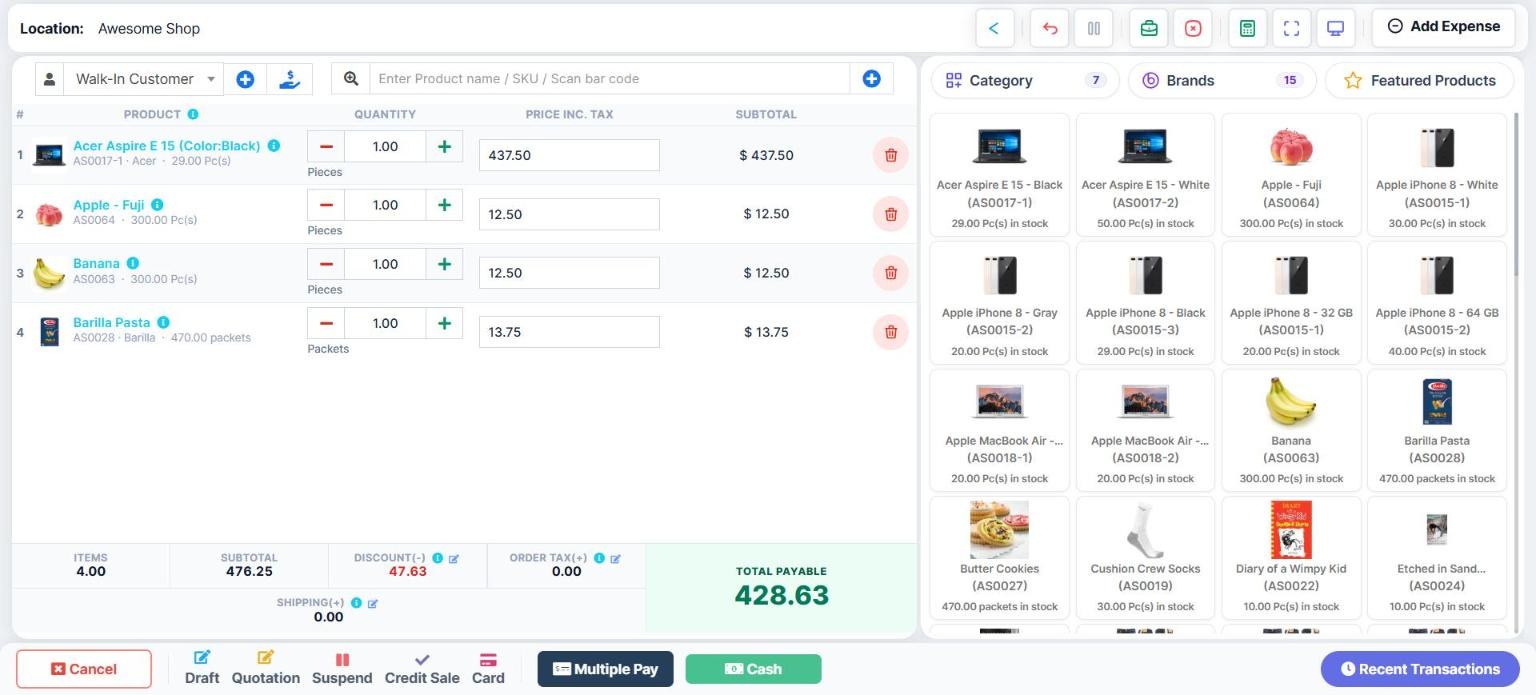
1. You pay once and own it
A Regular licence is $79 on CodeCanyon (November 2026), and there is no monthly fee. It covers one live website and one test website, and the software keeps working after your support period ends. For larger set-ups, an Extended licence ($764) covers 13 websites.
2. Your data stays on your server
UltimatePOS runs on hosting you control: a cloud server such as DigitalOcean or AWS, low-cost shared hosting, or a computer in your shop. It needs PHP 8.1 or later and MySQL (server requirements). Installed on a shop computer, it needs internet only during installation and then works offline.
3. You get the code, and you can change it safely
The PHP (Laravel), JavaScript, HTML and CSS files come with the licence, and the licence lets you modify them. Our docs also show how to keep your changes through updates. Put your own version of any screen in a custom_views folder, or add features as a separate module. That way, an update never overwrites your work (updating after changes).
4. A team keeps it updated and supports you
Future updates are included, and we have shipped 2,000+ updates and features over 10+ years. Every licence includes 6 months of support from the developers who build it, and you can extend it. There are also 270+ step-by-step guides in the documentation. If you would rather not set up a server, our installation service does it for $25.
5. It grows with your business
Run several shops, warehouses or storefronts from one installation, each with its own stock and transactions (multiple locations). Then add what your trade needs from 15+ modules, including HRM, accounting, manufacturing, CRM, hotel, gym and WooCommerce. See how it works for your industry.
6. You can even sell it under your own brand
UltimatePOS can be white-labelled with your company name and resold within the licence rules. With the SaaS & Superadmin module, you can sell it to other businesses as subscription packages, with Stripe, PayPal and other payment gateways built in (how it works).
7. Thousands of businesses already run on it
UltimatePOS is used by 10,000+ businesses. We are an Elite Author on CodeCanyon, with 12,000+ sales across our products and a 4.2+/5 rating from 700+ buyers.
Here is what two buyers wrote in their CodeCanyon reviews:
“I’ve used it for 2 years without any issues. The updates are frequent, every update brings a new feature…”
CodeCanyon buyer review
“My support service already expired but I still can rely on the script due to the stability…”
CodeCanyon buyer review
What a free open source POS system really costs (5-year comparison)
An open source POS system removes the licence fee, but not the work. Every self-hosted POS still needs a server, setup, updates and someone to call when the till stops. Here is the money over five years for one shop:
Swipe the table sideways to see all columns →
| UltimatePOS | Open source POS | Monthly subscription | |
|---|---|---|---|
| Licence | $79 once | $0 | $32.50 a month |
| Installation | Done for you ($25, optional) | Your time, or a developer’s fee | Included |
| Hosting | $7.20 a month | $7.20 a month | Included |
| Updates | Included | You apply them yourself | Included |
| Support | 6 months from the developers, can be extended | Community forum | Included |
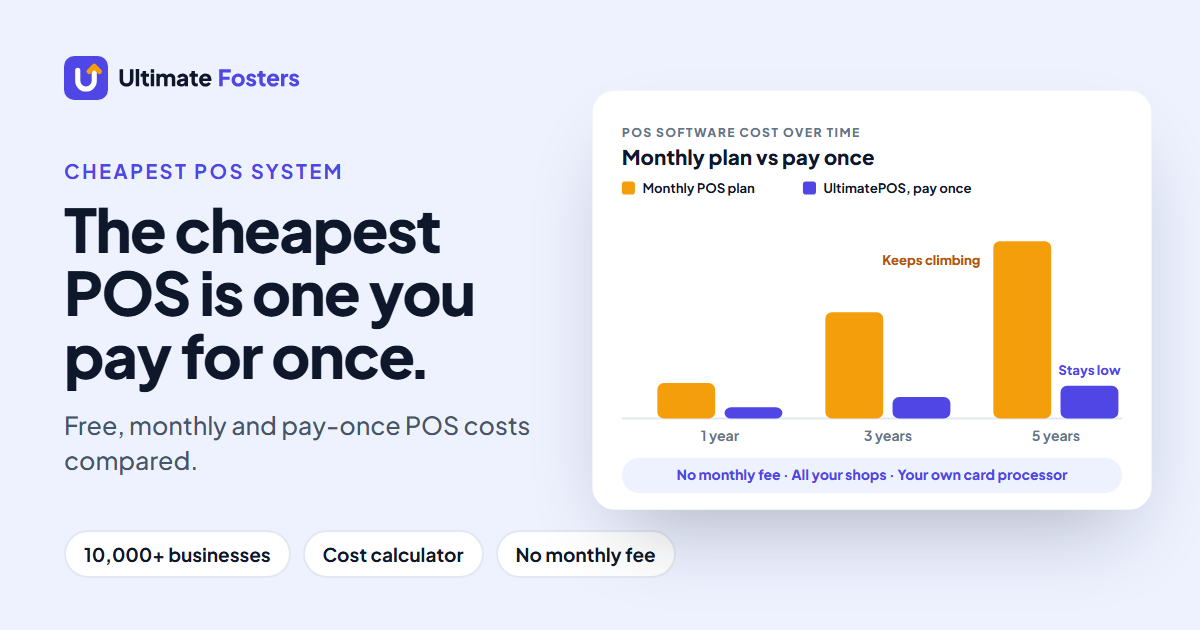
| 5-year total | $536, everything included | $432 hosting, plus your time for setup, updates and fixes | $1,950 |
Prices checked November 2026. Hosting: a DigitalOcean Basic Droplet at $6 a month plus $1.20 for weekly backups. Subscription example: PHP Point of Sale Standard at $32.50 a month, billed annually. Hardware and card fees are extra in every column.
The difference between UltimatePOS and a “free” POS is the $79 licence and the optional $25 installation. For that, a team installs it, updates it and answers your questions. And compared with a subscription, you save about $1,414 over five years. For hardware and card fees too, see how much a POS system costs.
A subscription also keeps your sales data on the vendor’s cloud and never gives you the code. With UltimatePOS, both stay with you.
PHP POS systems with source code
PHP is the most popular language for a self-hosted POS, because it runs on almost any web host. If you are searching for a PHP POS with source code or a POS script, these are the main options:
Swipe the table sideways to see all columns →
| System | Framework | Price | Code | Support |
|---|---|---|---|---|
| UltimatePOS | Laravel | $79 once | Included with the licence | From the developers |
| NexoPOS | Laravel | Free core, paid modules | Public | Community |
| OSPOS | CodeIgniter 4 | Free | Public | Community |
| PHP Point of Sale | PHP | From $32.50 a month | Cloud subscription | Included in the subscription |
Checked November 2026.
Note that PHP Point of Sale is a product name, not a category. Its pricing page lists monthly plans (Standard $32.50 and Pro $54 a month, billed annually) and an Enterprise plan from $499 a month, with no one-time price. So if you want a PHP POS you pay for once and host yourself, UltimatePOS is the closest match.
Tutorial projects and free “POS scripts” are fine for learning, but they rarely handle what a real shop needs: tax, refunds, stock across locations, user roles and receipts. UltimatePOS has had 10+ years of real businesses shaping those features.
Running an open source POS system on Linux, Windows or offline
- On a Linux server: UltimatePOS, OSPOS, NexoPOS, Odoo and ERPNext are web apps. Install them once on a server, then every till, tablet or phone opens them in a browser.
- On a Windows or Linux shop computer: UltimatePOS also installs on a local computer through a local web server such as XAMPP or WAMP. uniCenta oPOS and Floreant POS are desktop apps.
- Without internet: UltimatePOS installed on a shop computer works offline once it is installed. Floreant keeps its data on the computer too.
So if you are looking for Linux POS software, a web-based POS such as UltimatePOS is the simplest route: one Linux server, and any device with a browser becomes a till. It is also easier to grow, because adding a second till or a second shop only needs another browser, not another installation.
The free open source POS options, briefly
If you are still weighing up a free open source POS system, here is what each one is, and what to watch for:
Swipe the table sideways to see all columns →
| Project | What it is | Watch for |
|---|---|---|
| Open Source Point of Sale (OSPOS) | A simple web POS in PHP for a small shop | The licence requires its footer credit to stay visible on every page, and multi-store is not listed |
| Odoo Community (Odoo POS) | Business apps in Python with a POS app inside | Needs real technical skill; paid plans are priced per user, and on-premise hosting of the paid edition is only on the top plan |
| NexoPOS | A Laravel web POS | Multi-store and restaurant features are paid modules |
| ERPNext | ERP software in Python with a POS screen | ERP first and a till second, so setup takes time |
| uniCenta oPOS | A Java desktop till | The newest version goes to paying support subscribers first |
| Floreant POS | A Java desktop POS for restaurants | Restaurants only; inventory, floor plan and delivery are paid plugins |
Also check the last release date before you install anything. Many “best open source POS” lists still include projects that have stopped: WallacePOS, for example, had its last release in April 2017. And some names on those lists, such as TastyIgniter, are online ordering systems rather than a POS.
Is UltimatePOS right for your business?
| If you are… | What UltimatePOS gives you |
|---|---|
| A shop that wants no monthly fee and its own data | A one-time licence, your own server and the code. See it for a retail shop |
| A business with several shops or warehouses | Multiple locations in one installation, each with its own stock |
| A restaurant or cafe | Tables, kitchen orders, service staff and bookings. See it for a restaurant |
| A trade with special needs | 15+ modules, such as manufacturing, HRM, hotel and gym. See all industries |
| A developer or agency building on a POS | Laravel code, a module system and module development docs |
| A reseller that wants its own POS brand | White-labelling and the SaaS module to sell subscription packages |
Before you buy any POS, test it with your own products: add ten real items, make a sale, take a return and print a receipt. You can do all of that in the UltimatePOS demo.
Try UltimatePOS free in the live demo
No sign-up. Make a sale, add a product, run a report. Used by 10,000+ businesses, from an Elite Author rated 4.2+/5 by 700+ buyers on CodeCanyon.
Open source POS questions
Is there any open source POS?
Yes. The best-known projects are Open Source Point of Sale (OSPOS), Odoo Community, NexoPOS, ERPNext, uniCenta oPOS and Floreant POS. They have no licence fee, but you set them up, update them and support them yourself. UltimatePOS is a paid alternative that also gives you the code, plus installation help, updates and support from its developers.
What is the best open source POS system?
The most popular free projects are OSPOS, Odoo Community and NexoPOS. But if you want no monthly fee, your data on your own server and code you can change, UltimatePOS is the stronger choice for a business. It costs $79 once and adds installation help, updates, support and 15+ modules from the team that builds it. It is paid software, not open source.
Is UltimatePOS open source?
No. UltimatePOS is paid software with a one-time licence. You get the code files, you can change them for your business, and our docs show how to keep your changes through updates. You cannot redistribute the code, but you can rebrand it, and you can sell it to other businesses as a subscription with the SaaS module.
Is there a free POS software?
Yes, open source POS software has no licence fee. You still pay for hosting, and you handle setup, updates and fixes yourself. UltimatePOS costs $79 once and includes updates and 6 months of support from its developers.
What POS system has no monthly fees?
Open source systems have no licence fee, and UltimatePOS is a one-time purchase. In both cases you still pay for hosting, hardware and any card processing, but no monthly software fee.
What is the cheapest POS system?
For a business that wants updates and support, a one-time licence costs least over time. UltimatePOS comes to about $536 over five years with installation and hosting, against $1,950 for a typical subscription. Free open source software skips the licence, but you pay with your own time for setup, updates and fixes. For Square, Clover, Lightspeed and other systems compared on cost, see the cheapest POS systems for small business.
Can I use my laptop as a POS system?
Yes. UltimatePOS runs in a web browser, so a laptop can be the till, and you can also install it on the laptop itself with a local web server such as XAMPP or WAMP. Add a USB barcode scanner and a receipt printer and you have a full checkout.
What is the best free POS software for Windows?
UltimatePOS runs on a Windows computer through a local web server such as XAMPP or WAMP, for a one-time $79. Free desktop options include uniCenta oPOS and Floreant POS.
Is there a PHP POS system with source code?
Yes. UltimatePOS is a PHP POS built on Laravel that comes with its code files and full documentation. Free PHP projects include OSPOS (CodeIgniter) and NexoPOS (Laravel).
Can I customise UltimatePOS?
Yes. You can override any screen in a custom_views folder so updates don’t overwrite your changes, or add features as a separate module. Developers with Laravel experience can follow our module development guide.
Can I resell UltimatePOS or run it as SaaS?
Yes, within the licence rules. You can rebrand UltimatePOS with your own company name, and the SaaS & Superadmin module lets you sell it to other businesses as subscription packages, with Stripe and PayPal built in.
Does UltimatePOS work without internet?
Installed on a computer in your shop, UltimatePOS needs internet only during installation and works offline after that. Installed on a cloud server, your tills reach it over the internet.
How many shops can I run on one UltimatePOS licence?
One Regular licence covers one live website and one test website. Inside it you can run several shops, warehouses or storefronts, each with its own stock, and you can even create more than one business.
Does an open source POS system run on Linux?
Yes. Web-based systems such as UltimatePOS, OSPOS and NexoPOS run on a Linux server and open in any browser. uniCenta oPOS and Floreant POS are desktop apps that also run on Linux.
Can I use Excel as a POS system?
You can track sales and stock in a spreadsheet, but it cannot scan barcodes, print receipts or stop two people overwriting the same file. A real POS does all three.
Is PHP Point of Sale open source?
No. It is sold as a monthly subscription today: its pricing page lists plans from $32.50 a month, billed annually, and no one-time purchase price.
Do open source POS systems include support?
Usually not. You ask in a community forum, pay a freelancer, or buy a support plan where one exists. UltimatePOS includes 6 months of support from the team that builds it, which you can extend.
Pay once, host it yourself, keep the code
UltimatePOS gives you a one-time licence, your data on your own server and the code files, with updates and 6 months of support included.
About the authors
Written by the team at Ultimate Fosters, who build and support UltimatePOS, a POS and inventory system used by 10,000+ businesses for 10+ years. We checked every fact about the other systems on their own websites and repositories in November 2026. Licences, prices and releases change, so check the current terms before you decide.
Sources
- UltimatePOS: CodeCanyon listing (price, included files, updates, support) and the Envato Regular License terms
- UltimatePOS documentation: installation and licence options, custom views, updating after changes, white labelling, SaaS & Superadmin module, multiple locations
- Other systems: each project’s own website, code repository and pricing page, checked November 2026
- Open Source Initiative: The Open Source Definition
Related: how much a POS system costs · retail POS system · restaurant POS system · retail billing software compared · what is a purchase order