By the UltimatePOS team, who have built and supported UltimatePOS for 10+ years. Prices checked on each vendor’s own pricing page on November 9, 2026. We make UltimatePOS, one of the options in this guide, so every price links to its source for you to check.
Short answer: Retail billing software creates GST bills at your counter, scans barcodes, updates stock with every sale and tracks what customers owe you. The right one depends on four things: your type of shop, how many counters and branches you run, whether you bill from a phone or a computer, and who keeps your data.
Prices we checked range from ₹3,490 a year (myBillBook Plus) to ₹8,999 a year (Gofrugal Starter) for an entry plan, or ₹649 a month per location for Zoho POS Standard. UltimatePOS costs $79 once and runs on a computer in your shop, or on an online server (about $7.20 a month in our DigitalOcean example).
Choosing billing software for a retail shop is hard because every vendor says it does GST billing and stock. This guide compares the real prices, lists the features that matter for each type of shop, and gives you a checklist to test in any demo. For a full view of what a retail POS covers, see our retail POS and billing software page. Want to see a self-hosted option while you read? Try the UltimatePOS live demo.
What is retail billing software?
Retail billing software is the system you use at the counter to make bills, take payment and keep track of stock. Most products combine billing and inventory in one system. Each time you scan an item and print a bill, it records the sale, works out the GST, reduces the stock and adds the sale to your reports. Most shops in India use it to replace hand-written bills, a calculator and a stock register.
A good one does five jobs:
- Fast billing with a barcode scanner and a receipt printer.
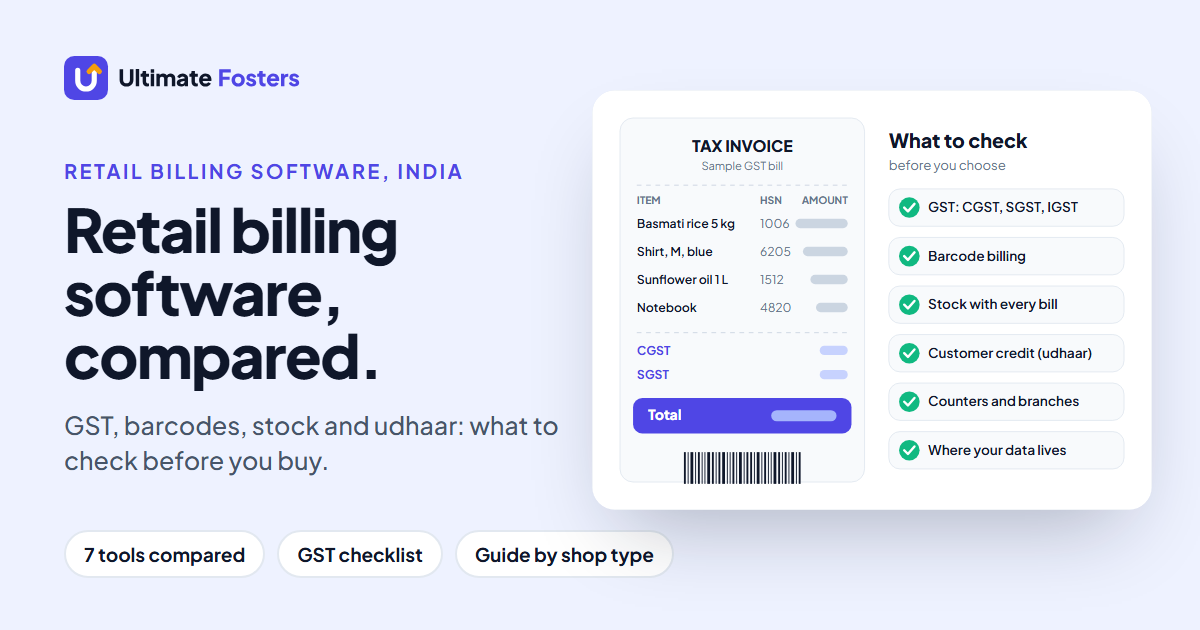
- GST: CGST and SGST on sales within your state, IGST on sales to other states, HSN codes on the bill and reports for filing.
- Stock (inventory) that goes down with each sale and up with each purchase.
- Customer credit (udhaar): who owes you what, and a limit so it doesn’t grow too large.
- Reports on daily sales, profit, tax and stock.
What to check before you choose
Every product page lists the same features. These are the questions that separate them.
| Feature | Why it matters | Ask in the demo |
|---|---|---|
| GST setup | Wrong tax on a bill means corrections later. | Can it apply CGST + SGST or IGST automatically, and print HSN codes? |
| Barcode billing | Typing items by hand slows the queue and causes mistakes. | Can I scan a barcode and print my own labels for loose or unbranded items? |
| Inventory tracking | You find out an item is out of stock before a customer does. | Does stock drop on every bill, and can I see stock for each branch? |
| Customer credit | Unpaid udhaar is lost money if nobody tracks it. | Can I set a credit limit per customer and see what each one owes? |
| Counters and branches | Many plans charge per register or per location. | What do a second counter and a second shop cost? |
| Your data | If you stop paying or the vendor shuts down, you need your records. | Where is my data stored, and how do I export it? |
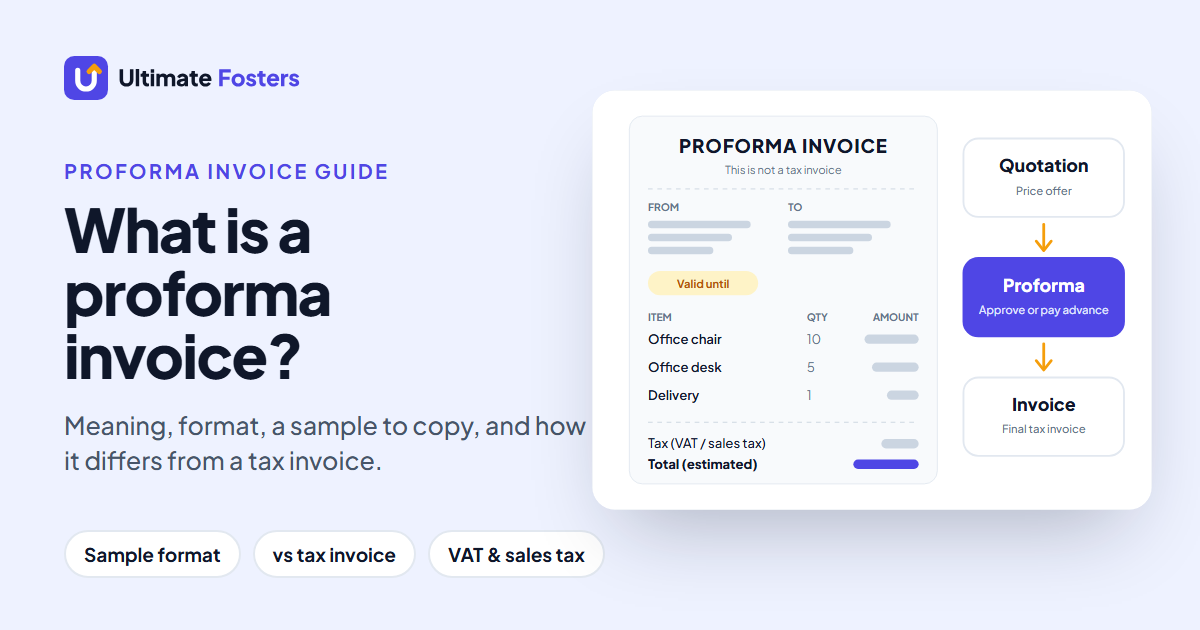
| Quotations and proformas | Bulk and wholesale buyers often want a written price, or a proforma before they pay an advance. | Can I turn a quotation into a proforma invoice and then into the final bill without retyping? |
Retail billing software prices in India (2026)
We read each vendor’s own pricing page on November 9, 2026. The table shows the entry plan for a single shop. Prices change, so check the linked page before you buy.
| Software | Entry price (as listed) | Billing | GST in price? | Free plan or trial |
|---|---|---|---|---|
| myBillBook | ₹3,490 a year (Plus) | Yearly subscription | Not stated | Free trial on the mobile app; 7-day money-back guarantee |
| Vyapar | ₹4,399 a year (Silver, desktop + mobile) | Yearly subscription | Not stated | Not listed |
| Zoho POS | ₹649 a month per location (Standard) | Billed yearly | GST added | Free plan (1 register, 50 POS transactions); 15-day trial |
| TallyPrime | ₹750 a month, ₹8,100 a year, or ₹22,500 lifetime (Silver) | Rental or lifetime | 18% GST added | Not listed |
| Gofrugal | ₹8,999 a year (Starter) | Yearly | Included | 30-day free trial |
| Marg ERP | ₹5,550 (Nano) to ₹26,000 (Gold) | Renewal terms not stated | 18% GST added | Not listed |
| UltimatePOS | $79 once (Regular License, USD) | One-time licence | Tax and handling fees extra | Live demo |
myBillBook
myBillBook Plus costs ₹3,490 a year and is described as its “essential plan for small business owners”. Pro (₹3,990 a year) adds a desktop app, and Pro Max starts at ₹570 a month billed yearly. Plus and Pro cover one business and one user plus your accountant. The pricing page doesn’t say whether GST is included.
Vyapar
Vyapar sells yearly desktop and mobile plans: Silver at ₹4,399 and Gold at ₹4,799. Silver includes up to 3 companies and 10 e-way bills a month, and syncs data across devices.
Zoho POS
Zoho POS charges per location: ₹649, ₹1,299 or ₹2,099 a month, billed yearly, with GST added. Standard includes 1 register and 3 users, Professional 3 registers and Premium 5. The free plan allows 1 register, 1 user and 50 POS transactions, which suits a shop trying billing software for the first time. Paid plans come with a 15-day free trial.
TallyPrime
TallyPrime Silver, for a single PC, costs ₹750 a month, ₹8,100 for a 12-month plan, or ₹22,500 for a lifetime licence, plus 18% GST. Gold is the multi-user edition. Tally is best known for accounting, so it suits shops where the owner or accountant already works in Tally.
Gofrugal
Gofrugal’s retail plans cost ₹8,999 (Starter), ₹14,999 (Standard) and ₹24,999 (Professional) a year, with GST included for India. Accounting is included, and there is a 30-day free trial.
Marg ERP
Marg ERP lists editions from Nano at ₹5,550 to Gold at ₹26,000, plus 18% GST. Nano allows up to 2 users and Gold unlimited users. The pricing page doesn’t say whether these are one-time or yearly prices, so ask before you buy.
UltimatePOS
UltimatePOS is billing and stock software you buy once and run on your own computer or server. The Regular License costs $79 on CodeCanyon (tax and handling fees extra) and includes future updates and 6 months of support, which you can extend for a small fee. The software keeps working after support ends. You can install it yourself or use our $25 installation service. One installation can run several shops and warehouses.
What it costs over 3 years
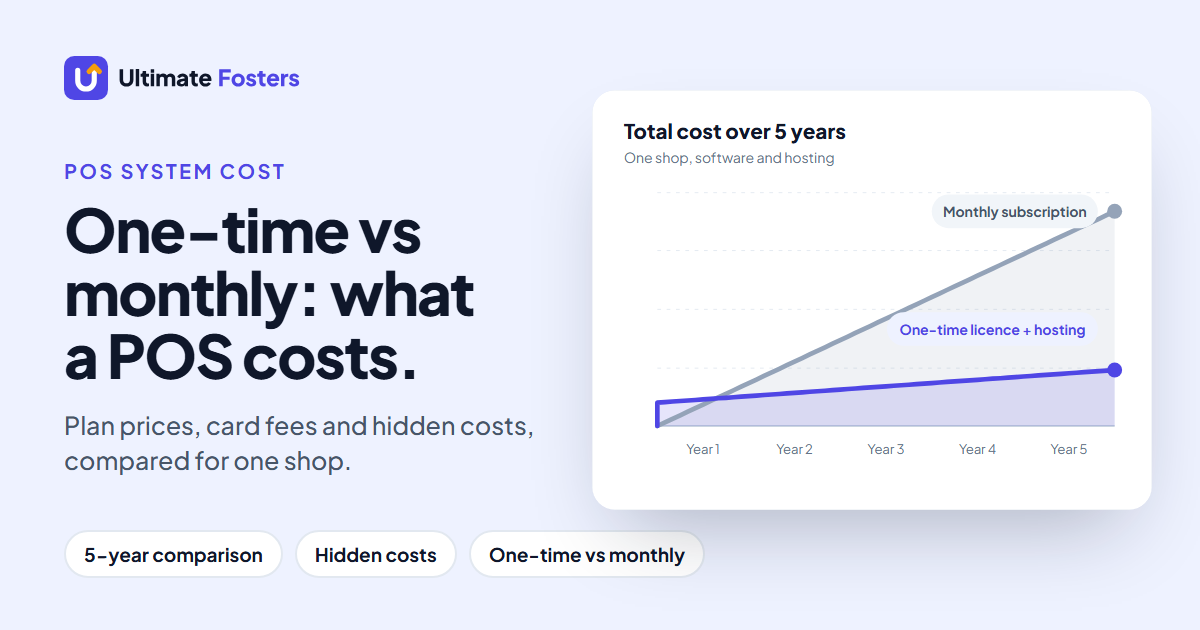
A yearly plan looks cheap until you add up the years. Here is the software cost for one shop over three years at today’s list prices. We assume prices stay the same, which they may not. For hardware, hosting and the full cost of a POS system, see our guide to how much a POS system costs.
| Software and plan | Listed price | 3-year total | GST |
|---|---|---|---|
| myBillBook Plus | ₹3,490 a year | ₹10,470 | Not stated |
| myBillBook Pro (adds the desktop app) | ₹3,990 a year | ₹11,970 | Not stated |
| Vyapar Silver (desktop + mobile) | ₹4,399 a year | ₹13,197 | Not stated |
| Zoho POS Standard | ₹649 a month per location, billed yearly | ₹23,364 | + GST |
| TallyPrime Silver, 12-month plan | ₹8,100 a year | ₹24,300 | + 18% GST |
| TallyPrime Silver, lifetime licence | ₹22,500 once | ₹22,500 | + 18% GST |
| Gofrugal Starter | ₹8,999 a year | ₹26,997 | Included |
| UltimatePOS on a computer in your shop | $79 once (USD) | $79 | Tax extra |
| UltimatePOS on an online server (DigitalOcean example) | $79 once + $7.20 a month | $338.20 | Tax extra |
The cheapest subscription here, myBillBook Plus, costs ₹10,470 over three years. A second shop changes the maths: Zoho POS charges each location separately, so two shops on Standard cost ₹46,728 over three years. With UltimatePOS, extra shops and warehouses sit inside the same installation, so there is no per-shop licence fee. UltimatePOS costs $79 over three years on a computer in your shop, or $338.20 on the DigitalOcean server example, plus $25 if you use our installation service.
The best billing software for each type of shop
The right features depend on what you sell. Use this table to decide what your software must do before you compare brands.
| Type of shop | Must-have features | Test this in the demo |
|---|---|---|
| Kirana or general store | Fast barcode billing, customer credit (udhaar), low-stock alerts | Bill 10 items in under a minute; set a credit limit |
| Supermarket or grocery | Several counters, weighing-scale barcodes, purchase entries | Scan a weighed item; add stock from a supplier bill |
| Garment or footwear shop | Size and colour variants, barcode labels for each variant, returns | Create a shirt in 3 sizes and 2 colours; print its labels |
| Pharmacy or medical store | Batch or lot numbers, expiry dates, expiry alerts | Sell from a chosen lot; run an expiry report |
| Electronics or mobile shop | Product warranty, serial or IMEI tracking, repairs | Ask how the system records serial numbers |
| Several shops | Stock per branch, transfers between branches, one set of reports | Move stock from one branch to another |
Free retail billing software vs paid
Free plans are useful for trying billing software, but they come with limits. Zoho POS Free stops at 50 POS transactions, which a busy shop can use up in a day. Other vendors offer a trial or a money-back period instead of a free plan.
Before you build your shop around a free plan, check three things: the bill or transaction limit, whether you can export your data, and what the first paid plan costs. Moving later means re-entering products, customers and opening stock.
Cloud app or software on your own computer?
Most billing apps in India are subscriptions. You pay every year, and the vendor stores your data. Self-hosted software works the other way. You install it on a computer in your shop or on a server you rent, and the database stays with you.
| Subscription app | Self-hosted (e.g. UltimatePOS) | |
|---|---|---|
| How you pay | Every month or year | Once for the licence; hosting if you put it online |
| Where your data is | With the vendor | On your computer or your server |
| Setup | Sign up and start | Install it yourself or pay for installation |
| Updates | Done by the vendor | You apply them, or pay someone to |
| Extra shops | Often charged per location | Added inside the same installation |
For the longer comparison, read our guide to desktop vs cloud-based POS systems.
See self-hosted billing for yourself
Used by 10,000+ businesses. Open the UltimatePOS live demo in your browser, make a bill and check the stock report. Nothing to install.
How UltimatePOS handles retail billing in India
Here is what UltimatePOS does for an Indian retail shop, with a link to the guide for each feature so you can check how it works.
- GST: set up CGST, SGST and IGST, then combine them into tax groups for sales within your state and sales to other states. See setting up UltimatePOS for Indian users.
- HSN codes: add the HSN code to each product category and turn on the invoice option to print it on bills.
- GST reports: GST purchase and sales reports, switched on with one setting described in the same guide.
- Customer credit: set a credit limit for each customer. Once a customer reaches it, UltimatePOS blocks further credit sales. Add payment terms and see dues in the customer ledger.
- WhatsApp: send customers a WhatsApp notification automatically for each new sale.
- Sizes and colours: sell one product in many variations, and print barcode labels for each one.
- Lot numbers and expiry dates: track lot numbers and expiry dates, with expiry alerts and a stock expiry report.
- Hardware: barcode scanners, thermal receipt printers, label printers and label weighing scales. See hardware support.
- Several shops: add locations and warehouses to one installation and track stock for each.
- Where it runs: install it on a Windows computer in your shop using free server software (WAMP or XAMPP), or on a cloud server or shared hosting if you want to reach it from anywhere. See our recommended hosting providers.
- Mobile or electronics repair: the paid Repair module adds repair job sheets that record each device’s serial number or IMEI.
Lot numbers are not available in UltimatePOS-LITE.
Where UltimatePOS isn’t the right fit
- If you want to run your whole shop from a phone app, a phone-first app such as myBillBook or Vyapar will feel simpler.
- If nobody can install software or apply updates, budget for the installation service or choose a subscription where the vendor does it.
- If your accountant works only in Tally, check how you’ll share sales data with them before you switch.
“This is the best you can get without all the bloat and unnecessary subscriptions of larger enterprise systems.”
dustin2, UltimatePOS buyer review on CodeCanyon
10 things to test in any billing software demo
Take a few of your own products to the demo, or ask the vendor to show these steps live.
- Scan a product barcode and make a bill.
- Create and print a barcode label for an item that has none.
- Make a bill with CGST + SGST, then one with IGST.
- Check that the HSN code appears on the bill.
- Check that stock went down after the sale.
- Enter a purchase from a supplier and check that stock went up.
- Sell on credit, then set a credit limit for that customer.
- Open the day’s sales report and the GST report.
- Ask what a second counter and a second shop would cost.
- Export your products and customers to Excel or CSV.
Retail billing software questions
Which is the best billing software for a retail shop in India?
There is no single best one. For a one-owner shop that bills from a phone, a low-cost app such as myBillBook (from ₹3,490 a year) is enough. For a busy counter or several branches, look for barcode billing, stock that updates with every sale, customer credit limits and multi-location support. If you want to own the software and keep the data on your own computer, a self-hosted system such as UltimatePOS fits.
Is there any free billing software for a retail shop?
Zoho POS has a free plan for one register and one user, limited to 50 POS transactions, and a 15-day free trial of its paid plans. Gofrugal offers a 30-day free trial. myBillBook offers a free trial on its mobile app and a 7-day money-back guarantee on paid plans. Most busy shops outgrow a free plan quickly, so check the transaction limit before you start.
Can I do billing without a GST number?
Yes. If your business isn’t registered under GST, you can’t charge GST, so you issue a plain bill without it. Whether you need to register depends on your turnover and what you sell, so check the rules on the official GST portal (gst.gov.in) or ask your accountant. In UltimatePOS you choose the tax for each product, so you can leave GST off until you register.
Is Zoho POS free?
Zoho POS has a free plan with 1 register, 1 user and 50 POS transactions, and a 15-day free trial of its paid plans. Paid plans cost ₹649, ₹1,299 or ₹2,099 per location per month, billed yearly, with GST added on top.
Which billing software is best for a garment or footwear shop?
Pick software that handles variants, so one shirt can have several sizes and colours without a separate product for each, and that prints barcode labels for every variant. UltimatePOS has both product variations and barcode label printing.
Can one billing software run more than one shop?
Yes, but the cost varies. Zoho POS charges per location, so a second shop doubles the plan fee. UltimatePOS lets you add several shops and warehouses inside one installation, with stock tracked for each location.
Own your billing software
UltimatePOS is used by 10,000+ businesses and rated 4.2+/5 from 700+ ratings. Pay once and get 6 months of support from a real team, not a chatbot. Keep your data on your own computer or server, and add shops as you grow.
About the authors
This guide was written by the team at Ultimate Fosters, who build and support UltimatePOS. We have sold and maintained it for 10+ years, and it is used by 10,000+ businesses. We compared list prices only, from each vendor’s public pricing page, and checked every UltimatePOS feature against our own documentation.
Sources and how we checked
We read each pricing page on November 9, 2026 from India and used the rupee price shown (US dollars for UltimatePOS and DigitalOcean). Totals are simple sums over three years, without discounts, taxes or price rises.
- myBillBook pricing plans: mybillbook.in
- Vyapar plans and pricing: vyaparapp.in
- Zoho POS pricing: zoho.com
- TallyPrime plans: tallysolutions.com
- Gofrugal retail pricing: gofrugal.com
- Marg ERP pricing: margcompusoft.com
- UltimatePOS on CodeCanyon: codecanyon.net
- DigitalOcean Droplet pricing: digitalocean.com
- UltimatePOS documentation: GST setup for India, customer credit limit, installation