
Form Generator is discontinued. Try FormNX: free, with unlimited forms & submissions. Sign up free → Need a paid plan? Contact FormNX and mention Ultimate Fosters.
Conditionals fields help you to show or hide any fields based on conditions of other fields. Adding conditional fields in the Multi-Purpose Form generator is very easy.
It works on one golden rule:
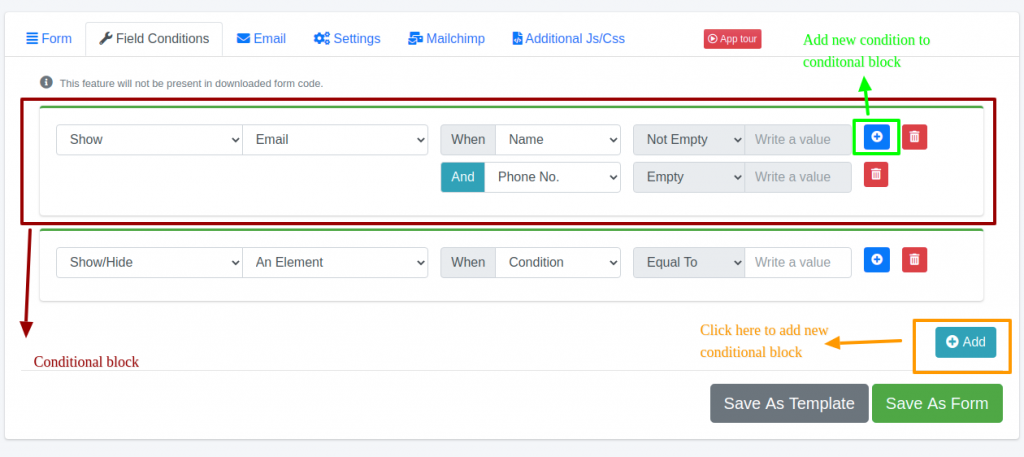
Show/Hide An-Element When Condition Equals/Not-Equals/Empty/Not-Empty
AND Condition Equals/Not-Equals/Empty/Not-Empty
AND Condition Equals/Not-Equals/Empty/Not-Empty
For example:
Show Email When Name Not-Empty AND Phone Empty
Check the screenshot below for getting a better idea on adding conditions
Visual learner? Watch the below ? video