
Square alternatives compared by the Ultimate Fosters team, makers of UltimatePOS for 10+ years. We checked every price on each company’s own website in November 2026.
Short answer: the best Square alternative for most small businesses is UltimatePOS. You pay $79 once instead of a monthly plan, run every location on one licence, keep your data on your own server and take cards with any processor you choose. Staff roles, loyalty points, purchase orders and stock transfers are all included, while Square puts them on its paid plans. Restaurant tools are built in, and a WooCommerce module connects an online store.
Used by 10,000+ businesses and rated 4.3+/5 from 500+ ratings on CodeCanyon.
Try UltimatePOS in the live demo (no sign-up) or see what the $79 licence includes.
Square is easy to start with: the free plan costs nothing a month, and a card reader is cheap too. As the business grows, though, the limits show. Every card payment goes through Square at its rate, staff management and loyalty cost $49 a month per location on Square Plus, and your till lives on Square’s servers.
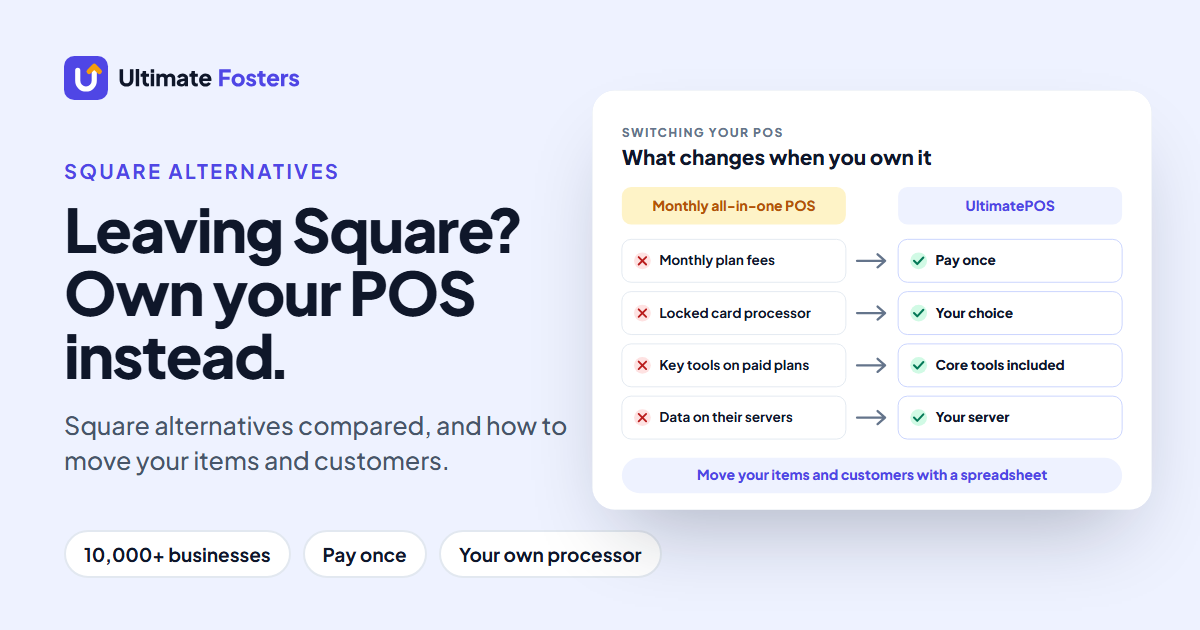
So this guide compares 9 Square alternatives on what you pay, how card payments work and what you actually own. The other eight all run on their vendor’s cloud, and most add a monthly plan, a locked card processor or their own hardware. UltimatePOS removes all three. The guide also shows how to move your items and customers to it without retyping them.
Square alternatives at a glance
First, here are the 9 Square competitors side by side, with US prices from each company’s pricing page in November 2026:
Swipe the table sideways to see all columns →
| POS system | What you pay | Card payments | Best for | The catch |
|---|---|---|---|---|
| UltimatePOS | $79 once. No monthly fee | Any processor you choose | Retail shops, restaurants and wholesalers that want to own their POS, from one shop to many | You host it, or we install it for $25 |
| Clover | $349 Basic retail system, or $1,899 Standard + $84.95/mo | 2.3% + 10¢ (Standard) | Shops that want Clover’s counter hardware | Hardware bought up front; Standard adds a monthly fee |
| Shopify POS | A Shopify plan, plus POS Pro for each store | Shopify Payments (extra fee with other providers) | Shops that also sell online | Two subscriptions: the plan and POS Pro per store |
| Lightspeed Retail | From $89/mo, billed annually | Not listed on its pricing page | Retailers with large catalogs | Monthly fee for as long as you use it |
| Toast | $0 Starter Kit, or from $69/mo | Toast payments | Restaurants | Works only on Toast hardware |
| Helcim | $0/mo | Interchange + 0.40% + 8¢ | Lower card rates on growing sales | Rate changes with each card type |
| PayPal POS | $0/mo | 2.29% + 9¢ | Low-volume sellers who use PayPal | Light stock and staff tools |
| SumUp | $0, or $49/mo for POS Plus | 2.6% + 10¢ | Simple card sales | Fuller POS tools on paid plans |
| Loyverse | Free POS; employees $5/mo each, advanced inventory $25/mo per store | Not on its pricing page | Small shops on a tight budget | Staff and stock tools are monthly add-ons |
US prices from each vendor’s pricing page (November 2026). Card rates are for in-person payments. Prices change, so check them before you sign.
Why businesses look for a Square alternative
Four things push shops to look for a Square alternative:
- Card fees on every sale. Square processes every card payment itself, at 2.6% + 15¢ in person on the free plan, so you cannot bring a cheaper processor.
- Monthly fees per location. Square also lists staff management and its loyalty program under Square Plus, at $49 a month per location. As a result, three shops on Plus cost $147 a month. On Square for Retail, moving stock between shops with transfer orders needs Square Premium, at $149 a month per location.
- Payout holds. Square’s Payment Terms (section 14) also let it delay payouts or require a reserve “for any reason related to your use of the Services.”
- Your system lives on Square’s servers. Your items, customers and sales history sit in a Square account, under Square’s terms. You can export them, but you cannot run the system yourself.
If any of these sounds familiar, the next two sections show what Square charges today and why the card processor matters when you switch.
Square fees in 2026: what you pay now
To compare fairly, here is what Square charges today, from its pricing page and fees page (November 2026):
Swipe the table sideways to see all columns →
| Square plan | Monthly fee | In person | Online | Fee on a $100 sale (in person) |
|---|---|---|---|---|
| Free | $0 per location | 2.6% + 15¢ | 3.3% + 30¢ | $2.75 |
| Plus | $49 per location | 2.5% + 15¢ | 2.9% + 30¢ | $2.65 |
| Premium | $149 per location | 2.4% + 15¢ | 2.9% + 30¢ | $2.55 |
Keyed-in or card-on-file payments are 3.5% + 15¢ on every plan ($3.65 on $100). For businesses above $250,000 a year in card sales, Square Pro offers custom pricing instead.
Square Plus adds staff management and the loyalty program, while Square Premium also adds advanced reporting and 24/7 phone support. For the full multi-year comparison with other systems, see our guide to the cheapest POS system for small business.
POS software vs card processing: why it matters when you leave Square
Unlike UltimatePOS, Square sells two things as one: the POS software and the card processing. As a result, you cannot keep Square’s POS and pay a lower card rate somewhere else.
When you choose a Square alternative, check which kind it is:
Swipe the table sideways to see all columns →
| Type | Examples | What it means for you |
|---|---|---|
| Software only, paid once | UltimatePOS | Choose any card processor and switch when you find a better rate. Your POS is also unaffected by a dispute or hold at the processor. |
| Software and processing together | Square, Toast, Shopify POS (with Shopify Payments) | One bill and one setup, but the card rate comes with the POS |
| Processing first, light POS | Helcim, PayPal POS, SumUp | Lower or simpler card rates, but fewer stock and staff tools |
With UltimatePOS, the cashier rings up the sale, takes the card on the terminal from your processor, then marks the sale as paid by card. You can also add your own payment methods, such as a gift card or a bank transfer.
Which Square alternative fits your reason for leaving?
Whatever made you look beyond Square, here is how UltimatePOS handles it, and the catch with the other alternatives:
Swipe the table sideways to see all columns →
| Your reason for leaving Square | How UltimatePOS handles it | The catch with other alternatives |
|---|---|---|
| I’m tired of monthly fees | $79 once, with future updates | Clover Standard adds $84.95/mo, Lightspeed starts at $89/mo and Toast’s Point of Sale plan at $69/mo |
| I run, or plan to run, several shops | Every location on one licence, each with its own stock, plus stock transfers | Square’s paid plans are priced per location, and transfer orders need Premium ($149/mo per location); Loyverse charges $25/mo per store for transfers |
| I want to choose my card processor | Any processor, or a terminal from your bank | Square, Toast and Shopify POS tie you to their own payments (Shopify adds a fee if you use another provider) |
| I want lower card rates | Shop around, including interchange-plus processors, and switch whenever you find a better rate | Payment apps such as Helcim, PayPal POS and SumUp set their own rate, and their POS works only with their payments |
| I want my data on my own server | Install it on your server or a shop computer, and export any table to Excel | The other eight run only on their vendor’s cloud |
| I run a restaurant or café | Tables, a kitchen screen, add-ons and bookings are included in the $79 | Toast works only on Toast hardware |
| I also sell online | The WooCommerce module syncs products, categories and orders with your online store | Shopify POS needs a Shopify plan plus POS Pro for each store |
The 9 best Square alternatives in 2026
1. UltimatePOS: pay once and own your POS
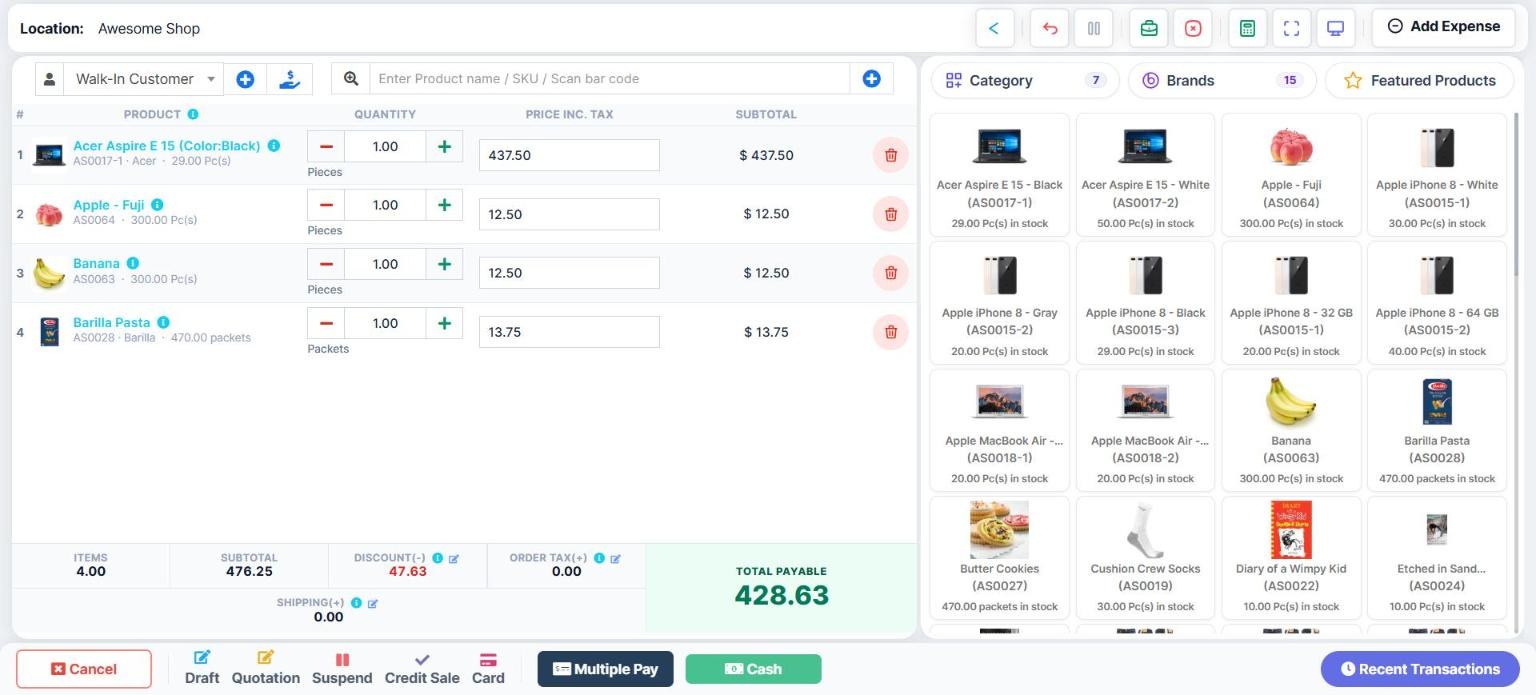
UltimatePOS is the POS and inventory system we have built and supported for 10+ years, and 10,000+ businesses use it. It fixes each of the four Square problems above.
What you get for $79:
- No monthly fee. $79 once (Regular licence on CodeCanyon), with future updates and 6 months of support.
- Every location on one licence, each with its own stock, and stock transfers between them.
- Any card processor. Take the card on your terminal, then UltimatePOS records the payment. Switch processor whenever you find a better rate.
- Your data, your server. Run it on your own server or a shop computer, and export any table to Excel, CSV or PDF.
- Included in the price: staff roles, reward points, purchase orders, wholesale and retail price groups, plus restaurant tables and a kitchen screen.
- Modules for your trade, also paid once, such as WooCommerce, manufacturing, repair and gym.
Good to know: it needs a web server. If you don’t have one, our installation service sets it up for $25.
2. Clover: all-in-one counter hardware
Best for: Shops that want an all-in-one counter system
- Price: Retail Basic system $349 on the Starter plan; Standard system $1,899 plus $84.95 a month on the Retail Growth plan
- Card payments: 2.6% + 10¢ on Starter, 2.3% + 10¢ on Retail Growth
- Watch out: You buy the hardware up front, and item discounts and returns need the Standard system ($1,899 plus $84.95 a month)
3. Shopify POS: for Shopify online stores
Best for: Shops that already run a Shopify online store
- Price: A Shopify plan, plus POS Pro for each store location. POS Pro adds staff permissions and inventory tools
- Card payments: Shopify Payments, with an extra transaction fee if you use another payment provider
- Watch out: You pay for a Shopify plan and for POS Pro at each store, and other payment providers add a transaction fee
4. Lightspeed Retail: for large catalogs
Best for: Established retailers with many products and variants
- Price: Basic $89, Core $149 and Plus $289 a month, billed annually, with one register included
- Card payments: Card rates are not listed on the pricing page
- Watch out: You pay every month for as long as you use it, and each plan includes one register (prices shown are for Lightspeed Retail X-Series)
5. Toast: restaurant POS on Toast hardware
Best for: Full-service and quick-service restaurants
- Price: Starter Kit from $0 a month for one location with 1–2 terminals; Point of Sale plan from $69 a month
- Card payments: Through Toast, a payment facilitator
- Watch out: Toast says its service works only on approved Toast hardware, so you cannot bring your own, and card payments go through Toast
6. Helcim: interchange-plus card processing
Best for: Businesses whose main complaint is card fees
- Price: $0 a month; Card Reader $199, Smart Terminal $349
- Card payments: Interchange + 0.40% + 8¢ on the first $50,000 a month
- Watch out: Helcim is a card processor first: the rate changes with each card type, so your monthly cost varies, and its POS works only with Helcim payments
7. PayPal POS: for occasional sellers
Best for: Market and pop-up sellers who already use PayPal
- Price: $0 a month; first Card Reader $29
- Card payments: 2.29% + 9¢ in person
- Watch out: Light stock and staff tools compared with a full retail POS, and every card payment goes through PayPal
8. SumUp: simple card sales
Best for: Small sellers who mainly need to take cards
- Price: Free plan $0; POS Plus $49 a month; SumUp POS from $99 a month
- Card payments: 2.6% + 10¢ in person; 3.5% + 15¢ online or keyed in
- Watch out: The fuller POS tools are on paid plans ($49 or from $99 a month), so a growing shop moves to a monthly fee
9. Loyverse: free POS app with paid add-ons
Best for: Single small shops on a tight budget
- Price: POS free, including several stores; employee management $5 a month per employee; advanced inventory $25 a month per store; unlimited sales history $9 a month per store
- Card payments: Optional; card rates are not on its pricing page
- Watch out: Purchase orders, stock transfers and staff management are paid add-ons, charged every month per store or per employee
Why UltimatePOS is the Square alternative you own
Square runs your POS in its cloud, with monthly fees on its paid plans. UltimatePOS, by contrast, is software you buy once and run yourself. The main differences:
Swipe the table sideways to see all columns →
| Square | UltimatePOS | |
|---|---|---|
| Software price | $0, $49 or $149 a month per location | $79 once for every location |
| Three shops with staff roles and loyalty | $147 a month on Square Plus | $79 once, no monthly fee |
| Purchase orders and stock transfers | Purchase orders on Plus; transfer orders on Premium ($149/mo per location) | Included |
| Card processing | Square only | Any processor you choose |
| Staff roles | Staff management listed on Square Plus | Included: roles and permissions per user |
| Loyalty | Loyalty program listed on Square Plus | Included: reward points |
| Where it runs | Square’s cloud | Your server, or a computer in your shop |
| Your data | In your Square account; you can export it | In your own database; export any table to Excel, CSV or PDF |
| Without internet | Offline card payments, processed when you reconnect | Full till when installed on a shop computer |
| Hardware | Square readers and terminals | Any computer, tablet or phone with a browser, plus a USB scanner and receipt printer |
Square details from its pricing page and Square for Retail pricing (November 2026).
- Stock control for real shops. Purchase orders, stock transfers between shops, low-stock alerts and expiry dates are built in. See also our guide to inventory software for small business.
- Retail and wholesale prices. Selling price groups give each customer group or location its own prices, for example a wholesale price list.
- Built for your trade. Use the barcode scanners and receipt printers you already have, and see UltimatePOS by industry for retail, restaurant, pharmacy and more.
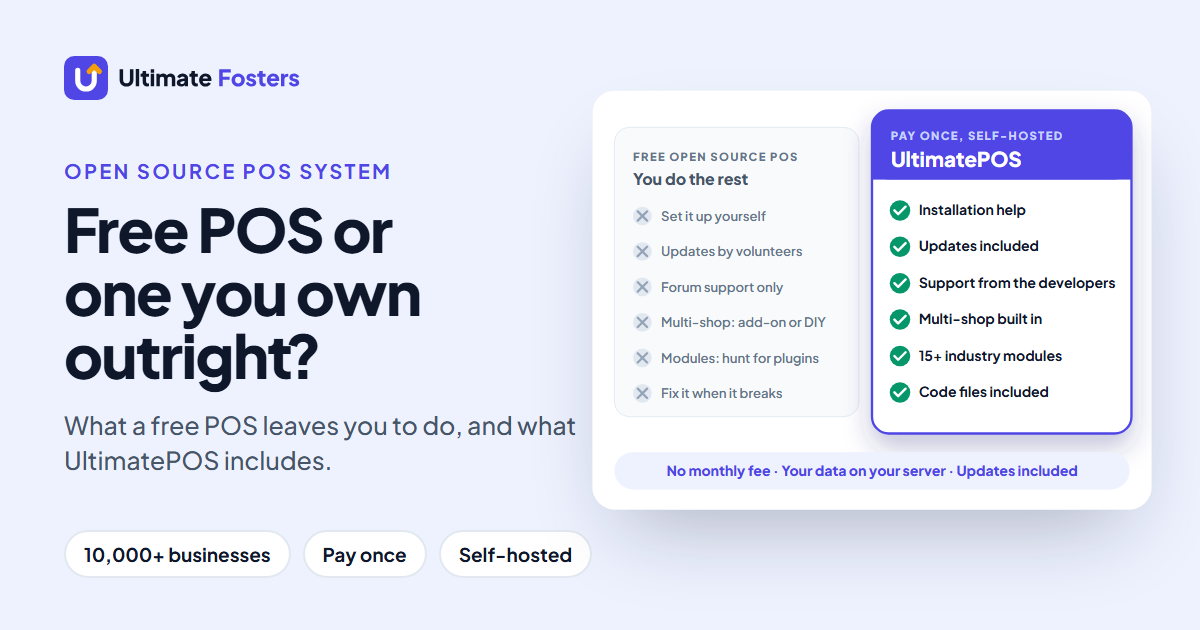
UltimatePOS is rated 4.3+/5 from 500+ ratings on CodeCanyon, where we are an Elite Author. If you are also weighing free systems, our open source POS guide compares the free options.
“This is the best you can get without all the bloat and unnecessary subscriptions of larger enterprise systems.”
CodeCanyon buyer review of UltimatePOS
“This is an awesome POS having the flexibility that you can use it as retailer as well as distributor.”
CodeCanyon buyer review of UltimatePOS
See if UltimatePOS fits your shop
Make a sale, add a product, then run a report in the live demo. No sign-up needed.
How to switch from Square to UltimatePOS
Plan the move for a quiet week, then follow these four steps:
- Export your items from Square. In the Square Dashboard, open Items, then Item library, click Actions, then Export Library, and choose Excel (Square’s help article shows each step). Export your customer list from the Customers page too.
- Copy them into the UltimatePOS templates. Next, in UltimatePOS, go to Products, Import Products, and download the template. Paste in the name, SKU, category and price from Square’s file, then add a unit (for example “Pieces”) and your purchase cost, which the template requires.
- Import products, then customers. Upload the product file, then use Contacts, Import Contacts. A customer only needs a contact type and a first name; phone and email are optional.
- Run both for a few days. Ring up a few real sales in UltimatePOS, check stock and reports, then cancel your Square plan.
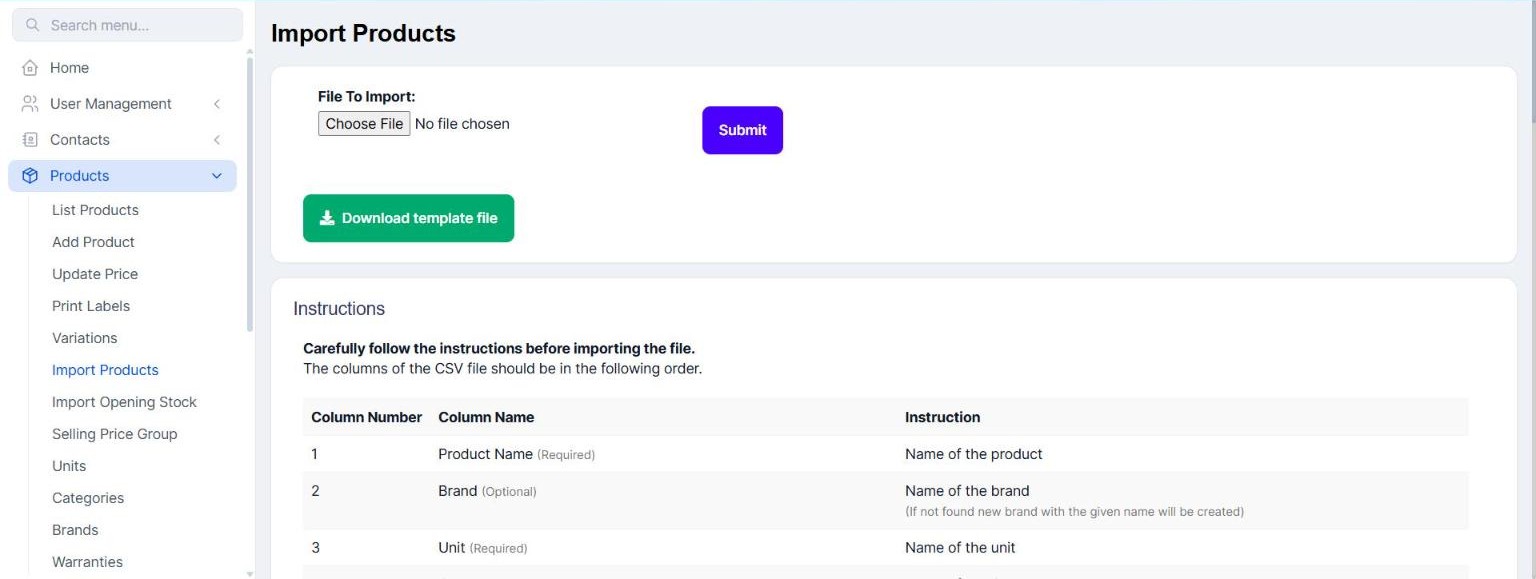
There is no one-click Square import, so set aside time to tidy the spreadsheet before you upload it. Your opening stock can also go in the same file. Later, you can export your products to Excel in the same template, so you are never locked in.
Want to see the import screens first? Open the live demo, then go to Products, Import Products. No sign-up needed.
Not technical?
Our installation service sets up UltimatePOS on your server for $25. You keep your Square account open until your first week on UltimatePOS goes smoothly.
Questions to ask before you switch POS
Ask every POS vendor these six questions before you sign. Here is how UltimatePOS answers them:
| Question to ask | UltimatePOS answer |
|---|---|
| Is the monthly fee per location, per register or per user? | No monthly fee. $79 once covers every location and user, with no per-register fee |
| Which features I use today are on a paid plan or add-on? | Staff roles, reward points, purchase orders and stock transfers are in the one-time price; industry modules are optional and also paid once |
| Can I use my own card processor? | Yes. Use any processor, and the rate is agreed between you and them |
| Does it work with the hardware I already own? | Yes: any computer, tablet or phone with a browser, plus USB barcode scanners and thermal receipt printers |
| Can I export my items, customers and sales history? | Yes. Every table exports to Excel, CSV or PDF |
| Is there a contract or a fee to leave? | No contract. You own the licence and the data |
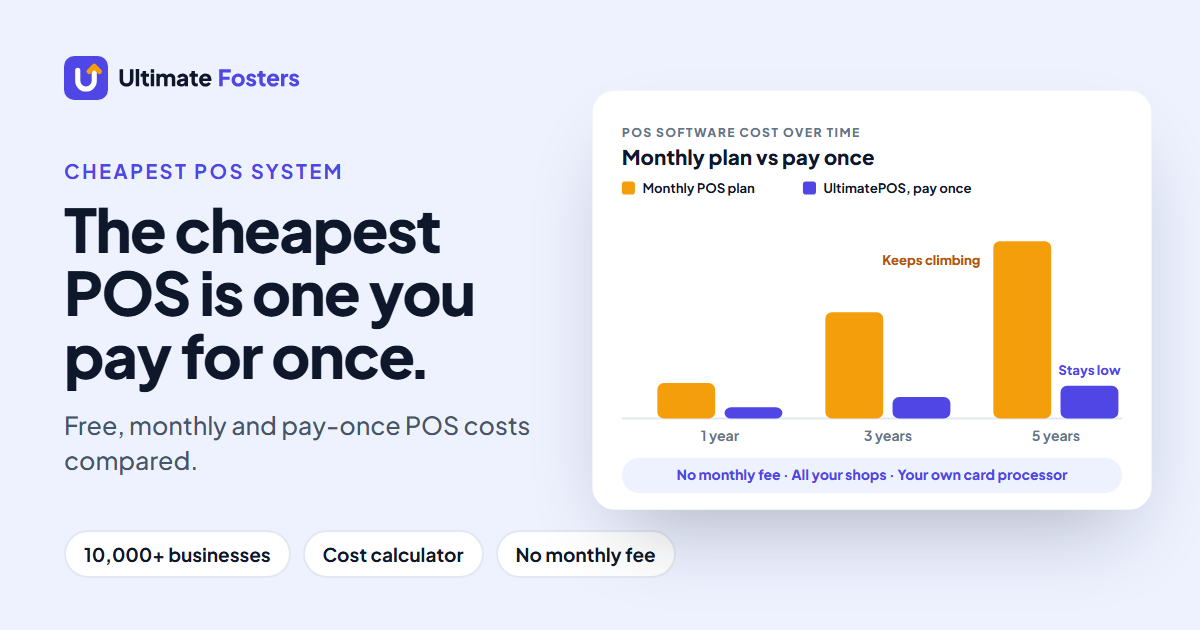
Finally, for hardware and other set-up costs, see how much a POS system costs.
Square alternatives: FAQs
What is the best alternative to Square?
UltimatePOS, for most small businesses. It costs $79 once, runs every location on one licence, works with any card processor and keeps your data on your own server. Restaurant tools are included, and a WooCommerce module connects an online store. Most other alternatives charge monthly for key features, tie you to their own payments or need their own hardware.
What is cheaper to use than Square?
UltimatePOS, for the software: $79 once for every location instead of a monthly plan. Because you choose your own card processor, you can also shop for a lower card rate than Square’s 2.6% + 15¢. Payment apps such as PayPal POS (2.29% + 9¢) and SumUp (2.6% + 10¢) charge a little less per in-person payment, but keep you on their own processing. Our guide to the cheapest POS system compares full costs.
Who is Square’s biggest competitor?
Clover is the competitor most often compared with Square, followed by Toast for restaurants and Shopify POS for shops that also sell online. All three charge monthly plans or tie you to their own hardware. UltimatePOS, on the other hand, is the pay-once alternative: you buy it once and choose your own card processor.
Which POS is better than Square?
For most shops, UltimatePOS. It costs $79 once and includes staff roles, reward points, purchase orders and stock transfers. On Square for Retail, purchase orders are on Square Plus ($49 a month per location) and transfer orders on Square Premium ($149 a month per location). You also choose your own card processor, which Square doesn’t allow.
What is the downside of using Square?
First, your card payments must go through Square, at 2.6% + 15¢ per in-person sale on the free plan. In addition, staff management and loyalty are listed on Square Plus at $49 a month per location. Square’s terms also let it hold your payouts or ask for a reserve.
Is Square good for small businesses?
Yes, for a small shop that mainly takes cards: Square Free costs $0 a month and its hardware starts at $59. It fits less well once you need staff management or loyalty, which are on Square Plus at $49 a month per location. It also fits less well when card fees become your biggest cost, because you cannot switch processor.
What are Square’s fees in 2026?
Square Free is $0 a month with 2.6% + 15¢ per in-person payment and 3.3% + 30¢ online. Square Plus is $49 a month per location (2.5% + 15¢ in person), while Square Premium is $149 a month per location (2.4% + 15¢). Keyed-in payments, however, are 3.5% + 15¢ on every plan.
How much does Square take from a $100 sale?
$2.75 on Square Free (2.6% + 15¢), $2.65 on Square Plus and $2.55 on Square Premium, for a tapped, dipped or swiped card. However, a $100 payment keyed in by hand costs $3.65 on any plan.
Does Square charge a monthly fee?
Not on Square Free, which is $0 a month for every location. However, Square Plus is $49 a month and Square Premium $149 a month, each per location. On every plan, Square also earns a fee on each card payment.
Why are Square’s processing fees so high?
Square charges one flat rate per payment, such as 2.6% + 15¢ in person on the free plan. That rate covers the card issuer’s fee, the card network’s fee and Square’s own margin, and it is the same whichever card your customer uses. Unless you take more than $250,000 a year in cards (Square Pro’s custom pricing), you cannot negotiate it. Interchange-plus processors such as Helcim instead pass on the actual card fee and add a fixed markup.
How can I avoid Square processing fees?
On card sales through Square, you can’t: Square charges its fee on every card payment it processes, and its POS only works with its own processing. Cash sales carry no Square processing fee. To pay less on cards, move to a processor with a lower rate. UltimatePOS works with any processor and records cash, card and other payments in the same till.
Is there a free app like Square?
Yes. PayPal POS, SumUp and Loyverse all have free POS apps, and Helcim also charges no monthly fee. Each one makes money elsewhere: card fees, paid plans or paid add-ons, such as Loyverse’s $5 a month per employee for employee management. UltimatePOS isn’t free, but you pay $79 once and the staff and stock tools are included.
What are some good apps like Square for businesses?
Apps like Square include PayPal POS, SumUp, Loyverse and Shopify POS, which run on a phone or tablet. UltimatePOS also runs in the browser of any phone, tablet or computer, but you pay $79 once instead of a monthly plan, and you pick your own card processor.
Can Square hold my money?
Yes. Section 14 of Square’s Payment Terms lets it delay payouts or require a reserve when it sees risk in your business. Any card processor can hold funds, so read the terms. With UltimatePOS, a hold at your processor never locks you out of your till, products or sales history.
Can I move my items and customers from Square to UltimatePOS?
Yes, with a spreadsheet. Export your item library from the Square Dashboard as Excel or CSV, copy the columns into the UltimatePOS import template, then import it. After that, import customers the same way through Contacts, Import Contacts. However, there is no one-click Square import.
Can I keep my card terminal if I leave Square?
Usually not, because Square readers and terminals only work with Square’s payments. With UltimatePOS, instead, you get a terminal from your bank or any processor you choose, take the card on it, and UltimatePOS records the payment against the sale.
Does UltimatePOS have a monthly fee?
No. A Regular licence is $79 once on CodeCanyon, with future updates and 6 months of support. After that, you only pay for your own hosting, or nothing more if you run it on a computer in your shop.
Does UltimatePOS process card payments?
No. It works with any card processor, so you can choose the lowest rate you are offered and switch whenever you like. Then, at the till, it records the sale as cash, card or any payment method you add.
Does UltimatePOS work offline?
Yes, if you install it on a computer in your shop: the till keeps working without internet. On a cloud server, however, it needs an internet connection.
Is UltimatePOS hard to set up?
Not with help. It needs a web server: a cloud server or a computer in your shop. Our installation guide walks you through it, or our installation service sets it up for $25. After that, staff use it in a web browser.
Is Square or Clover better?
Square is easier to start with, because its free plan costs $0 a month. Clover, by contrast, sells its own hardware plans, from a $349 Basic retail system to a $1,899 Standard system plus $84.95 a month. Want neither monthly plan nor locked hardware? Then UltimatePOS runs on the computer you have for $79 once.
Which is better, SumUp or Square?
For in-person card fees, SumUp is slightly cheaper: 2.6% + 10¢ against 2.6% + 15¢ on Square Free, so 5¢ less per sale. Online, SumUp charges 3.5% + 15¢ and Square Free 3.3% + 30¢. Both have a $0 plan, and both process the card themselves, so neither lets you bring a cheaper processor. UltimatePOS does, for $79 once.
Does Square still exist?
Yes. Square is still a major POS and payments company, owned by Block, Inc., and its free and paid plans are on sale in the US. People often ask because they are comparing it with alternatives before renewing a plan.
What types of businesses use Square?
Retail shops, restaurants and cafes, salons and other appointment businesses, and market sellers. In general, Square works best for simple card sales. Shops that need deeper stock control or several locations often look for an alternative such as UltimatePOS.
Own your POS instead
UltimatePOS: $79 once, every location, your own card processor and your data on your server. Updates and 6 months of support included.
About this guide
Written by the team at Ultimate Fosters, who build and support UltimatePOS, a POS and inventory system used by 10,000+ businesses for 10+ years. We read every price on the vendor’s own US website in November 2026, checked Square’s export steps in its help center, and tested the import screens in the UltimatePOS live demo. Prices change often, so check them before you sign.
Sources
- Square: pricing, fees, Square for Retail pricing, Payment Terms, item library export
- Pricing pages, checked November 2026: Clover, Shopify POS, Lightspeed Retail, Toast, Helcim, PayPal POS, SumUp, Loyverse
- UltimatePOS: CodeCanyon listing and documentation on multiple locations, product import and export and payment methods
Related: cheapest POS system · POS system cost · open source POS systems · retail POS system · restaurant POS system
Leave A Comment