
Industries

POS Software for Small Business, Built Around Your Industry

One self-hosted system for billing, stock and reports. Shops, restaurants and salons use the core features. Hotels, gyms, repair shops and manufacturers add a module made for their work.

Used by 10,000+ businesses  ·  4.3+/5 from 500+ ratings on CodeCanyon  ·  10+ years of updates
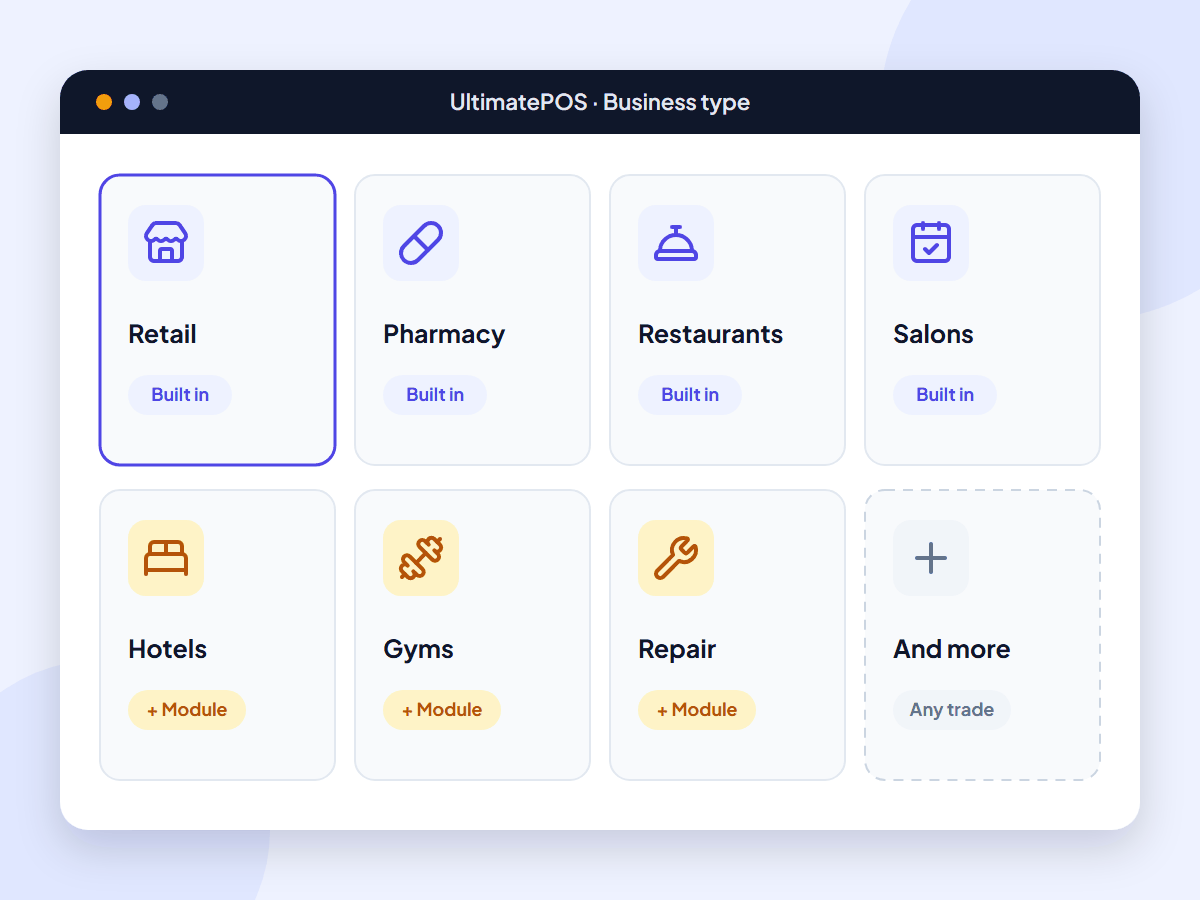
UltimatePOS business types: retail, pharmacy, restaurants and salons use built-in features; hotels, gyms and repair add a module; and more

Which businesses can use UltimatePOS?

Any business that sells products or services from a counter, a table or a front desk. UltimatePOS is a self-hosted POS and business management system: you buy it once, install it on your own server, and run billing, stock, purchases and reports from a browser.

Full guide

Retail shops

Barcode billing, stock across branches, barcode labels and a daily cash count.

Full guide

Grocery & supermarkets

Scale labels for weighed items, expiry dates, lot numbers and shelf labels.

Full guide

Jewelry & watch stores

A record for every piece, deposits, small barcode tags and repair tickets.

Full guide

Hardware stores

Sell by the foot, box or piece, with contractor accounts and low-stock reorders.

Full guide

Furniture stores

Special orders with deposits, deliveries, and stock in the showroom and warehouse.

Full guide

Florists & flower shops

Arrangement recipes, deliveries with card messages, house accounts and standing orders.

Full guide

Thrift & resale shops

Donated stock, price tags for every drop-off, color-tag sales and one-off prices.

Full guide

Pharmacies & chemists

Batch and expiry tracking, expiry alerts and tax bills with your licence number.

Full guide

Restaurants & cafés

Tables, service staff, modifiers and kitchen orders, with no extra module.

Full guide

Bakeries & cake shops

Counter sales, recipe costs, custom cake orders with deposits and use-by dates.

Salons & service centres

Bookings and service staff, with services and products on the same bill.

Full guide

Wholesale & distribution

Trade price lists, credit limits, net terms and stock in every warehouse.

Hotels

Rooms, bookings and check-ins with the Hotel Management (HMS) module.

Full guide

Gyms & fitness

Members, packages, dues and check-ins with the Gym Management module.

Full guide

Repair shops

Job sheets with IMEI, SMS status updates, parts and invoices for phone and computer repair.

Full guide

Tire shops

Tires by size and rack spot, fitting add-ons, bay bookings and fleet accounts.

Full guide

Manufacturing

Recipes, production and wastage tracking, including bulk-to-pack repackaging.

How to choose a POS for your business

Answer three questions: what you sell, how many locations you run, and whether you also sell online. The table covers the first. Multiple locations are included in UltimatePOS, and an online store connects through the WooCommerce module.

Your business Covered by UltimatePOS Add-on module
Retail shop Yes Not needed
Grocery store or supermarket Yes: scale labels, expiry dates and lot numbers (grocery guide) Not needed
Jewelry or watch store Yes: piece records, deposits and barcode tags (jewelry guide) Repair, only for repair tickets
Hardware store Yes: sell by the foot or box, contractor accounts (hardware store guide) Not needed
Furniture store Yes: special orders, deposits and deliveries (furniture store guide) Not needed
Florist or flower shop Yes: arrangement recipes, deliveries and house accounts (florist guide) Not needed
Thrift or resale shop Yes: donated stock, price tags and color-tag sales (thrift store guide) Not needed
Pharmacy or chemist Yes: batch numbers and expiry dates (pharmacy guide) Not needed
Wholesale and distribution Yes: trade price lists, credit limits and net terms (wholesale guide) Not needed
Restaurant or café Yes: tables, service staff, modifiers, kitchen orders (restaurant guide) Not needed
Bakery or cake shop Yes: counter sales, cake orders with deposits, use-by dates (bakery guide) Manufacturing, only for recipes and batch costs
Salon or service centre Yes: bookings and service staff Not needed
Hotel Billing and stock Hotel Management (HMS)
Gym or fitness centre Billing and stock (gym guide) Gym Management
Repair shop Billing, stock and warranties (repair shop guide) Repair
Tire shop Yes: tires by size, fitting add-ons, bay bookings and fleet accounts (tire shop guide) Not needed
Manufacturer Billing, stock and purchases (manufacturing guide) Manufacturing

Other modules work in any business, for example Essentials & HRM for leave, attendance and payroll, and ZATCA for Saudi e-invoicing.

The same core for every business

Whatever you sell, these features come with UltimatePOS. Industry modules build on them, so your products, customers and sales stay in one place.

  • POS and invoices. Barcode scanning, receipts, quotations and invoice layouts you can customise.
  • Stock and purchases. Stock levels, transfers, purchase orders and supplier records.
  • Several locations. Branches and warehouses in one system, with user roles that limit what each person sees.
  • Reports. Sales, profit, tax and stock reports for each location or for the whole business.
  • Tax. GST and VAT settings, tax groups, and Saudi e-invoicing with the ZATCA module.

10,000+

businesses use our software

10+

years of updates

2,000+

updates and features

Start with the core, add a module when you need it

1. Try the demo

The full app with sample data, in your browser. No sign-up.

2. Buy UltimatePOS

A one-time purchase. Install it yourself or have our team install it.

3. Add your module

Hotel, gym, repair, manufacturing and more, sold separately in our shop.

Questions about UltimatePOS by industry

Hotels (HMS module), gyms (Gym Management), repair shops (Repair module) and manufacturers (Manufacturing module). Retail shops, wholesalers, restaurants and salons run on UltimatePOS without one.

These features come with UltimatePOS: tables, service staff, modifiers, bookings and kitchen orders. Turn on the ones you need in the business settings, then follow the restaurant and salon guides.

Yes. A module installs into the UltimatePOS you already run, so your products, customers and sales history stay where they are. Each module is sold separately.

No. UltimatePOS is a one-time purchase. Optional add-on modules, priority support and installation are sold separately.

Most businesses that sell products or services can run on the core features. Try the live demo with your own workflow, or ask our team before you buy.

About this page

Written by the Ultimate Fosters team, who have built and supported UltimatePOS for 10+ years. Each industry links to its guide, its setup steps in our documentation or its module page, and you can try every core feature in the live demo. We add industries as we publish new guides.

Make a test sale in the demo

Open the live demo, add an item, make a sale and check the reports. No installation or sign-up.