
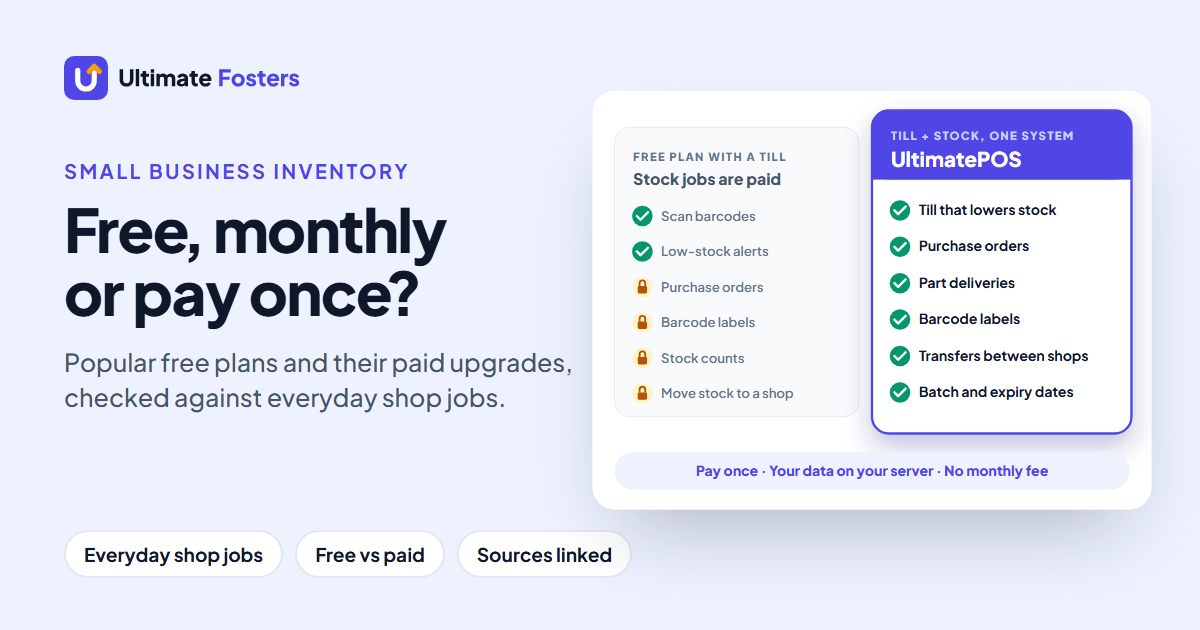
Short answer: the best inventory management software for small business is one system that runs your till and your stockroom together. UltimatePOS does all 10 everyday inventory jobs for $79 once, so there is no monthly fee. That is less than two months of Square Plus for a single shop. It is also rated 4.3+/5 from 500+ ratings on CodeCanyon. Try it in the live demo (no sign-up).
What about free plans? They can get you started, but each one stops part-way. The free tills, Square Free and Loyverse, charge for purchase orders, stock counts and transfers. The free stock tools, Zoho Inventory and Odoo, have no till, and InvenTree is free only if you run your own server. UltimatePOS covers the till and the stock jobs from day one.
Compare free plans · Compare monthly prices · Check your own jobs
Updated November 2026. By the Ultimate Fosters team, makers of UltimatePOS for 10+ years. We read every plan below on the vendor’s own pricing page and help centre, and every claim links to its source, so you can check it.
Most lists of inventory management software for small business rank tools by features. A shop owner, however, thinks about jobs and about the bill. So we listed the 10 jobs a shop’s inventory does in a normal week and checked every free plan against them. Then we set the paid plans’ monthly prices next to a system you pay for once.
Everything comes from the vendors’ own pages, so you can see what each option really does, where the free plans stop, and what you pay after that.
What is the best inventory management software for small business?
The best inventory management software for a small business is the one that does the jobs you do every week, at a price that does not grow every month. Start with what your business does:
Swipe the table sideways to see all columns →
| Your business | What fits | Where it stops |
|---|---|---|
| A shop that sells over a counter and buys stock | Best value: UltimatePOS ($79 once) | Nothing to unlock: all 10 jobs are included |
| A shop or café that only needs a till | Square Free or Loyverse (free till with basic stock) | Purchase orders, stock counts, transfers and labels |
| A stockroom that buys from suppliers | Zoho Inventory Free (1 user, 50 orders a month) | Barcode labels, stock counts, batch tracking |
| A small team that needs many logins | Odoo One App Free (unlimited users, one app) | Adding a second app such as Purchase or Point of Sale |
| Parts or spares, with IT help | InvenTree (free, open source, self-hosted) | No limits, but you run the server and there is no till |
| A small catalogue tracked on a phone | Sortly Free (100 items, 1 user) | Low-stock alerts, labels and purchase orders |
Based on each vendor’s plans as published in November 2026. You will then find details for every plan in the tables below.
What small business inventory software needs to do
Good small business inventory software has ten jobs to do in a normal week. So we checked every option against these ten, roughly in the order a week brings them:
- Add products with sizes or colours, so a medium red T-shirt and a large blue one are counted separately.
- Print barcode labels for items that come without one, such as loose or home-made goods.
- Scan barcodes with a phone camera or a scanner, instead of typing names.
- Sell at a till and have stock drop by itself with every sale.
- Get low-stock alerts before a bestseller runs out.
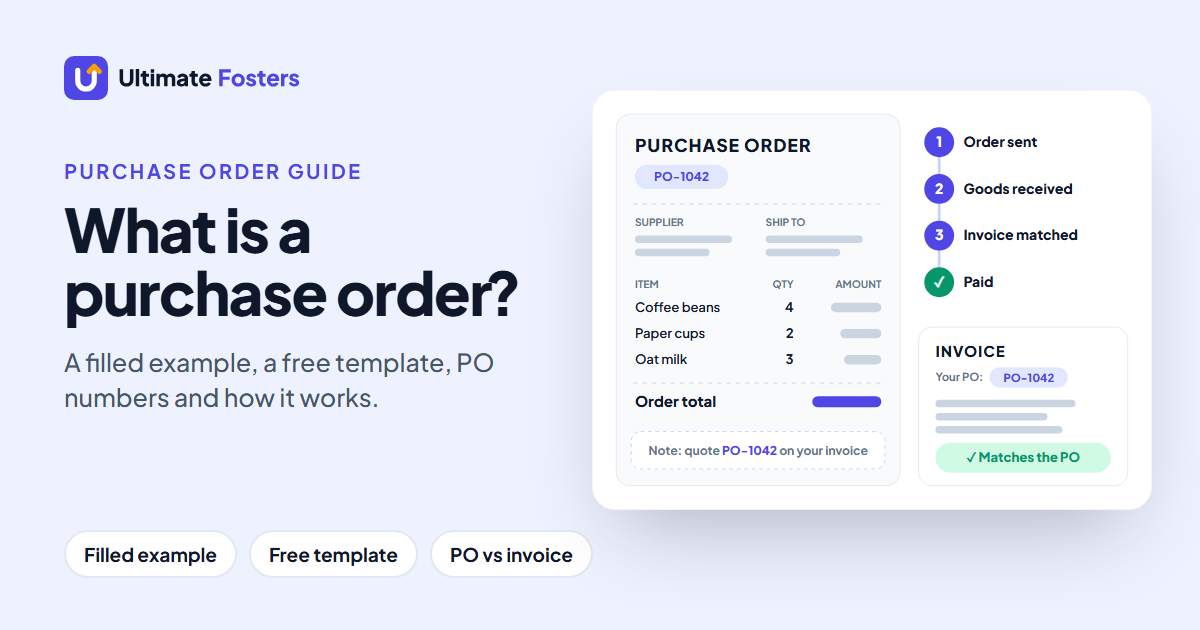
- Send a purchase order to a supplier when stock runs low.
- Receive a part delivery, when 30 of the 48 units you ordered arrive.
- Count stock and fix differences after a stock take, so the system matches the shelf.
- Move stock between locations, such as a stockroom and a second shop.
- Track batches or expiry dates for food, drinks, cosmetics or medicine, so the oldest stock sells first.
Then check five things a feature list won’t tell you:
- Till and stock in one place. If they are separate, every sale then has to be copied across.
- How the price grows. Many plans charge per location or per store, so a second shop doubles the bill.
- Users and item limits. Free and entry plans often allow one user or a few hundred items, which is fine until you grow.
- Your data. Where it lives, and whether you can export it before you leave.
- Updates and support. Who fixes it when something breaks.
Free inventory management software compared: what each free plan includes
Start with the scorecard: how many of the 10 jobs each option includes without paying more, and where it stops.
Swipe the table sideways to see all columns →
| Option | Jobs included at no extra cost | Built-in till | Where it stops |
|---|---|---|---|
| UltimatePOS | All 10 for $79 once | Yes | Nothing to unlock |
| InvenTree | 9 of 10 | No | You run the server; no till |
| Odoo One App Free | 4 of 10 | Paid | A second app (Purchase or Point of Sale) needs Standard |
| Square Free | 3 of 10 | Yes | Labels, counts and POs need Plus ($49 a month per location) |
| Loyverse | 3 of 10 | Yes | POs, counts and transfers need an add-on ($25 a month per store) |
| Zoho Inventory Free | 3 of 10 | No | Labels, counts and batches need a paid plan; no till |
| Skyware Free | 3 of 10 | No | Alerts and variants need a paid plan; 1 user; no till |
| Sortly Free | 1 of 10 | No | Alerts need $49 a month; POs and labels $149; no till |
| SalesBinder Free | Not stated | No | 100 records; Starter $9 a month; no till |
Counts only jobs the vendor says are on the free plan, from the tables below (November 2026). SalesBinder, however, does not say which features its free plan includes.
The tables below then show each job one by one.
How to read them: green means the job is included on the free plan. Amber means you need a paid plan or add-on instead, named in the cell. Red means the tool does not do the job, so you would need another app. Grey “Not stated” means the vendor documents the feature but does not say whether the free plan includes it, so check before you rely on it.
Jobs 1 to 5: products, labels and selling
Swipe the table sideways to see all columns →
| Option | Add products with sizes or colours | Print barcode labels | Scan barcodes | Sell at a till, stock drops by itself | Low-stock alerts |
|---|---|---|---|---|---|
| UltimatePOS ($79 once) | Yes | Yes | Yes | Yes | Yes |
| Square Free | Not stated | Plus | Free | Free | Free |
| Loyverse | Not stated | Add-on | Free | Free | Free |
| Zoho Inventory Free | Free | Premium | Not stated | No | Free (reorder levels) |
| Sortly Free | Not stated | Ultra | Free (phone) | No | Advanced |
| Odoo One App Free | Not stated | Not stated | Not stated | Standard | Free |
| Skyware Free | Pro | Not stated | Free | No | Simple |
| InvenTree | Free | Free | Free | No | Free |
| SalesBinder Free | Not stated | Not stated | Not stated | No | Not stated |
Read on each vendor’s pricing page and help centre, November 2026. Square’s pricing page also lists low-stock alerts on its free plan.
Jobs 6 to 10: buying, counting and moving stock
Swipe the table sideways to see all columns →
| Option | Send a purchase order | Receive a part delivery | Count stock and fix differences | Move stock between locations | Track batches or expiry dates |
|---|---|---|---|---|---|
| UltimatePOS ($79 once) | Yes | Yes | Yes (stock adjustment) | Yes | Yes |
| Square Free | Plus | Plus | Plus | Premium | Not stated |
| Loyverse | Add-on | Add-on | Add-on | Add-on | Not stated |
| Zoho Inventory Free | Free (monthly cap) | Not stated | Premium | Depends on country | Premium |
| Sortly Free | Ultra | Ultra | Ultra | Not stated | Not stated |
| Odoo One App Free | Standard | Standard | Free | Free | Free |
| Skyware Free | Not stated | Not stated | Free | Free | Not stated |
| InvenTree | Free | Free | Free | Free | Free |
| SalesBinder Free | Not stated | Not stated | Not stated | Not stated | Not stated |
Zoho’s free plan includes purchase orders up to a monthly limit, and its free location count differs by country. UltimatePOS, meanwhile, records count differences as stock adjustments.
Check your own jobs
Which free plan covers my jobs?
Tick the jobs your shop needs. The list then updates as you tick.
Free for every job you ticked:
Needs a paid plan or add-on:
Can’t do a ticked job:
Vendor doesn’t say for the free plan:
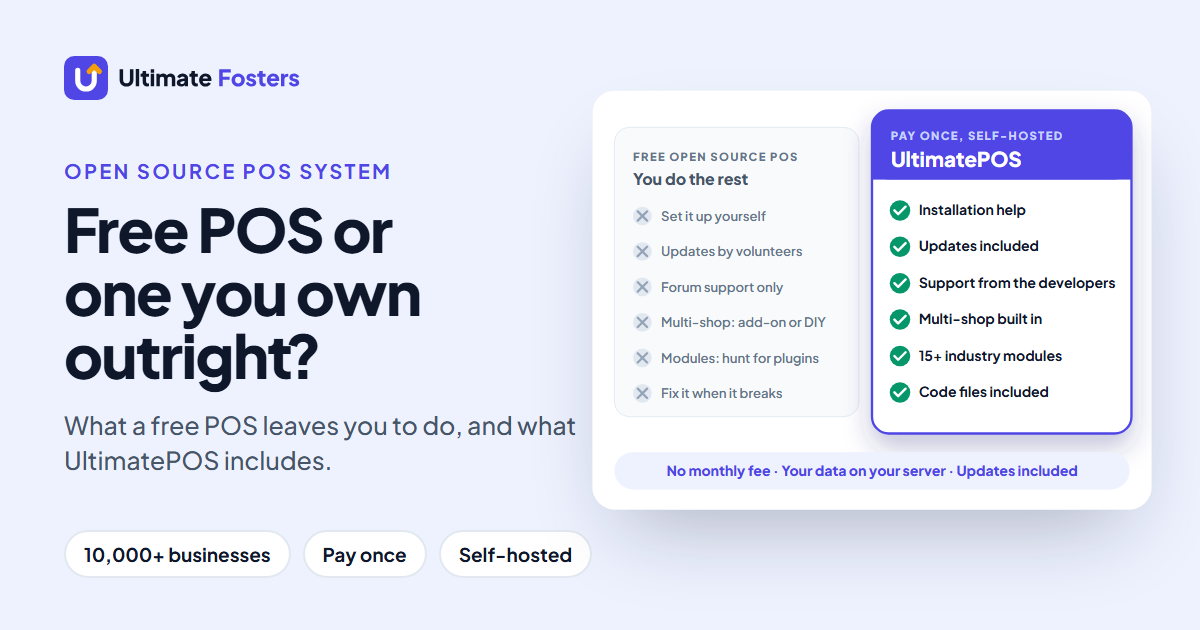
Square Free and Loyverse, the two free plans with a till, each do 3 of the 10 jobs for free and charge for the buying and moving jobs. The tools that do those jobs for free have no till. Only InvenTree does 9 of the 10 for free, but you have to host and run it yourself.
The 8 free plans, one by one
Square Free: a free till for one shop
- Free: a full point of sale, automatic items and SKUs, barcode scanning with a scanner or phone camera, and low-stock alerts on the pricing page.
- First paid job: barcode labels, purchase orders and stock counts need Square Plus, at $49 a month per location. Transfers between locations, meanwhile, need Premium, at $149 a month per location.
- Watch out: every account gets one shared set of staff permissions; separate permission sets, however, need Plus.
Loyverse: a free till for cafés and several stores
- Free: the point of sale, essential inventory, low-stock alerts, barcode scanning with your device’s camera, and more than one store on one account.
- First paid job: purchase orders, part deliveries, stock counts, transfers and label printing are in the Advanced Inventory add-on, $25 a month per store ($250 a year).
- Watch out: staff accounts are an add-on too, at $5 a month per employee, and sales reports are limited to the last 31 days on the free plan.
Zoho Inventory Free: purchase orders without a till
- Free: one user and 50 orders a month, with item groups for variants, reorder levels, purchase orders and receiving.
- First paid job: barcode generation, stock counting, email alerts and batch tracking are on paid plans.
- Watch out: there is no built-in till, and Zoho shows different plan details in different countries, including how many locations the free plan allows.
Sortly Free: a small catalogue on your phone
- Free: up to 100 unique items, one user and barcode or QR scanning in the phone app, so it suits a small catalogue.
- First paid job: low-stock alerts need Advanced ($49 a month); barcode labels, purchase orders and stock counts need Ultra ($149 a month, less if billed yearly).
- Watch out: there is no till, so sales have to be entered some other way.
Odoo One App Free: one app for a whole team
- Free: one Odoo app for unlimited users, hosted by Odoo. Choose the Inventory app and you get reordering rules, stock counts, several warehouses, and lots with expiry dates.
- First paid job: purchase orders and the point of sale are separate apps, so a second app moves you to the Standard plan, priced per user.
- Watch out: the free plan is one app only, so choose it carefully. The open-source Odoo Community edition is free too, but you host it yourself (see our open source POS guide).
Skyware Inventory Free: one user, no item limit
- Free: one user with no item or transaction limits, barcode scanning with a webcam or phone, stock adjustments as well as transfers between locations.
- First paid job: reorder alerts are on the Simple plan and item variants on Pro; more users also cost from $5 a month.
- Watch out: the free plan shows ads and has no till.
InvenTree: free and open source, if you host it
- Free: everything, because it is open source under the MIT licence: variants, labels, scanning, low-stock notices, purchase orders with part deliveries, stocktakes, transfers, batch codes and expiry dates, and user roles.
- First paid job: none. You pay for the server instead.
- Watch out: you install, update and back it up yourself, and it also has no point of sale. It suits workshops and parts stores better than counter shops.
SalesBinder Free: a starter plan to try the software
- Free: 100 active records and one user. Records include items, customers, suppliers, invoices and purchase orders, so 100 fills up quickly.
- First paid job: the Starter plan at $9 a month then raises the limit to 2,500 records.
- Watch out: SalesBinder lists its features for paid plans but not for the free plan. So most of its row above reads “Not stated”.
What paid inventory software costs per month
When a free plan stops, most small businesses move to a monthly plan. If you want affordable inventory software for small business, compare two things: what you pay each month, and what makes that bill grow. Here, then, is what the paid plans of the same tools charge, read on each vendor’s US pricing page:
Swipe the table sideways to see all columns →
| Plan | Price | What the price adds | Charged per |
|---|---|---|---|
| UltimatePOS | $79 once | All 10 jobs, every location, staff roles, a built-in till | Nothing: paid once |
| SalesBinder Starter | $9 a month | 2,500 records, 1 user | Account |
| Loyverse add-ons | $25 a month (Advanced Inventory) + $5 a month per employee | Purchase orders, transfers, counts and labels; staff accounts | Store and employee |
| Square Plus | $49 a month | Barcode labels, stock counts, purchase orders | Location |
| Square Premium | $149 a month | Adds transfer orders between locations | Location |
| Sortly Advanced | $49 a month | 500 items, 2 users, low-stock alerts | Account |
| Sortly Ultra | $149 a month | 2,000 items, 5 users, purchase orders, stock counts, barcode labels | Account |
| inFlow Stockroom | From $69 a month, billed annually ($89 monthly) | Full inventory with 2 admin users; extra locations $5 a month | Account |
US prices from each vendor’s pricing page, November 2026. Monthly billing unless stated; several vendors charge less if you pay yearly. Zoho Inventory and Odoo show prices by country, so they are not listed.
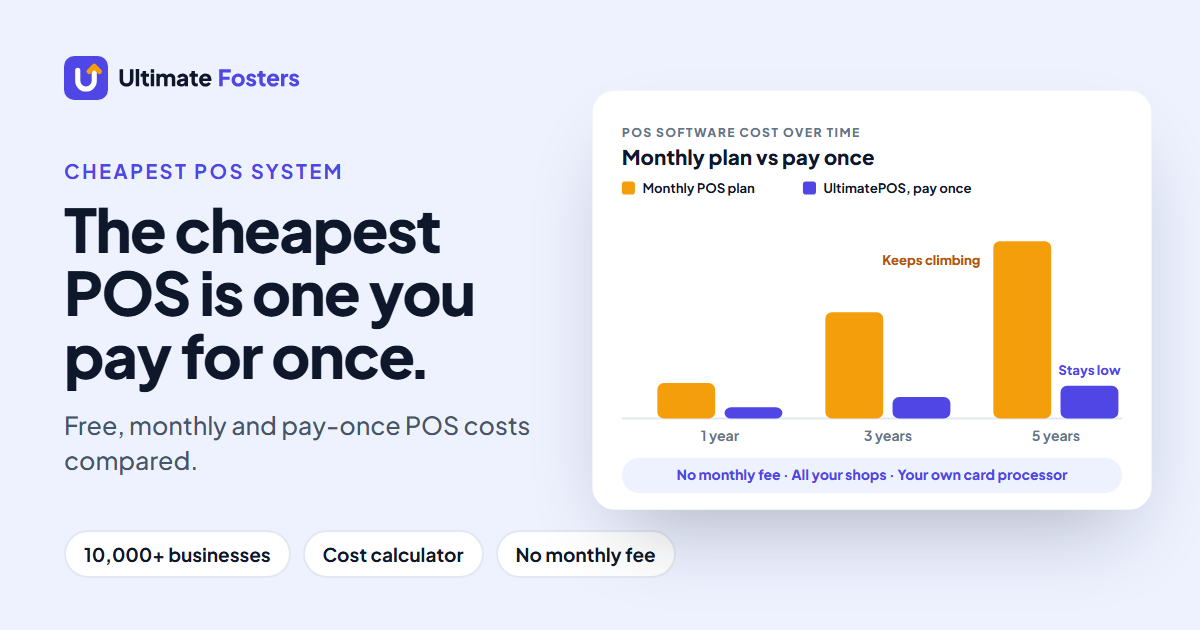
Every monthly plan here charges again next month, and Square and Loyverse also charge again for each extra location or store. UltimatePOS costs $79 once for every location, which is less than two months of Square Plus for one shop. It runs on your own server or a computer in your shop, so your data stays with you. For totals over one, three and five years, see our cheapest POS system guide.
A real week in a shop: where free plans stop
Here is an ordinary week in a small shop with a stockroom and a second branch, and which free plans cover each step before you pay:
Swipe the table sideways to see all columns →
| Day | What happens | Free on | Needs a paid plan or add-on on |
|---|---|---|---|
| Monday | A low-stock alert says a bestseller is down to 6 units | Square Free, Loyverse, Zoho (reorder levels), Odoo, InvenTree | Sortly (Advanced), Skyware (Simple) |
| Tuesday | You send a purchase order for 48 units | Zoho (monthly cap), InvenTree | Square (Plus), Loyverse (add-on), Sortly (Ultra), Odoo (Standard) |
| Thursday | Only 30 units arrive, and you record the part delivery | InvenTree | Square (Plus), Loyverse (add-on), Sortly (Ultra), Odoo (Standard) |
| Friday | You move 10 units to your second branch | Odoo, Skyware, InvenTree | Square (Premium), Loyverse (add-on) |
| Saturday | You check which yogurt expires first | Odoo, InvenTree | Zoho (Premium) |
Only plans whose vendor states the job are listed, so a missing name means the vendor does not say. Zoho’s transfers depend on how many free locations your country’s plan allows.
Only InvenTree covers the whole week for free, and it has no till. Every free plan with a till asks you to pay by Tuesday.
UltimatePOS covers the same week, till included. You can walk through it in the live demo: raise a purchase order, receive part of it and transfer stock to a second location.
Till or stockroom: why one system matters
The free plans with a till, Square Free and Loyverse, give away the selling side and charge for the buying side. The free plans with strong buying tools, Zoho, Odoo and InvenTree, have no free till.
That split matters most for shops, because they sell and restock every day. If your till and your stock live in different systems, every sale has to reach the stock system somehow, by an integration or by hand. If they live in one system, each sale lowers the stock count, and your reorder alerts are based on real sales.
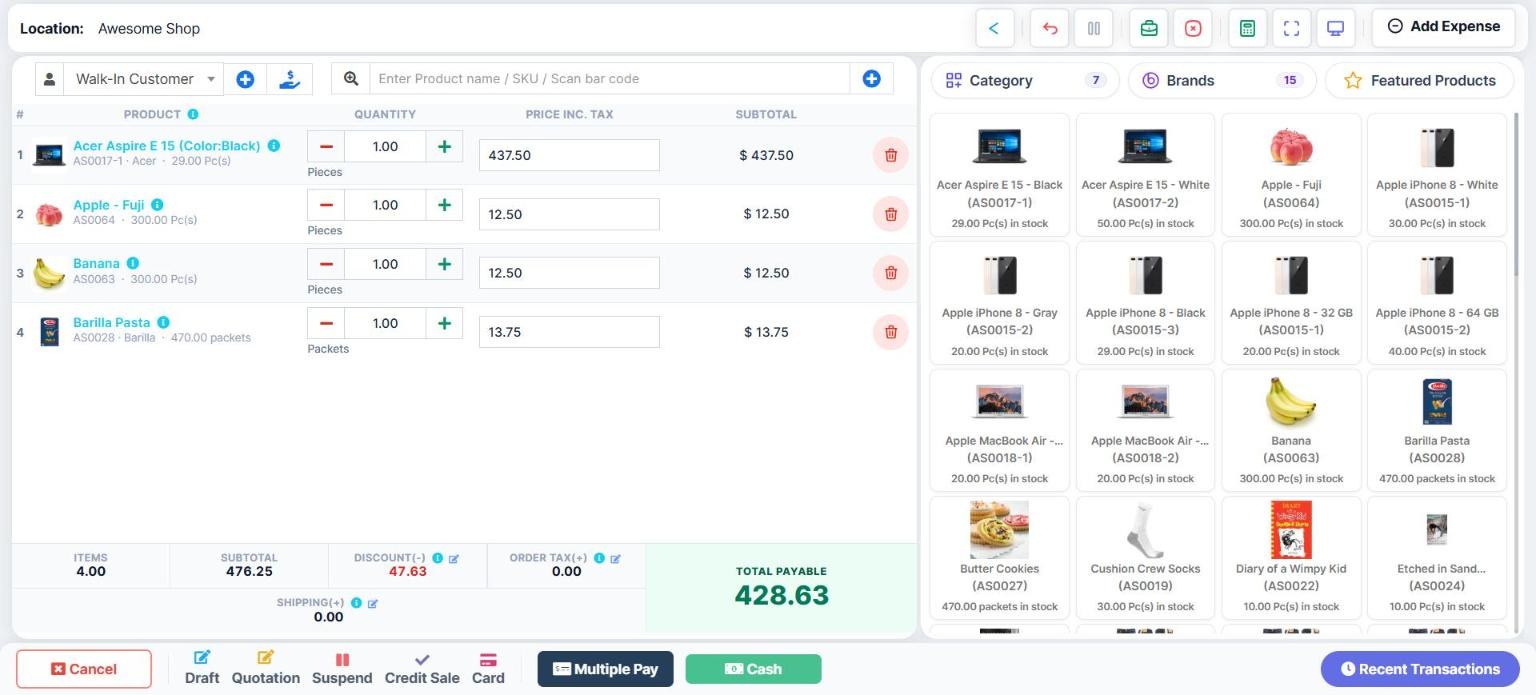
So if you sell over a counter and also buy from suppliers, choose one system that does both. That can be a monthly plan, or a system like UltimatePOS that includes both from the start, so nothing has to be added later.
UltimatePOS: all 10 jobs, paid once
UltimatePOS is our own product: inventory software with the till built in. A Regular licence costs $79, paid once, and it does all ten jobs in one system, with no monthly fee and no paid add-ons for inventory.
How UltimatePOS does each job
| Job | How UltimatePOS does it |
|---|---|
| 1. Sizes and colours | Variable products built from reusable size and colour templates |
| 2. Barcode labels | Print labels from the product list or straight from a delivery |
| 3. Scanning | Plug in a USB barcode scanner; a product’s existing barcode can be its SKU |
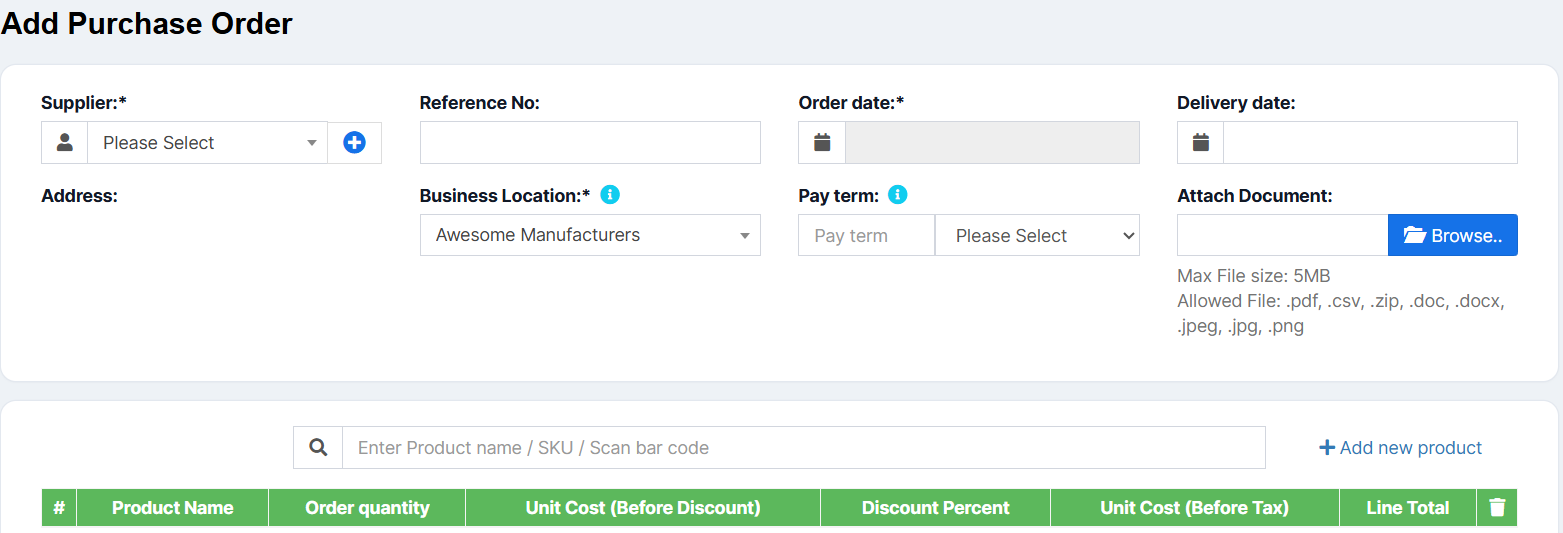
| 4. Till | A built-in point of sale; each sale lowers stock at that location |
| 5. Low-stock alerts | An alert quantity per product, shown on the dashboard and in red on the stock report |
| 6. Purchase orders | Purchase orders you can print and send, then turn into a purchase when goods arrive |
| 7. Part deliveries | Change the quantity received; the order shows as Partial until the rest arrives |
| 8. Counts | Check the stock report, count the shelf, then record missing or damaged items as a stock adjustment; any amount you recover goes into your profit and loss |
| 9. Transfers | Stock transfers between shops and warehouses, marked Pending, In Transit or Completed |
| 10. Batches and expiry | Lot numbers and expiry dates, with an expiry alert and an option to stop selling a set number of days before expiry |
From the UltimatePOS documentation, November 2026.
Beyond the ten jobs
- Every location on one licence. Add shops, warehouses or storefronts; each then keeps its own stock.
- Staff with their own logins. Roles decide what each person can see, as well as which locations they can use.
- Your data on your server. Install it on a cloud server, shared hosting or a computer in your shop (installation guide), or let our installation service do it.
- No lock-in. Products import and export through the same Excel template, so your product list is never locked in.
- Updates included. The licence also includes future updates and 6 months of support.
Getting started takes four steps: try the live demo, buy the $79 licence, install it yourself or let our installation service do it, then import your products from the Excel template.
See how it fits your trade: retail shops, grocery stores, pharmacies, restaurants and cafés, and wholesalers.
UltimatePOS is also rated 4.3+/5 from 500+ ratings on CodeCanyon, and 10,000+ businesses use it.
See all 10 jobs in the live demo
Open UltimatePOS, make a sale, raise a purchase order and move stock between locations. No sign-up needed.
Who keeps your stock data?
Most free inventory management software is hosted on the vendor’s servers. That is convenient, but the vendor also sets the limits, and it can change them. So check where your data lives and how you get it out:
Swipe the table sideways to see all columns →
| Tool | Where your data lives | Export the vendor documents |
|---|---|---|
| UltimatePOS | Your own server or a computer in your shop | Excel, in the same format as its import template |
| Square Free | Square’s cloud | Item library to Excel or CSV |
| Loyverse | Loyverse’s cloud | Items and customers to CSV; sales reports for the last 31 days |
| Zoho Inventory Free | Zoho’s data centres | CSV, XLS or XLSX |
| Sortly Free | Sortly’s cloud | CSV or XLSX |
| Odoo One App Free | Odoo Online (free hosting up to 100 GB) | CSV or XLS |
| Skyware Free | Skyware’s data centres | Excel |
| InvenTree | Your own server | CSV, XLSX or TSV |
| SalesBinder Free | SalesBinder’s cloud | CSV |
From each vendor’s help centre, November 2026.
Whichever system you pick, export your item list once a month, so you always have a copy. If a plan changes or you outgrow it, that file is how you move without retyping everything.
Free inventory apps that aren’t really free
Some tools appear on “best free inventory software” lists but have no free plan at all:
- inFlow Inventory: a 14-day free trial, then from $69 a month billed annually.
- Ply: no free plan on its pricing page; prices depend on your number of stock locations and are quoted on a call. It is built for trades such as field service, not shops.
- Free trials in general: a 14- or 30-day trial is a demo with a deadline rather than a free plan. Before you load your products into one, check what the plan costs on day 31.
Is Excel or Google Sheets enough?
A spreadsheet is enough when one person looks after a small stockroom and sales are few. It costs nothing, and you also control every column.
It stops being enough when any of these happen:
- More than one person updates stock, and the numbers stop matching.
- You sell every day, so typing each sale into the sheet falls behind.
- You need barcodes, purchase orders or a second location.
Excel includes free inventory list templates (choose New and search for “inventory”), and Google Sheets has a template gallery. They give you the columns, but no scanning, no till and no alerts, unless you build them with formulas.
Inventory management software for small business: FAQs
What is the best inventory management software for small business?
For a small business that sells over a counter and buys from suppliers, the best value is one system that does both. UltimatePOS does all 10 everyday inventory jobs, from the till and barcode labels to purchase orders, transfers between shops and expiry dates, for $79 once with no monthly fee. If you only track a small catalogue and never sell over a counter, a free plan such as Zoho Inventory Free or Sortly Free can be enough to start.
How much do inventory management systems cost?
From $0 to a few hundred dollars a month. Free plans cover the basics. Among the paid plans we checked in November 2026, SalesBinder Starter is $9 a month and Loyverse Advanced Inventory is $25 a month per store. Square Plus is $49 a month per location (Premium $149), Sortly is $49 or $149 a month, and inFlow starts at $69 a month billed annually. UltimatePOS is $79 once for every location, and runs on your own server or a shop computer. For totals over one, three and five years, see our cheapest POS system guide.
What is the best free inventory management software?
It depends on the jobs you need, because no free plan does all ten everyday inventory jobs. Square Free and Loyverse give you a free till that lowers stock with each sale. Zoho Inventory Free and Odoo One App Free cover more stock jobs but have no free till, and InvenTree is free if you host it yourself. If you need the till and the stock jobs together, UltimatePOS does all ten for $79 once.
What is the best free inventory software for small business?
For a small shop that sells in person and buys from suppliers, the best value is a system that does both. UltimatePOS includes the till, purchase orders, labels, transfers and expiry tracking for $79 once. If you want to start at $0, Loyverse and Square Free include a free point of sale with basic stock tracking. Both charge once you need purchase orders, stock counts or transfers between shops.
Is free inventory software really free?
Free inventory management software costs nothing to use, but the limits are where the cost hides. Free plans cap your items, orders or users, and they move jobs such as purchase orders, barcode labels and stock counts to paid plans. Self-hosted options such as InvenTree are free to use, but you pay for the server and do the updates yourself.
Is there free inventory software with a POS?
Yes. Square Free and Loyverse both include a point of sale, and stock drops automatically when you sell. On both, however, purchase orders, stock counts and transfers between shops need a paid plan or add-on. None of the other free inventory tools here has a built-in till.
Does Square Free have inventory management?
Yes, the basics. Square’s pricing page lists automatic items and SKUs and low-stock alerts on the free plan, and stock drops when you sell at the Square point of sale. However, the inventory counting tool, purchase orders and barcode label printing need Square Plus ($49 a month per location), and transfer orders between locations need Premium ($149 a month per location).
Is Zoho Inventory really free?
Yes, you can use it free. Zoho Inventory has a free plan for one user and 50 orders a month. It includes reorder levels and purchase orders, but no built-in point of sale. However, barcode generation, stock counting and batch tracking are on paid plans, and the number of free locations depends on your country.
Can QuickBooks do inventory management?
Yes, on its higher plans. Intuit says inventory tracking is available in QuickBooks Online Plus and Advanced, with low-stock alerts and purchase orders that turn into bills. QuickBooks, however, is accounting software with inventory rather than a point of sale. UltimatePOS runs the till and the stock together, and offers its own optional Accounting & Bookkeeping module.
What is the best free inventory management app for small businesses?
If you want one system on every device, UltimatePOS runs in a web browser on phones, tablets and computers, for $79 once. Among free apps, Sortly Free is built around its phone app and scans barcodes and QR codes for up to 100 items. Loyverse and Square Free run a free point of sale on a phone or tablet with basic stock tracking.
What are the top 5 or top 10 inventory management software?
There is no official list, and every site ranks tools differently, so treat any top 10 with care. We reviewed the 9 top-ranking “free inventory management software” pages in November 2026. The tools they named most often were Zoho Inventory, Square and Sortly (5 pages each), Odoo (4), and SalesBinder and Stockpile (3 each). Paid tools such as inFlow also appear, even though inFlow has no free plan. Compare them on the jobs you need rather than their place in a list.
What is the best free inventory management software for restaurants?
A restaurant needs the till and the stockroom to work together, plus expiry dates for fresh stock. UltimatePOS covers all three for $79 once, with lot numbers and expiry alerts; see UltimatePOS for restaurants. For a $0 start, Loyverse’s free plan includes the point of sale and tracks stock for items and their components, but it does not state expiry tracking. Odoo One App Free and InvenTree track expiry dates, but neither gives you a free till.
Is open-source inventory software free?
Yes, it is free to use. InvenTree is released under the MIT licence and Odoo Community under the LGPLv3 licence. You install and run them on your own server, so you handle hosting, updates and backups. For open-source POS systems, see our open source POS guide.
Can I use Excel for inventory management?
Yes, for a small, simple stockroom. Excel can hold your product list, quantities and reorder levels, and you can also colour low-stock rows with formulas. It cannot scan barcodes, lower stock when you sell or send purchase orders, so every change is typed by hand. Most shops outgrow it once they have more than one person updating stock.
Is there a free inventory list template in Excel?
Yes. Excel includes ready-made inventory list templates. Open Excel, choose New and search for “inventory”. Google Sheets also has a template gallery. A template gives you the columns, but you still update every quantity yourself.
Does Microsoft Office have an inventory management system?
No. Microsoft Office has no built-in inventory app; most people use an Excel template. Instead, Microsoft sells separate business software for inventory under its Dynamics 365 brand, which is a paid product.
What is the easiest way to keep track of inventory?
Give every product a barcode, scan it when stock comes in and when you sell it, and set a reorder level for each item. Software that links your till to your stock does most of the work, because each sale lowers the count without anyone typing it.
How do small businesses keep track of inventory?
Most use one of three set-ups: a spreadsheet updated by hand, a separate inventory app next to their till, or a point of sale with inventory built in. The third keeps stock right without retyping, because every sale lowers the count. UltimatePOS works this way, so purchase orders, transfers and expiry tracking sit in the same system.
What is a good simple inventory management software?
Simple means you can do the daily jobs without extra apps or add-ons, so there is less to learn. UltimatePOS keeps the till, stock, purchase orders and labels in one system, for $79 once. For a very small catalogue, Sortly Free (100 items, phone app) and Skyware Inventory Free (one user) are simple to start with, but neither has a till.
What is the 80/20 rule for inventory?
It is the idea that roughly 20% of your products bring in about 80% of your sales or stock value. It is also called ABC analysis: the “A” items, your vital few, get the closest watch, with tighter reorder levels and more frequent counts.
What are the four types of inventory management systems?
They are usually grouped into four kinds. First, manual systems use paper or a spreadsheet. Periodic systems update stock when you count at set times. Perpetual systems, however, update stock with every sale and delivery as it happens. Finally, barcode or RFID systems feed a perpetual system with scans. A point of sale with built-in inventory, such as UltimatePOS, is a perpetual system.
When should I move from free inventory software to a paid system?
Move when a free plan stops doing a job you do every week. The usual triggers are a second person who needs a login, your first purchase order, barcode labels, a second shop or stockroom, and an item or order cap. When two or more of these arrive, compare a monthly plan with a system you pay for once.
Does UltimatePOS have a free plan?
UltimatePOS is a one-time purchase rather than a subscription: a Regular licence costs $79 on CodeCanyon, with future updates and 6 months of support, and no monthly fee. You can also try every feature first in the free live demo, with no sign-up.
Can I move my stock data to UltimatePOS?
Yes. All eight free tools in this guide document a way to export your item list to a CSV or Excel file. You then copy your products into UltimatePOS’s Excel import template and upload it, so you don’t type your products again.
Need the till and every stock job in one place?
UltimatePOS does all 10 inventory jobs for $79 once: every location, your own server, no monthly fee.
How we checked
Written by the team at Ultimate Fosters, who have built and supported UltimatePOS for 10+ years. In November 2026 we read each free and paid plan on the vendor’s own pricing page, plan comparison and help centre. We marked a job as free only where the vendor says so. Where a vendor documents a feature without naming the plan, we wrote “Not stated” rather than guess. Zoho and Odoo show different plan details by country, so check their pages for yours. Prices and limits change, so confirm them before you choose.
Sources
- Pricing and plan pages, read November 2026: Square for Retail, Loyverse, Zoho Inventory FAQ, Sortly, Odoo, Skyware Inventory, SalesBinder, inFlow, Ply
- Help centres and docs: Square purchase orders, Loyverse Advanced Inventory, Odoo Inventory, InvenTree documentation, QuickBooks inventory tracking
- UltimatePOS: CodeCanyon listing and documentation on purchase orders, stock transfers, stock alerts and expiry dates
Related: cheapest POS system for small business · open source POS systems · what is a purchase order · retail POS system · wholesale inventory software
Leave A Comment