
Most small business websites have exactly one form: a basic contact form buried in the footer. That’s it. No lead capture, no booking flow, no payment form, no feedback loop.
It’s a quiet but expensive mistake. The right set of forms turns a website from a brochure into an operating system – it captures leads while you sleep, books appointments without back-and-forth emails, collects payments without invoicing, and pulls customer feedback before complaints reach review sites.
After building forms with thousands of small businesses (FormNX powers forms for 7,000+ customers and over 13,000 live forms), we’ve narrowed it down to the 10 forms that move the needle for almost every small business – plus free templates and a 5-minute setup tip for each.
In this guide, you’ll get a quick overview of FormNX (the no-code platform we use to build all 10), a tour of its key features and use cases, then the actual 10-form list with templates you can copy. If you just want the list, jump straight to the 10 forms ↓.
A Quick Overview of FormNX
FormNX is a no-code form builder designed for small businesses, nonprofits, educators, marketers, and agencies – anyone who needs to collect data, payments, signups, or feedback on a website without writing code or hiring a developer.
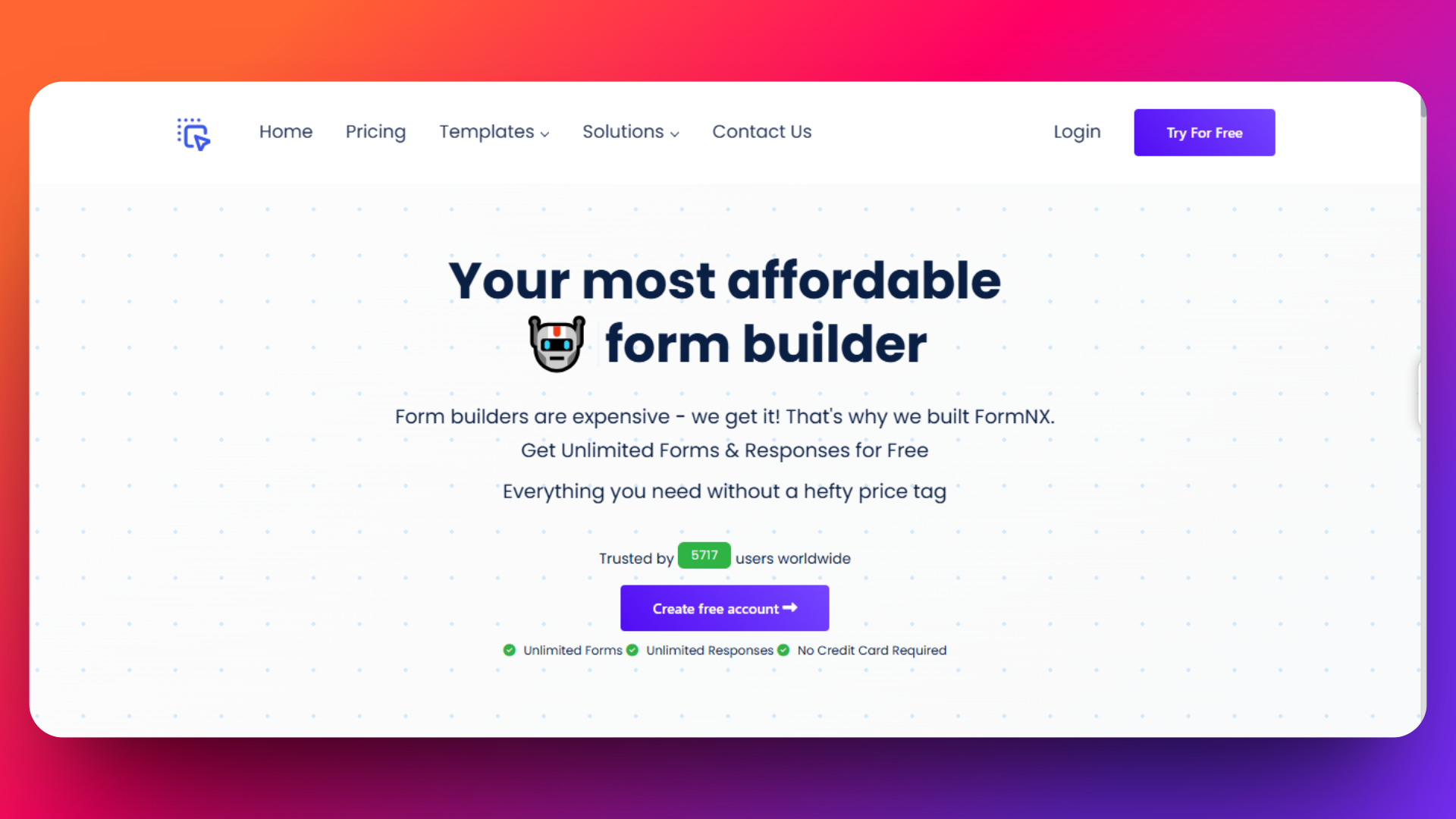
The platform handles forms, surveys, quizzes, PDFs, and payments inside a single workspace, so you’re not stitching together three or four SaaS tools to do what should be one job. Forms are built with a drag-and-drop editor (or with AI from a plain-English prompt), styled to match your brand, and embedded on any website – WordPress, Webflow, Squarespace, Wix, Shopify – via a copy-paste embed code.
The free plan covers most small-business needs (unlimited forms, Unlimited Submissions, email to me notifications, integrations like Stripe with 7.5% connect fees, Mailchimp); paid plans unlock advanced security, PDF generation, white-labeling, and PayPal alongside Stripe. With 99.99% uptime and 500,000+ submissions processed, it’s the reliability layer most small businesses don’t realize they need until a form breaks at the worst possible moment.
“I really appreciate FormNX for its simplicity and intuitiveness — it’s easy to use and just works perfectly for my needs. The form builder is especially straightforward, and I’ve found the OTP function to be a great feature. Setting it up was extremely easy, and I was able to have a form ready within an hour.”
— Dujon Z. (Director Small-Busines), 5★ review on G2
Key FormNX Features That Power These Forms
Every form in the list below relies on the same underlying toolkit. Here are the FormNX features that do the heavy lifting – grouped by what they help you actually get done.
Build & Design
- Drag-and-drop builder with 40+ form fields (text, dropdowns, file upload, signature, calculation, voice recorder, color picker, range slider, star rating, scale rating, input tables, and more).
- AI form builder – type what you need in plain English and the AI generates the form structure in seconds.
- Pre-built templates for contact, lead, registration, booking, payment, quiz, survey, HR, and 30+ other use cases – start fast, then customize.
- Custom CSS + branding – match your website’s look exactly, with company logo upload and full design control on buttons, borders, and labels.
- 40+ languages with RTL support – ship localized forms without managing translations in a separate tool.
- Multi-step forms with progress bar – break long forms into pages with per-page validation so completion rates don’t tank.
Logic & Automation
- Conditional fields – show or hide fields based on previous answers (Equals, Not Equals, Empty, Not Empty conditions).
- Form scheduling – set start/end date windows so forms auto-close outside booking hours.
- Calculation fields – auto-totals, pricing, scoring, and formulas with optional rounding.
- URL parameter prefill – pre-fill fields from query parameters for personalized campaigns.
- Webhooks + native integrations – Stripe, PayPal, Mailchimp, Google Sheets, Slack, Discord, plus Zapier, Make, and Pabbly Connect through webhook.
- Auto-response emails – instant confirmation to respondents with dynamic tags and optional PDF attachment.
Security & Anti-Spam
- Email OTP verification – respondents verify their email with a 6-digit code before submission.
- Block disposable emails – one-click toggle that rejects throwaway providers (Mailinator, 10MinuteMail, Guerrilla Mail, Temp-Mail).
- Google reCAPTCHA – bot protection without breaking the user experience.
- Submission duplicate check – prevent repeat submissions via IP or field-based validation.
- Password-protected forms + authorized URLs – restrict access to specific people or domains.
- GDPR data handling + consent collection – privacy-compliant by default (per official GDPR.eu requirements).
Payments
- Stripe + PayPal in the same form – let customers choose the payment method they trust. Most form builders force you to pick one.
- 0% Stripe Connect fees on all paid plans.
- Dynamic pricing via calculation fields – totals adjust automatically based on selections.
- Payment status tracking – every submission shows Paid or Due, with one-click resend of the payment link for abandoned checkouts.
Documents & Output
- PDF generation with a visual drag-and-drop builder, templates, or AI-generated layouts.
- Dynamic field tags – PDFs auto-fill with submission data.
- PDF email attachments – send custom PDFs to owners and respondents on submission.
- Bulk PDF export – download every submission as a ZIP file.
- E-signature capture – built-in signature field, no DocuSign subscription needed.
Analytics & Submissions
- Visual response analytics with pie charts for dropdowns, radios, ratings, and checkboxes – included free.
- Export to Excel or CSV – submissions, filtered or full.
- Partial submissions – capture data from people who started but didn’t finish, so you can recover drop-offs.
- Visitor info – IP, OS, browser, and unique visitor ID per submission.
- Save as draft – let respondents return later via a unique link.
- Submission reference numbers with configurable prefix and start number for tracking.
Workspace & Collaboration
- Workspaces with role-based access (Admin, Member, Viewer) – bring your team in without sharing logins.
- Custom SMTP at the workspace level – send notifications from your own email domain.
- White-label forms – remove FormNX branding and use your own SEO metadata.
That’s the toolkit. Most small businesses use 10-15 of these features regularly; power users tap into all of them. You don’t pay extra for individual features – they’re bundled into the plan.
FormNX Use Cases: 4 Ways Teams Build Without Code
Beyond the 10 forms covered later in this guide, FormNX serves four broader use cases that explain why teams choose it over single-purpose tools. Each has a dedicated page that goes deep on the workflow.
1. No-Code Form Builder for Teams Without Developers
Use it for: Any form, on any website, without writing a line of code.
This is the foundation. Drag fields onto a canvas, customize, hit publish. Embed the result on your site, share a direct link, or trigger it as a popup on scroll/exit-intent. WordPress, Webflow, Squarespace, Wix, Shopify – all supported via copy-paste embed code.
Searches for “no-code form builder” are up +829% year-over-year (source: DataForSEO Google Keyword Data, May 2026) — every team without a developer is moving this direction, and small businesses lead the charge.
? See the full no-code workflow: FormNX No-Code Form Builder
2. Online Survey Builder for Customer Research, NPS & Market Research
Use it for: NPS surveys, CSAT, employee engagement, market research, exit interviews, post-purchase surveys, beta feedback.
A real survey builder isn’t just “a form with rating questions.” It needs logic jumps (skip questions based on answers), a real rating scale library (Likert, NPS, CSAT, semantic differential), response analytics (pie charts and percentages, not just a CSV dump), and an export pipeline that works with your BI tools.
FormNX does all of that, plus the bonus that your survey data lives in the same workspace as your forms – one dashboard for everything you collect.
? Deeper survey workflows here: FormNX Online Survey Builder
3. AI Form Builder – Describe in Plain English, Get a Form
Use it for: Skipping the “stare at the canvas” phase. Just describe what you need.
“A patient intake form for a dental clinic with insurance fields and a signature.” “A multi-step event registration with three ticket tiers and a Stripe checkout.” “A 5-question NPS survey for SaaS customers.” Type, hit generate, get a working form structure in seconds. Then tweak.
This is one of the fastest-rising form-builder categories — searches for “AI form generator” are +129% month-over-month with monthly volume around 320 (source: DataForSEO Google Keyword Data, May 2026). For small businesses that bill by the hour, this is real productivity.
? Try it: FormNX AI Form Builder
4. Online Quiz Maker for Engagement, Lead Magnets & Assessments
Use it for: Marketing quizzes (“Which marketing plan fits your business?”), training assessments, employee onboarding tests, certification quizzes, knowledge checks, course quizzes, lead-magnet quizzes.
Quiz mode is different from a normal form. It needs scoring, correct answer specification, points per question, custom feedback for right/wrong answers, grade assignment based on point ranges, randomized question order to prevent cheating, and admin insights (average score, median, distribution).
Search volume for “online quiz maker” sits around 2,400/month with another 1,300/month for “free online quiz maker” (source: DataForSEO Google Keyword Data, May 2026) — there’s serious demand here. Most form builders fake quiz mode with conditional logic. FormNX has it as a first-class feature.
? Build a real quiz: FormNX Online Quiz Maker
FormNX vs Google Forms vs JotForm vs Typeform: Feature Comparison
How does FormNX stack up against the most common form-builder choices for small businesses? Here’s a side-by-side feature comparison across the capabilities that matter most.
| Feature | FormNX | Google Forms | JotForm | Typeform |
|---|---|---|---|---|
| Free plan | ✅ Unlimited forms + submissions | ✅ Unlimited | ⚠️ 5 forms / 100 submissions | ⚠️ 10 responses/month |
| Drag-and-drop builder | ✅ | ✅ Basic | ✅ | ✅ Conversational |
| AI form builder | ✅ Plain English → form | ❌ | ⚠️ Limited | ❌ |
| Conditional logic | ✅ Full | ❌ One question per page | ✅ | ⚠️ Limited (Logic Jumps) |
| Multi-step forms | ✅ | ⚠️ Sections only | ✅ | ✅ |
| Stripe payments | ✅ Native, 0% fees on paid plans | ❌ Add-on required | ✅ With submission caps | ✅ |
| PayPal payments | ✅ Native, alongside Stripe | ❌ Workaround only | ✅ With submission caps | ✅ |
| E-signature field | ✅ Built-in | ❌ Add-on required | ✅ | ❌ |
| PDF generation | ✅ Visual + AI builder | ❌ Apps Script needed | ⚠️ 5 free PDFs/month | ❌ Zapier needed |
| Email OTP verification | ✅ One-click | ❌ Google sign-in only | ⚠️ Complex setup, paid only | ❌ |
| Block disposable emails | ✅ One-click toggle | ❌ | ⚠️ Manual workaround | ⚠️ Manual workaround |
| Quiz mode (scored) | ✅ Full grading + insights | ⚠️ Basic | ⚠️ Limited | ❌ |
| Online survey builder | ✅ Same workspace | ⚠️ Basic | ✅ | ✅ |
| Response analytics (charts) | ✅ Free | ✅ Basic | ❌ External tools | ⚠️ Paid only |
| WordPress embed | ✅ Gutenberg / Classic / Elementor | ⚠️ iframe only | ✅ Plugin | ✅ Embed code |
| White-label / remove branding | ✅ Paid plans | ❌ | ✅ Enterprise | ✅ Paid plans |
| GDPR compliance built-in | ✅ | ⚠️ Manual | ✅ | ✅ |
Bottom line: Google Forms is fine for free internal surveys but breaks down for customer-facing website forms. JotForm and Typeform are capable but cap submissions on lower tiers and charge for features FormNX includes free. FormNX is the only one of the four with native Stripe + PayPal in the same form, one-click disposable email blocking, and a true scored quiz mode bundled in the free plan.
What Makes a Good Form for a Small Business Website?
When choosing forms for a small business website, you need more than just a “name, email, message” box. Here’s the quick filter we use to decide what makes a form worth building in 2026:
- Mobile-first. Over 60% of form fills happen on mobile in 2026. If it doesn’t work on a phone, it doesn’t work.
- Fast to fill. Every extra field cuts completion rates. Ask for what you absolutely need, nothing more — Baymard Institute’s checkout research found that average online flows ask for ~15 fields when only 6-8 are actually needed.
- Conversion-focused. Clear CTA, no friction, no surprise required fields. The Nielsen Norman Group’s form usability research confirms that reducing visual clutter and grouping related fields is the highest-impact UX lever.
- Spam-resistant. Real submissions only – disposable emails, bot traffic, and duplicate spam should be blocked at the form layer.
- Integrated with your stack. Submissions need to flow to your inbox, CRM, payment processor, or spreadsheet automatically. Manual copy-paste kills momentum.
A modern drag-and-drop form tool handles all five of these out of the box. You don’t need a developer, a Zapier subscription, or a separate payment processor for most of what’s coming next.
10 Essential Forms for Your Small Business Website
Here are the 10 forms that consistently move the needle for small businesses, in the order most teams should build them. Pick the three you don’t have yet and ship them this weekend.
1. Contact Form
The form every site has, and the one most sites get wrong.
A contact form isn’t just “name, email, message” – it’s a qualifier. Done right, it filters serious inquiries from time-wasters before they hit your inbox.
What to include:
- Full name
- Email (validated)
- Phone (optional, with country code)
- Reason for contact (Support, sales, share feedback, partnership, other)
- Message
- Source field (hidden, auto-filled from URL parameters to track marketing campaigns)
The unique tip most blogs skip: Add a conditional “What’s your budget range?” field that only appears when the reason is “sales.” It costs you nothing on support tickets and 2x the quality of your sales inbox.
Template: Grab a free contact form template and customize it in under 5 minutes.
2. Lead Capture Form (Newsletter or Free Resource)
If your contact form is for buyers, your lead capture form is for browsers. People who aren’t ready to buy but want to stay in your orbit.
The format is simple – exchange something valuable (a checklist, a guide, an early-access list) for an email. The execution is where most small businesses lose conversion.
What to include:
- First name (no last name – friction killer)
- Email (validated, with disposable email blocking turned on)
- One optional segmentation field (their role, their goal, their industry)
The unique tip: Turn on email OTP verification or block disposable emails. Lead lists full of [email protected] addresses look great in metrics and dead in conversion. FormNX has a one-click toggle for both.
Template: A simple lead capture form template connected to Mailchimp or your CRM via webhook = done.
3. Quote Request Form
For service businesses – agencies, contractors, consultants, freelancers – the quote request form is the difference between “I’ll get back to you in 2 days” and “I’m closing this lead today.”
Most quote forms are too short (no qualifying info) or too long (you lose them). Find the middle.
What to include:
- Company name
- Contact name + email
- Service type (dropdown)
- Project scope (short description)
- Budget range (dropdown – this single field saves you hours)
- Timeline (dropdown)
- Optional file upload for briefs/RFPs
The unique tip: Add a calculation field that auto-estimates a ballpark based on their service-type and scope selections. They get an instant number, you get the qualification.
Template: Use a quote request form template with conditional logic – different service types show different sub-questions.
4. Appointment Booking Form
Email back-and-forth is dead. If a customer wants to book a call, demo, or service appointment, they should be able to do it in 30 seconds on your site.
What to include:
- Service type (if you offer more than one)
- Datetime picker with available slots
- Customer name, email, phone
- Notes / context
- Optional payment field (deposit or full payment)
The unique tip: Use form scheduling – set the form to auto-close outside your booking window so people can’t book a 2 AM Saturday slot. And send an auto-confirmation email with a PDF appointment confirmation immediately – it cuts “did you get my booking?” follow-ups by 90%.
Template: Pick an appointment booking form template and connect it to your calendar via integration.
5. Customer Feedback Form (NPS or Open Feedback)
You cannot fix what you don’t measure. A customer feedback form is the cheapest market research tool you’ll ever run.
The trap: most SMBs send long surveys nobody finishes. Short, frequent, well-targeted feedback beats one annual mega-survey every time.
What to include:
- Star rating or NPS-style 0-10 scale
- One open-ended “what could we do better?” field
- Optional contact info (for follow-up)
- Hidden context field (which product/service this is about)
The unique tip: Conditional logic. If they rate you 9-10, redirect them to a public review site (Google, Trustpilot, G2). If they rate 0-6, trigger an internal alert so you can reach out before they churn. One form, two outcomes, completely automatic.
Template: Pick an Customer Feedback form template and collect customer feedbacks efficiently.
For deeper market research, FormNX’s online survey builder handles longer surveys with logic jumps, response analytics, and built-in charts.
6. Order / Payment Form
The form that pays for itself – literally. If your business sells anything (products, services, donations, event tickets, courses), an order form built into your website skips the entire “send invoice → wait → chase” cycle.
What to include:
- Product or service selector
- Quantity / variant fields
- Calculation field for auto-total (including tax and shipping if needed)
- Customer billing info
- Payment field (Stripe and/or PayPal)
- Optional notes / delivery instructions
The unique tip: Offer BOTH Stripe and PayPal in the same form. Different customers trust different payment methods – some won’t enter their card on a small-business site but happily click through PayPal. Baymard Institute’s research lists payment method limitations as one of the top 10 reasons for cart abandonment. Capturing both is free traffic. FormNX has dual checkout in one form (most form builders force you to pick one).
Template: Use a payment-enabled order form template – set it up once, get paid forever.
7. Event or Webinar Registration Form
Hosting a webinar, workshop, networking event, or community meetup? A dedicated registration form does three jobs at once: confirms headcount, captures lead data, and sets up your follow-up sequence.
What to include:
- Attendee name + email
- Organization / role (for segmentation)
- Session / track selection (if multi-track)
- Dietary or accessibility needs (if in-person)
- Optional payment field (for paid events)
The unique tip: Auto-generate a PDF ticket with a unique reference number and email it on submission. For in-person events, a QR code on the PDF speeds check-in. For virtual events, the unique ID prevents link-sharing abuse.
Template: Grab a free event registration form template and brand it to match your event.
8. Job Application Form
If you’re hiring, even occasionally, a structured job application form beats “email your CV to careers@…” every single time. You get cleaner data, no missed applications, automatic deduplication, and a defensible record for compliance.
What to include:
- Full name + contact info
- Position applying for (dropdown of open roles)
- Resume / CV upload
- Cover letter (short text or file upload)
- LinkedIn / portfolio URL
- Years of relevant experience (dropdown)
- “How did you hear about us?” (recruiting attribution)
- Optional short pre-screen questions
The unique tip: Add a 2-3 question pre-screen with conditional logic. Auto-disqualify applicants who don’t meet hard requirements (location, work authorization, must-have skills) before they hit your inbox. You spend zero hours on bad-fit applicants.
Template: Use a job application form template – receive each application as a clean PDF in your inbox or HR drive.
9. Newsletter Signup Form
Different from a lead capture form (which trades something for an email). This one is the lightweight footer / sidebar / popup version for people who already trust you enough to want updates.
What to include:
- Email field only (one field = highest conversion)
- Optional first name
- Optional category preferences (helps segmentation)
- Clear consent language (GDPR/privacy-compliant)
The unique tip: Embed the same form three ways – footer, sidebar widget, and exit-intent popup. The popup typically converts 3-5x the inline version, but inline forms catch people who hate popups. Both feed the same list.
A no-code form builder lets you embed the Newsletter Signup form in all three locations with one shared submission database, so you’re not managing three separate lists.
10. Customer Survey / Market Research Form
Deeper than a feedback form. This is the structured research you run quarterly to understand who your customers are, what they want next, and what’s not working.
What to include:
- Multiple choice questions for segmentation (size, industry, role, tenure)
- Likert scale questions (agree/disagree on key statements)
- Open-ended questions for verbatim insight
- Net Promoter Score (NPS)
- Optional incentive trigger (gift card lottery for completed responses)
The unique tip: Build it in your form tool, not in a separate survey platform. A real online survey builder gives you pie charts, response analytics, and CSV export without paying for a second SaaS subscription. And the data lives next to your other form data – same workspace, same dashboard.
Template: Use a Market Research Survey Form and do the survey for your products.
Bonus: Interactive Quiz or Lead Magnet Form
Quizzes get 3-4x the engagement of static forms. “Which marketing plan is right for your business?” “What’s your team’s productivity score?” “Can you pass our industry knowledge test?”
Each ends with: a personalized result + a soft email capture for the full report.
A dedicated online quiz maker lets you build scored quizzes with custom feedback, grading, and result pages – far beyond what a normal form builder can do. For small businesses that want to be memorable in a sea of static contact forms, this is a quiet superpower.
How to Build Any of These in 5 Minutes
You don’t need to build all 10 this weekend. Pick the three you’re missing most and ship them.
The fastest path:
- Open FormNX (free plan covers most small business needs)
- Start from a template for the form type you want, OR use the AI form builder – describe what you need in plain English (“a quote request form for my web design agency with a budget dropdown”) and the AI generates the form structure
- Customize – adjust fields, branding, colors to match your website
- Connect your integrations (email notifications, Mailchimp, Google Sheets, Stripe – all native, no Zapier needed for the basics)
- Embed on your website via the copy-paste embed code, popup trigger, or shareable link
Total time per form: 5-10 minutes. Done before lunch.
If you’re on WordPress, the embed works via Gutenberg, Classic Editor, or Elementor – no plugin install required.
FAQ
What forms do small businesses need on their website?
At minimum: a contact form. To actually grow: contact, lead capture, quote request (for services) or order form (for products), customer feedback, and a newsletter signup. The 10 above cover almost every small business use case.
What’s the simplest form to start with?
A well-built contact form with conditional logic (sales vs support vs partnership routing). It’s the foundation everyone visits first – get this right and the other 9 build on its momentum.
Do I need a developer to add forms to my website?
No. A modern online form tool generates an embed code you paste into your site. No coding, no plugins, no developer fees. WordPress, Webflow, Squarespace, Wix, Shopify – they all accept embed codes.
Are there free form builders for small businesses?
Yes. FormNX has a free plan with unlimited forms, Unlimited Submissions, submission email notifications, and basic integrations like Stripe with 7.5% connect fee and Mailchimp. It’s enough for most small businesses to ship the 10 forms in this list without upgrading.
Should I use Google Forms for my small business?
Google Forms is fine for internal data collection, surveys, and quick polls. For customer-facing forms on your website, you’ll outgrow it quickly – no native payments, no PDF builder, no e-signatures, no advanced conditional logic, no design control. Most small businesses move on within a few months.
Can AI actually build a useful form, or is it gimmick?
It’s genuinely useful when the AI is built into the form platform itself (not bolted on). FormNX’s AI form builder takes a plain-English description (“a contractor quote request form with budget, timeline, and a file upload for the brief”) and outputs a working draft you tweak rather than build from scratch. It cuts form creation from 20-30 minutes to about 2 minutes for most use cases. The trend is real – searches for “AI form generator” are up 129% month-over-month in 2026.
What features should I look for in a form builder for a small business website?
The non-negotiables for 2026: drag-and-drop builder, mobile-responsive output, conditional logic, payment integration (Stripe AND PayPal ideally), file upload, e-signature, PDF generation, email notifications, third-party integrations (Mailchimp, Google Sheets, Zapier), spam protection (reCAPTCHA + disposable email blocking + OTP verification), and GDPR-compliant data handling. FormNX bundles all of these on its free and paid plans.
Can I use the same tool for forms, surveys, AND quizzes?
Yes, and you should – running three separate SaaS tools for forms, surveys, and quizzes wastes money and fragments your data. FormNX handles all three with first-class support: standard forms via the drag-and-drop builder, in-depth surveys via the online survey builder, and scored assessments via the online quiz maker. All submissions live in one workspace.
Pick Three. Ship This Weekend.
You don’t need all 10 right now. Pick the three that fill the biggest gap on your current site – for most businesses, that’s:
- A real lead capture form (your footer newsletter signup doesn’t count)
- A payment or booking form (so you stop chasing invoices)
- A customer feedback form (so you know what’s actually broken before reviews surface it)
Build those three, embed them where your traffic actually goes, and watch what changes in a month.
“I like the ease of use of FormNX and how well the tracking works — being able to monitor daily submissions through Excel export and catch multiple submissions from the same IP addresses makes it perfect for my needs.”
— Wayne K. H. (Enterprise), 5★ review on G2
Try FormNX free – every form in this guide is available as a template, and the free plan covers most small business needs. If you want to read what other businesses are saying first, check FormNX reviews on G2.
The right forms for a small business website, in the right place, on the right page — that’s the upgrade no agency will sell you because there’s nothing to invoice. Just better forms, doing more work, automatically.
Nikhil is the founder of FormNX, a no-code form builder trusted by 7,000+ businesses and powering 500,000+ form submissions across 13,000+ live forms with 99.99% uptime. Connect on LinkedIn.
Leave A Comment